Consistent Character Generation: 7 Tips & Tricks That Actually Work
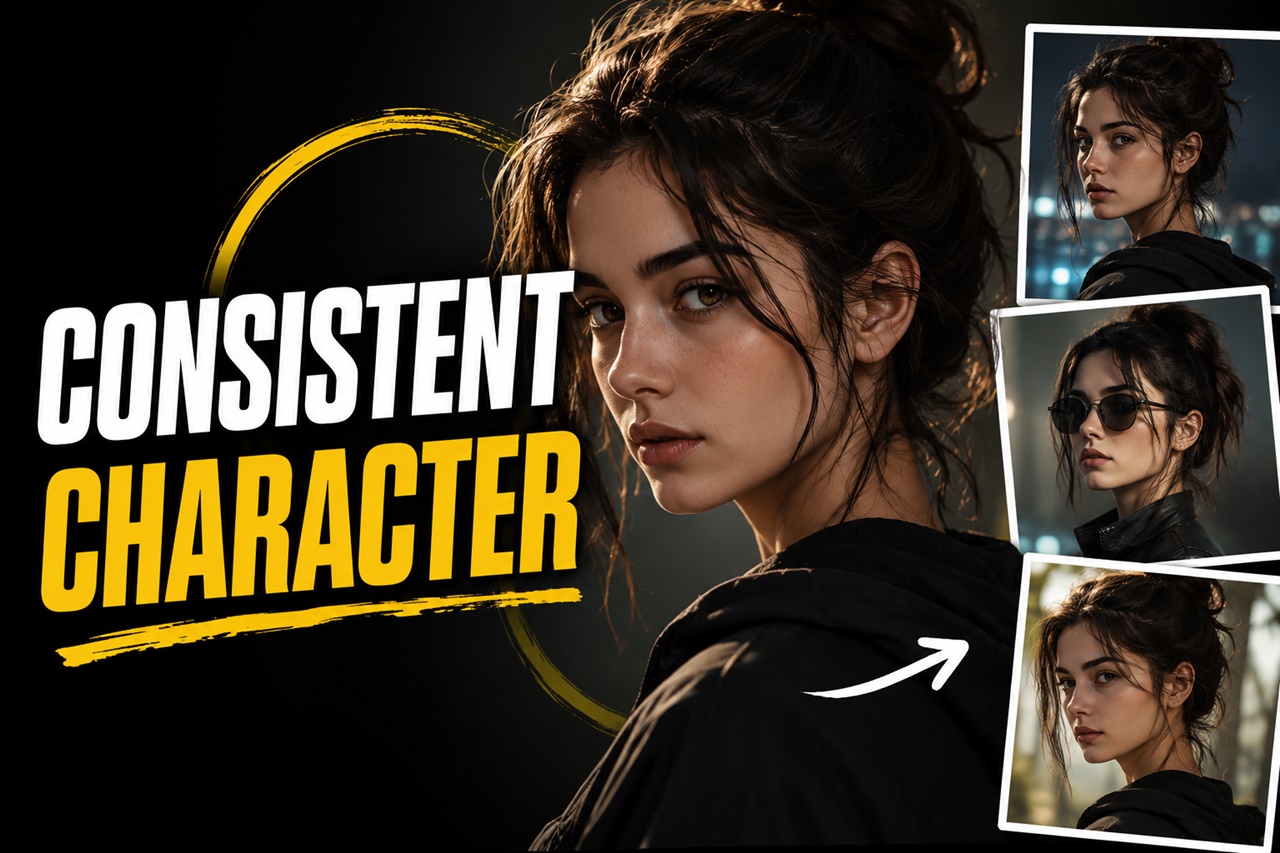
You finally generate the perfect character. The face, the outfit, the vibe, everything clicks. So you write a new prompt to put them in a different pose, and suddenly... it's a completely different person. Sound familiar?
This is one of the most common (and most frustrating) problems in text-to-image generation. Diffusion models are amazing at creating a face, but they don't inherently know how to remember that specific face across multiple generations. The good news? Consistent characters are absolutely achievable, you just need the right combination of prompting technique, tools, and a bit of patience.
In this guide, we'll break down beginner-friendly tips and tricks to help you generate the same character again and again, whether you're building a comic, a brand mascot, a game asset, or just a recurring character for your own creative projects.
Why Is Character Consistency So Hard?
Text-to-image models generate images from random noise, guided by your prompt. Every time you hit "generate," the model starts from a different random seed and reinterprets your words fresh. Your prompt describes a character in words, but words are inherently fuzzy, "a woman with brown hair and green eyes" could describe millions of different faces. The model doesn't have a fixed mental image of "your" character; it's approximating a description each time.
That's why consistency isn't about writing one clever prompt, it's about giving the model stronger anchors to lock onto. Let's go through the most effective ways to do that.
1. Write a Detailed "Character Bible" Prompt
The foundation of consistency starts with your prompt itself. Vague descriptions give the model too much creative freedom, which leads to a different face every time.
Instead of:
"A young woman with brown hair"
Try building a full character bible, a fixed block of descriptive text you reuse in every prompt:
"A 25-year-old woman, oval face, sharp jawline, medium-length wavy auburn hair with side-swept bangs, almond-shaped hazel eyes, thin eyebrows, small nose, freckles across cheeks, wearing a navy blue turtleneck"
Save this as a reusable snippet. Every new prompt you write for this character should start with this exact block, only changing the pose, action, or background around it.
2. The Name Blending Technique:
The easiest and most effective beginner trick for consistency is "Name Blending." AI models are trained on billions of images, which means they know exactly what famous people look like. We can use this to our advantage by combining two or three lesser-known celebrities to create an entirely new, unique face.
Instead of prompting:
A handsome 30-year-old man with dark hair and a strong jawline...
Prompt:
A portrait of a 30-year-old man, a mix of [Celebrity A] and [Celebrity B], dark hair, strong jawline...
Because the AI has a locked-in visual definition of those celebrities, it will calculate the exact mathematical midpoint between their faces. As long as you keep that specific celebrity blend in your prompt, your character’s facial structure will remain remarkably consistent across different environments.
Avoid ultra-famous A-listers (like Tom Cruise or Emma Stone) unless you want your character to look exactly like them. Instead, blend character actors, international models, or historical figures to get a truly unique face.
3. Lock (or Strategically Reuse) Your Seed
Every image is generated from a random "seed" number. If you use the same seed with the same prompt, you'll get the same image. This sounds like the perfect consistency hack but it comes with a catch.
- Same seed + same prompt = nearly identical image (not useful if you want variation)
- Same seed + slightly changed prompt = often keeps a similar overall composition and face structure, while changing details like clothing or background
A common technique: generate your character once, find a seed that produces a face you love, then lock that seed and only make small prompt edits (changing pose, outfit, or setting) for future generations. This won't guarantee 100% consistency, but it dramatically increases the odds compared to using a random seed every time.
4. Use Reference-Image Tools (IPAdapter, InstantID)
If prompting alone isn't cutting it, the next big upgrade is using an actual reference image instead of just describing your character in text.
Tools like IPAdapter and InstantID, let you upload a reference photo of your character, and the model will use that image's facial features as guidance for every new generation regardless of pose, lighting, or outfit changes.
This method is currently the most reliable way to maintain facial consistency without training a custom model.
5. Train a Custom LoRA of Your Character
If you need long-term, high-quality consistency like for a comic series, a brand mascot, or a recurring game character then training a LoRA (Low-Rank Adaptation) is the gold standard.
A LoRA is a small, custom-trained model file that "teaches" your base model what your character looks like. Once trained, you can generate your character in any pose, outfit, or setting just by including a trigger word in your prompt.
You can check our lora training guides for learning about lora training.
6. Use ControlNet for Pose and Composition Control
Facial consistency is only half the battle, sometimes you also need consistent body proportions, poses, or camera angles across a set of images (think: a comic panel sequence).
ControlNet lets you feed in a reference pose, sketch, depth map, or edge map, and the model will follow that structure while still applying your character's design. This is especially useful for:
- Keeping consistent poses across a comic strip
- Matching a specific camera angle or framing
- Preserving body proportions when generating action scenes
Combining ControlNet (for pose/structure) with IPAdapter or a LoRA (for face/identity) is one of the most powerful consistency combos available today.
7. Build a Reusable Prompt Template
Once you find a prompt structure that reliably produces your character, don't rewrite it from scratch every time instead turn it into a template.
A good template usually follows this order:
[Character description block] + [pose/action] + [clothing/accessories] + [setting/background] + [lighting/style] + [camera/lens details]
By keeping the character block fixed and only swapping out the other sections, you reduce the chances of accidentally introducing new random traits into your descriptions.
To Summarize
Consistent character generation isn't about finding one magic prompt, it's about layering multiple techniques together: a solid character description, smart seed usage, reference-image tools, and, for serious projects, a trained LoRA. Start simple with a strong character bible and seed locking, then level up to IPAdapter, ControlNet, or LoRA training as your project demands more precision.
The more consistent your workflow, the more your characters will feel like real, recurring "actors" in your creative universe rather than one-off generations. Save your best prompts, keep your reference images organized, and treat your character setup like a reusable asset.