How to Describe Subjects Clearly in Prompts
You type "a woman standing in a forest" into your favorite text-to-image model, hit generate, and... it's fine. Just fine. Generic face, weird lighting, forest that looks more like a park hedge. You know there's a better image hiding in the model's weights, but your words aren't finding it.
Here's the thing nobody tells beginners: AI image models don't struggle with imagination, they struggle with ambiguity. Every vague word in your prompt is a decision you've handed over to the model and the model will make that decision randomly. The fix isn't a magic keyword or a secret trick. It's learning how to describe your subject the way a photographer or art director would: with clarity, specificity, and the right order of information.
In this guide, you'll learn exactly how to break down a subject description so the model understands what you actually want not just what you vaguely typed.
Why Subject Description Matters More Than You Think
The subject is the anchor of your entire prompt. Lighting, style, and background all get interpreted in relation to the subject. If your subject description is vague, everything built around it inherits that vagueness.
Think of it this way: "a man" gives the model almost nothing to work with age, ethnicity, build, clothing, expression, and pose are all left to chance. "An elderly Japanese man with a weathered face, wearing a grey wool coat, sitting with his hands folded" gives the model a real person to render. Same subject category, wildly different output quality.
Vague subjects also cause a second, sneakier problem: they make your results inconsistent. Run the same vague prompt five times and you'll get five different people, five different outfits, five different vibes. A clear subject description narrows that randomness so your results become predictable which matters a lot when your are looking for something specific or trying to build a consistent character, product, or style.
The Core Building Blocks of a Clear Subject Description
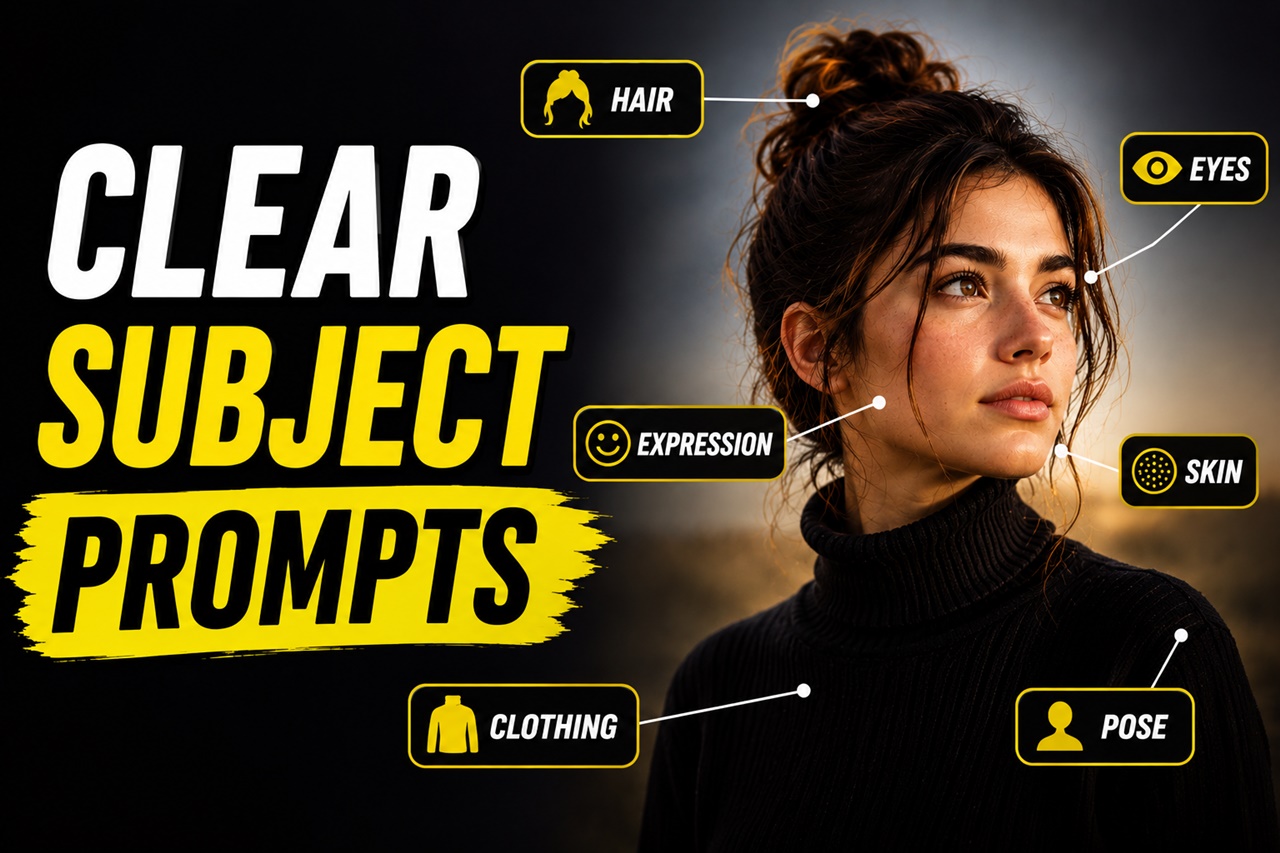
A well-described subject usually answers five questions. You don't need all five every time, but knowing them helps you catch what you're missing.
1. What is it, specifically? Not "a dog" instead "a golden retriever puppy." Not "a car" instead "a vintage 1967 Ford Mustang." The more specific the noun, the less guessing the model has to do.
2. What does it look like? Physical traits: age, build, hair, skin, material, color, texture. For objects: shape, material, condition (new, weathered, rusted).
3. What is it wearing or made of? Clothing, armor, packaging, surface material, this single detail carries a huge amount of visual weight.
4. What is it doing? Pose, action, or expression. "Standing" is a placeholder verb. "Crouching low, one hand braced on the ground, looking over her shoulder" is a scene.
5. How does it relate to the frame? Is it close-up, full body, from a low angle? This isn't strictly "subject description," but it directly shapes how the subject is rendered, so it's worth deciding early.
You don't need a paragraph for every subject. But if your output looks generic, it's almost always because one or more of these five is missing.
Specificity: The Single Biggest Upgrade You Can Make
If you take away one lesson from this article, make it this: replace generic nouns and adjectives with specific ones.
Compare these two prompts:
- Vague: "a warrior with a sword"
- Specific: "a battle-worn female warrior in dented bronze armor, gripping a curved iron sword, a scar across her left cheek"
The second prompt isn't longer for the sake of being longer, every added detail removes a decision point the model would've otherwise guessed at. "Warrior" becomes gendered, armored, and battle-tested. "Sword" becomes curved and made of iron. You've traded ten random guesses for ten deliberate choices.
A quick trick: whenever you write an adjective like "beautiful," "cool," "nice," or "detailed," stop and ask… detailed how? beautiful in what way? These words feel descriptive but carry almost no visual information. Swap them for something the model can actually picture: "intricate," "sun-bleached," "angular," "weathered," "porcelain-smooth."
Order Matters: Structure Your Description Like a Sentence
A lot of beginners write prompts as a pile of comma-separated tags: “woman, red dress, forest, sunset, smiling.” This works, but it's inefficient most models weigh earlier words more heavily, and a tag dump gives no relationship between the words.
Try structuring your subject description the way you'd describe a photo to a friend:
[Subject] + [defining traits] + [clothing/material] + [pose/action] + [expression/mood]
Example:
"A young street artist, spray paint stains on his hoodie sleeves, crouched in front of a half-finished mural, focused expression, paint can in hand"
This reads almost like a sentence because it follows a natural order: who → what they look like → what they're wearing → what they're doing → how they feel. Models trained on captioned images respond well to this kind of natural, descriptive flow because it mirrors how real photo captions are written.
Handling Multiple Subjects Without Confusing the Model
Multi-subject prompts are where clarity breaks down fastest. If you write "a boy and a girl playing with a dog in the park," the model has to guess who's doing what, what everyone looks like, and how they're arranged and it often blends features between subjects.
To keep multiple subjects distinct, describe them the way a director would block a scene:
"A young boy in a blue striped shirt kneeling on the grass, laughing, next to a girl in a yellow dress throwing a red ball, with a brown labrador jumping to catch it between them"
Notice each subject gets its own color, clothing, and action, and their spatial relationship ("next to," "between them") is spelled out. This won't guarantee perfect separation on every model, but it dramatically reduces feature-blending compared to a vague group description.
If you're working with a model that struggles with multiple subjects no matter what, it often helps to generate them individually first to see how the model interprets each subject alone, before combining them into a full scene.
A Simple Before-and-After Example
Before: "a knight in a castle"
After: "a young knight in dented silver plate armor, sword sheathed at his hip, standing at the base of a crumbling stone staircase inside a torch-lit castle hall, weary expression"
Same core idea, completely different level of control. The "after" version tells the model who the knight is, what state their armor is in, what they're doing, where exactly they are, and how they feel, leaving almost nothing to chance.
Practicing This Skill
The fastest way to get good at this is comparison. Take a vague subject description, generate an image, then rewrite it using the five building blocks above and generate again. Compare the results side by side. You'll start to feel, very quickly, which missing detail caused which random guess.
If you want a shortcut while you're still building this instinct PromptDexter's Prompt Builder lets you assemble subject phrases (pose, clothing, expression) visually, so you can see exactly which phrase produces which visual effect before you commit it to your prompt.
To Summarize
Describing a subject clearly isn't about writing longer prompts instead it's about writing more decisive ones. Every vague word you replace with a specific one is a small piece of control you're taking back from randomness. Start with the five building blocks: what it is, what it looks like, what it's wearing or made of, what it's doing, and how it relates to the frame and you'll notice your results becoming sharper and more consistent almost immediately.
Master this one skill, and you'll find that half the "AI can't get it right" frustration beginners feel simply disappears because the model was never guessing wrong. It was just never told clearly enough.