How Lighting Keywords Change the Mood of an AI Image
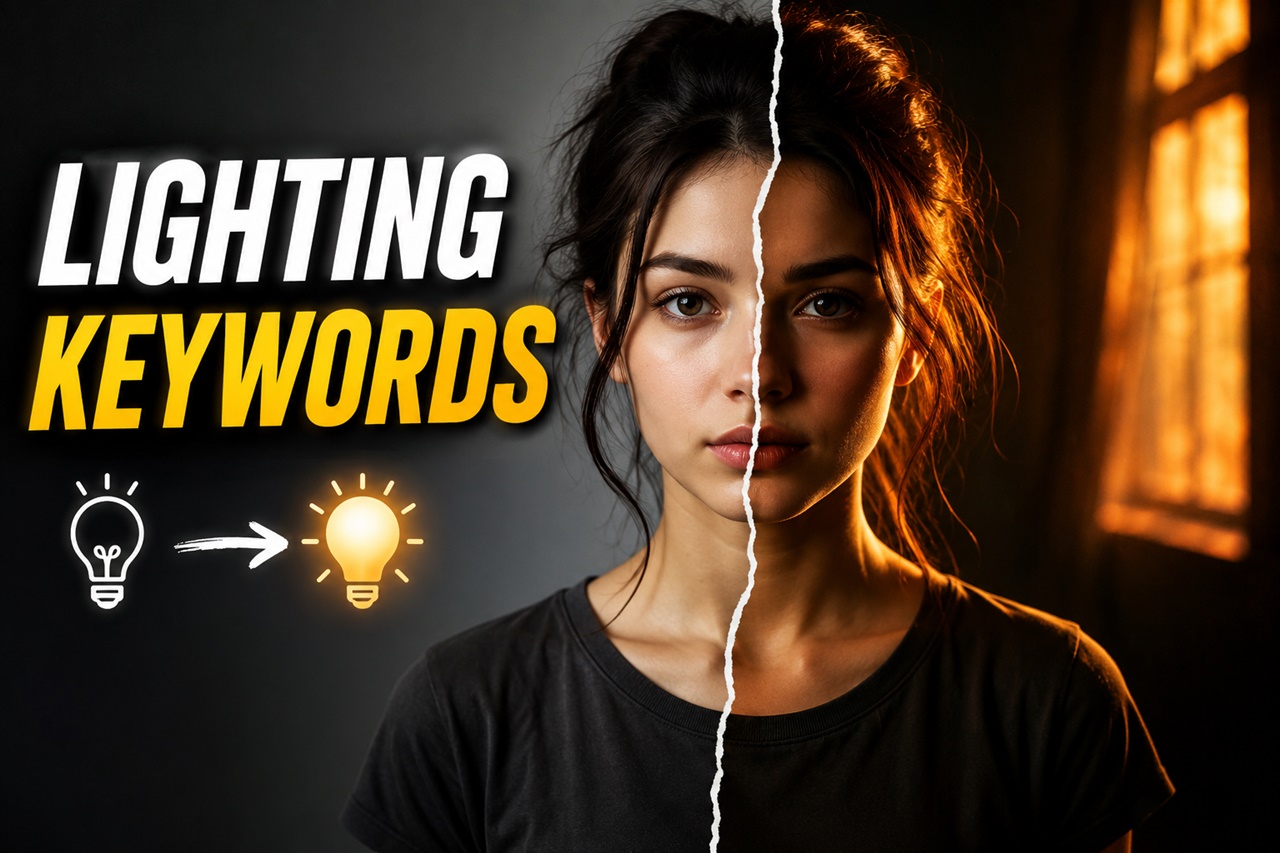
Ask ten people to write prompt for the same character "a woman standing in a doorway" and you'll get ten flat, forgettable images. Now add three words: lit by golden hour sunlight. Suddenly there's warmth, nostalgia, maybe even a story. Same subject, same composition, completely different feeling.
That's the quiet power of lighting keywords. They're one of the cheapest, easiest edits you can make to a prompt, and yet most beginners skip them entirely, or worse, throw in a random lighting word without knowing what it actually does. In this guide, we'll break down exactly how lighting language shapes mood in text-to-image models, and give you a practical vocabulary you can start using today.
Why Lighting Matters More Than You Think
When you write a prompt, you're not just describing what is in the image, you're describing how the camera sees it. Lighting is one of the biggest levers for that "how." Photographers and cinematographers have known this for a century: change the light, and you change the emotion, even if nothing else in the frame moves.
AI image models are trained on millions of captioned photos and artworks, so they've absorbed these same associations. Words like "moody," "dreamy," "eerie," or "cheerful" are often implied by lighting terms rather than stated outright. If you only describe your subject and skip lighting, the model defaults to generic, evenly-lit results, technically fine, but emotionally flat.
How AI Models Understand Light
It helps to know that these models don't understand light the way a physicist does. They've learned statistical patterns: images captioned "candlelit dinner" tend to be warm, orange, low-contrast, and intimate, so that's what gets generated when you use that phrase. Images tagged "harsh fluorescent lighting" tend to look clinical, slightly unflattering, and cool-toned.
This means lighting keywords work almost like mood presets. You don't need to explain why golden hour looks warm and nostalgic, the model already "knows" from its training data. Your job is just to pick the right preset for the feeling you want.
Natural Light Keywords and the Moods They Create
Natural light is the most common starting point for beginners because it maps closely to real-world experience. Here's how a few popular terms tend to render:
- Golden hour lighting - warm orange and pink tones, soft shadows, a nostalgic or romantic feel. Great for portraits, travel scenes, and storytelling shots.
- Blue hour lighting - cool blues and purples just after sunset, quiet and cinematic, often used for moody cityscapes or contemplative scenes.
- Overcast lighting / soft diffused light - flat, even, low-contrast light with no harsh shadows. Reads as calm, neutral, or even melancholic. Popular in editorial and fashion prompts.
- Harsh midday sun - strong shadows, high contrast, bleached highlights. Feels tense, exposed, or documentary-style.
- Moonlight / night lighting - desaturated blues, soft glow, mystery. Ideal for fantasy, horror, or dreamlike scenes.
- Foggy/misty light - scattered, hazy illumination. Adds softness and a sense of the unknown or ethereal.
Try swapping just this one word across an identical prompt and you'll see the same subject shift from "romantic memory" to "cold thriller" in seconds.
Studio and Artificial Light Keywords
Once you move indoors or into more stylized territory, artificial lighting terms give you finer control:
- Softbox lighting / studio lighting - even, flattering, professional. This is the default for product shots, portraits, and clean commercial-style images.
- Rim light / backlight - a glowing outline around the subject, separating them from the background. Adds drama, heroism, or an ethereal quality, very popular in fantasy and character art.
- Candlelight - warm, flickering, intimate, slightly low-contrast. Instantly reads as cozy or romantic, sometimes eerie in horror contexts.
- Neon lighting - saturated pinks, blues, and purples, strong color casts. The go-to for cyberpunk, nightlife, and futuristic moods.
- Volumetric lighting / god rays - visible light beams cutting through haze or dust. Adds a cinematic, almost sacred or epic feeling.
- Fluorescent lighting - flat, slightly greenish or cool white light. Useful for clinical, corporate, or unsettling everyday realism.
Notice how these aren't just "brighter" or "darker" each one carries an emotional signature the model has learned to reproduce.
Direction and Quality of Light
Beyond the light source, its direction and quality (how hard or soft the shadows are) also shape mood dramatically:
- Side lighting - emphasizes texture and form, creates half-lit, half-shadowed faces. Adds tension or intrigue.
- Silhouette / backlit silhouette - subject rendered mostly as a dark shape against bright background. Mysterious, iconic, sometimes melancholic.
- Chiaroscuro lighting - strong contrast between light and dark, inspired by Renaissance painting. Dramatic, painterly, intense.
- Low-key lighting - mostly dark frame with small pools of light. Moody, suspenseful, often used in horror or noir styles.
- High-key lighting - bright, evenly lit, few shadows. Cheerful, clean, often used in comedy, beauty, or advertising visuals.
Pairing a direction/quality keyword with a light source keyword, for example, low-key candlelight or high-key studio lighting gives you even more precise control than either alone.
Combining Lighting Keywords with Other Prompt Elements
Lighting doesn't work in isolation, it interacts with color palette, camera angle, and subject description. A few tips as you experiment:
- Keep it to one or two lighting phrases. Stacking five conflicting lighting terms (e.g., "harsh midday sun, candlelight, moody, high-key") confuses the model and often produces muddy, inconsistent results.
- Match lighting to genre. Fantasy and horror lean into low-key, volumetric, or moonlit setups. Product and portrait work leans into softbox or golden hour.
- Use lighting to reinforce your story, not fight it. If your prompt describes a joyful reunion, high-key or golden hour light supports that. Harsh fluorescent light would undercut it.
- Watch for style bleed. Some lighting words are strongly associated with specific art styles (neon → cyberpunk, chiaroscuro → oil painting). If you want a different style, be explicit about it elsewhere in the prompt so the lighting term doesn't drag the whole image in a different direction.
This is exactly the kind of trial-and-error that a visual reference library speeds up, seeing an actual image preview next to a lighting phrase tells you far more than the word alone, which is why pairing lighting keywords with example thumbnails (like in PromptDexter's Prompt Builder) makes this whole process faster to learn.
Common Mistakes Beginners Make with Lighting
- Skipping lighting entirely and wondering why images look generic or "AI-flat."
- Using vague words like "nice lighting" or "good lighting" these carry almost no specific signal for the model to work with. Be concrete instead.
- Mixing contradictory lighting terms in one prompt, which confuses the model's output.
- Copying lighting keywords from someone else's prompt without understanding what they do, then being surprised when they don't fit a different subject or scene.
- Forgetting that different models respond differently. A phrase that works beautifully in one model (say, an SDXL-based checkpoint) may render differently in another (like Flux), so it's worth testing the same lighting term across models you use often.
Lighting Keyword Cheat Sheet
| Lighting Keyword | Typical Mood |
|---|---|
| Golden hour | Warm, romantic, nostalgic |
| Blue hour | Calm, cinematic, quiet |
| Overcast / diffused light | Neutral, soft, melancholic |
| Harsh midday sun | Tense, exposed, documentary |
| Moonlight | Mysterious, dreamlike |
| Candlelight | Intimate, cozy |
| Neon lighting | Futuristic, energetic |
| Volumetric / god rays | Epic, cinematic |
| Low-key lighting | Suspenseful, moody |
| High-key lighting | Bright, cheerful, clean |
Keep this list handy the next time you're writing a prompt and stuck on why an image feels "off" chances are, the lighting word is doing the wrong emotional job.
To Summarize
Lighting keywords are one of the highest-leverage tools in your prompting toolkit. They cost you a few extra words but reshape the entire emotional register of an image, turning a flat, generic render into something that actually feels like golden hour nostalgia, neon-drenched energy, or candlelit intimacy.
The best way to internalize this is to experiment: take one prompt, keep everything else fixed, and swap only the lighting phrase across a handful of generations. You'll build an intuitive feel for this vocabulary far faster than by reading about it.
If you want to skip some of that trial and error, PromptDexter's Prompt Builder lets you browse lighting phrases alongside real image previews, so you can see exactly what each keyword does before you commit it to your prompt and the Explore gallery is full of hand-picked examples where lighting choices are doing a lot of the emotional heavy lifting, worth studying prompt by prompt.