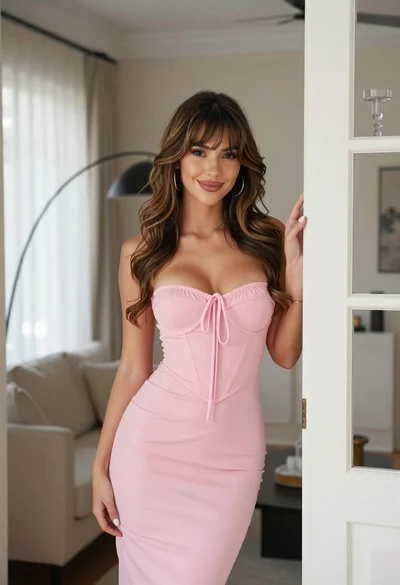
Glamorous woman in metallic bronze gown standing indoors at an elegant setting
Prompt
A glamorous woman with slicked-back hair stands confidently in a deep V-neck metallic bronze gown.

Subject: A woman with sleek, pulled-back hair and defined makeup featuring dark eyeliner and glossy lips.

Clothing: She wears a floor-length, sleeveless halter dress made of shiny, liquid-metallic fabric that reflects light with a coppery sheen; the neckline is a deep plunging cowl cut.

Action: She stands facing forward with a slight smile, holding a geometric silver clutch in her right hand while resting her left hand on a nearby table.

Environment: An elegant indoor setting with cream-colored walls and white wainscoting, featuring a dark console table and a tall gold vase filled with dried floral branches.

Camera: A medium shot capturing the subject from the thighs up, framed to include the background decor for context.

Lighting: Soft, warm ambient lighting creates gentle highlights on the metallic dress and casts subtle shadows against the wall.

Objects: A large, textured gold vase holding a bouquet of small white flowers sits on a dark wooden console table.

Style Details: High-fashion editorial photography with a polished, high-gloss finish emphasizing texture and luxury.
Description
This prompt is useful for creating high-end magazine editorials, character concept art for period dramas, and luxury brand advertising campaigns. The combination of 'liquid-metallic fabric' and the 'deep plunging cowl cut' ensures that the gown catches light dramatically, while specifying 'soft, warm ambient lighting' prevents harsh reflections on the bronze material, maintaining a polished, high-gloss finish suitable for upscale visual storytelling.
Suggestions
- Change 'metallic bronze gown' to 'liquid gold gown' for a brighter sheen.
- Swap 'dark eyeliner and glossy lips' for 'smoky eye makeup' to deepen the mood.
- Adjust 'cream-colored walls' to 'deep sapphire walls' for higher contrast.
Category
Tags
BrunetteFemaleIndoorsMedium ShotPortrait ShotRealistic
Date added
June 19, 2026
Added by
PromptDexter Team
Related Prompts
More prompts with similar categories and tags.

Smiling woman in royal blue gown on red carpet with green foliage

Glamorous woman in gold sequin gown holding white cup in modern kitchen
Poised woman smiling on red carpet with sparkly brown strapless dress
Smiling woman in black pinstripe suit jacket against dark backdrop

Blonde woman looking back over shoulder against white wall

Poised woman in black blazer sitting on stool against blue gradient background

Fair skinned woman with red hair in brown satin dress against gray
Young woman in brown dress leaning against beige stone wall
Young woman with red to green hair posing confidently on white backdrop
Woman in gold sequined dress sitting in dimly lit bar setting