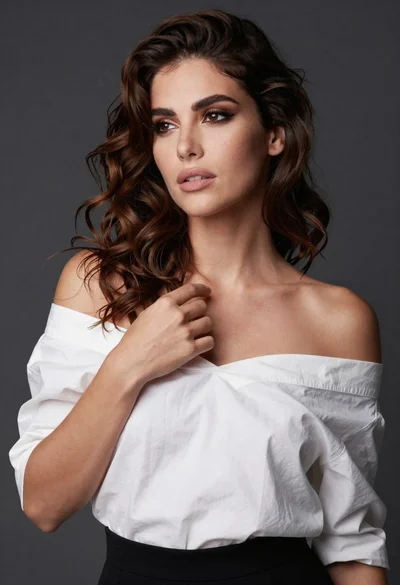

Medium close up of woman in denim crop top against gray studio
Prompt
A confident woman with long, voluminous dark brown wavy hair stands against a plain neutral gray background.

Subject: A woman with fair skin and long, voluminous dark brown wavy hair that cascades over her shoulders. Her expression is serious and direct, gazing slightly to the side with defined makeup including eyeliner.

Clothing: She wears a sleeveless denim crop top tied in a knot at the front, revealing her midriff, paired with blue jeans secured by a brown leather belt with a silver buckle. A thin bracelet is visible on her left wrist.

Action: She stands with both hands resting on her hips, accentuating a confident posture. Her head is turned slightly to the side while maintaining a direct gaze.

Environment: The setting is a simple studio environment with a seamless neutral gray backdrop that provides no distraction from the subject.

Camera: The shot is a medium close-up framed vertically, capturing the subject from the waist up with a shallow depth of field that keeps her in sharp focus while softly blurring the background.

Lighting: Soft, diffused studio lighting illuminates the scene evenly from the front, creating gentle highlights on her skin and hair without harsh shadows.

Style Details: The image features high-definition clarity with smooth skin textures and realistic fabric details, rendered in a polished commercial portrait style.
Description
This prompt is useful for creating modern fashion lookbooks, character concept art for advertising campaigns, and editorial beauty spreads requiring focus on texture. The combination of 'soft, diffused studio lighting' with the 'plain neutral gray background' ensures that the visible textures of the 'denim crop top' and 'brown leather belt' remain the primary focal points without any distracting environmental elements or harsh shadows.
Suggestions
- Change 'neutral gray backdrop' to 'concrete gray backdrop' for more industrial texture.
- Swap 'sleeveless denim crop top' for 'ribbed knit tank top' for a different material feel.
- Adjust 'gazing slightly to the side' to 'direct eye contact with viewer' for stronger engagement.
Category
Tags
Brown HairBrunetteCasual WearFair SkinFemaleMedium ShotPortrait ShotRealisticStudio
Date added
June 19, 2026
Added by
PromptDexter Team
Related Prompts
More prompts with similar categories and tags.

Blonde woman looking back over shoulder against white wall

Poised woman in black blazer sitting on stool against blue gradient background

Fair skinned woman with red hair in brown satin dress against gray

Close up portrait of woman in champagne gown with brown hair

Woman in rust gown posing on white step and repeat backdrop
Medium close up portrait of blonde woman in beige blazer studio setting

Close up portrait of blonde woman in hot pink gown at event
Smiling woman in navy top sitting on black chair against white wall

Woman in dusty rose slip dress looking over shoulder against light blue
Woman with dark wavy hair against textured mustard yellow studio wall
