

Young woman reading book on stone bench in sunlit garden ruins
Prompt
A young woman with dark wavy hair sits gracefully reading a book in a sunlit garden.

Subject: A beautiful young woman with long, dark, wavy hair tied back with a white ribbon, featuring soft skin and a gentle smile as she looks down at her book.

Clothing: She wears an elegant off-the-shoulder gown with sheer white lace sleeves and a voluminous skirt that transitions from black tulle at the waist to flowing white fabric at the hem.

Action: The woman is seated in a relaxed pose, holding an open hardcover book in both hands, her expression calm and focused on the text.

Environment: She sits on a stone bench or ledge surrounded by lush greenery and blooming pink roses, with ancient stone ruins visible in the background.

Lighting: Soft, warm sunlight filters through the trees, creating a gentle glow on her face and dress while casting subtle shadows that enhance the romantic atmosphere.

Style Details: The image has a painterly, ethereal quality reminiscent of classical oil paintings with soft focus, dreamy color grading, and a romantic, vintage aesthetic.
Description
This prompt is useful for creating editorial fashion moodboards, historical romance book covers, and fine art portraiture featuring dramatic natural settings. The combination of 'soft, warm sunlight' filtering through the trees and the 'painterly, ethereal quality' ensures that the subject remains luminous while the visible texture of the 'stone bench' grounds the otherwise dreamlike composition.
Suggestions
- Change 'pink roses' to 'deep purple irises' for a more dramatic color contrast.
- Add 'bokeh background' to enhance the soft focus effect.
- Swap 'off-the-shoulder gown' for 'flowing silk slip dress' to adjust the formality.
Category
Tags
Brown SkinFemaleFull BodyOutdoorsPortrait ShotRealisticRuins
Date added
June 19, 2026
Added by
PromptDexter Team
Related Prompts
More prompts with similar categories and tags.

Woman in camel coat and burgundy boots leaning against ornate wooden door

Smiling woman in cream embroidered gown holding lit sparklers at festival
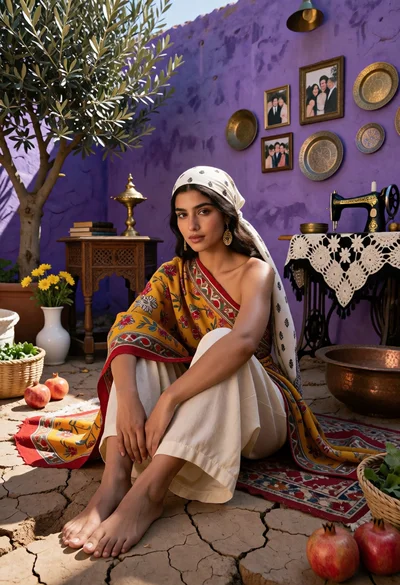
Woman seated on cracked earth against vibrant purple wall courtyard setting

Portrait of woman in black sweater in thick fog

Medium close up portrait of young woman looking back over shoulder

Young woman holding flowers by blue ocean backdrop

Blonde woman leaning on stone balustrade in manicured garden setting

Smiling woman on white pier overlooking blue ocean

Studio portrait of a couple seated together

Two models on a rocky mountain peak under overcast sky