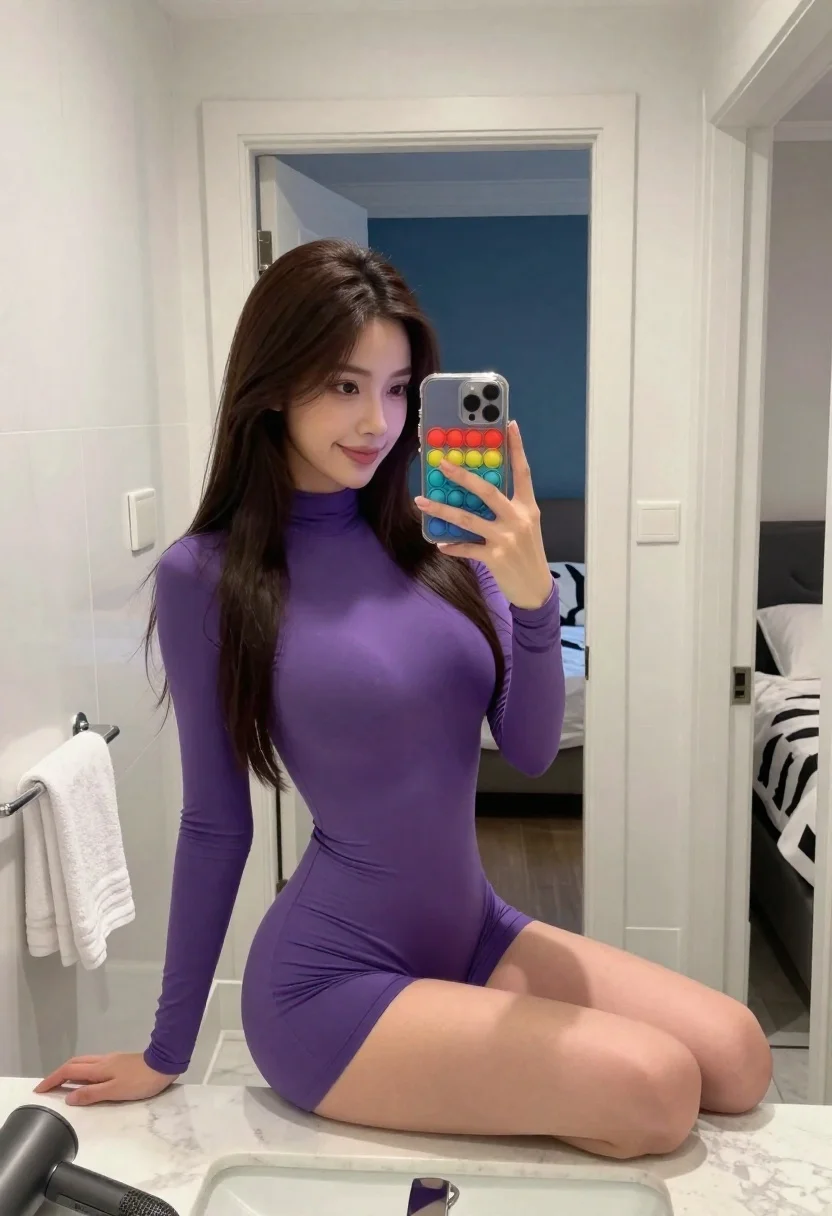
Young woman taking mirror selfie while seated on white bathroom counter
Prompt
A young woman with long dark hair takes a mirror selfie while seated on a white bathroom counter.

Subject: A young woman with long, straight dark brown hair and fair skin, smiling softly at the camera reflection.

Clothing: She wears a tight-fitting, long-sleeved purple bodysuit or dress that highlights her figure, paired with matching purple shorts.

Action: She holds a smartphone with a colorful pop-it case in front of the mirror to take the photo, leaning slightly forward with one hand resting on the door frame.

Environment: The setting is a modern bathroom with white walls and marble-like flooring; behind her, an open doorway reveals a bedroom with blue walls and a bed featuring black-and-white patterned bedding.

Objects: A white towel hangs on the left side of the mirror frame, and a hairdryer rests on the counter in the foreground.

Lighting: Bright, even indoor lighting illuminates the scene from above, casting soft shadows and highlighting the smooth textures of her outfit and skin.

Camera: Shot through a mirror reflection with a slight tilt, capturing a medium shot that emphasizes the subject’s pose and attire.

Style Details: High-resolution, realistic photography with clean lines, vibrant colors, and a polished aesthetic typical of social media self-portraits.
Description
This prompt is useful for creating lifestyle blog content, fashion 'get ready with me' videos stills, and personal social media posts capturing an intimate moment. The combination of 'bright, even indoor lighting' and the 'mirror reflection' ensures that every detail, from the 'purple bodysuit or dress' to the visible 'white towel', is clearly illuminated without harsh shadows, which is crucial for polished self-portraiture.
Suggestions
- Change 'purple bodysuit or dress' to a specific shade like 'deep plum velvet' for more texture.
- Add 'ring light reflection' to the mirror surface for added pop.
- Swap 'marble-like flooring' for 'terrazzo tile' to update the bathroom aesthetic.
Category
Tags
Brown HairCasual WearFair SkinFemaleIndoorsMedium ShotRealisticSelfie
Date added
June 19, 2026
Added by
PromptDexter Team
Related Prompts
More prompts with similar categories and tags.

Young woman taking a selfie seated in a car interior during daylight

Young woman taking a mirror selfie in a modern bedroom setting
Young woman taking a selfie in car seat with suburban background view

Close up portrait of young woman with brown braid indoors

Young blonde woman taking mirror selfie in pink athletic wear indoors
Young woman mirror selfie in modern bathroom wearing black crop top
Close up selfie of young woman making peace sign indoors

Young woman taking mirror selfie in bedroom with dark wavy hair

Young woman taking a selfie on bed with white floral sheets
Young woman taking mirror selfie in black tank top and lavender leggings