
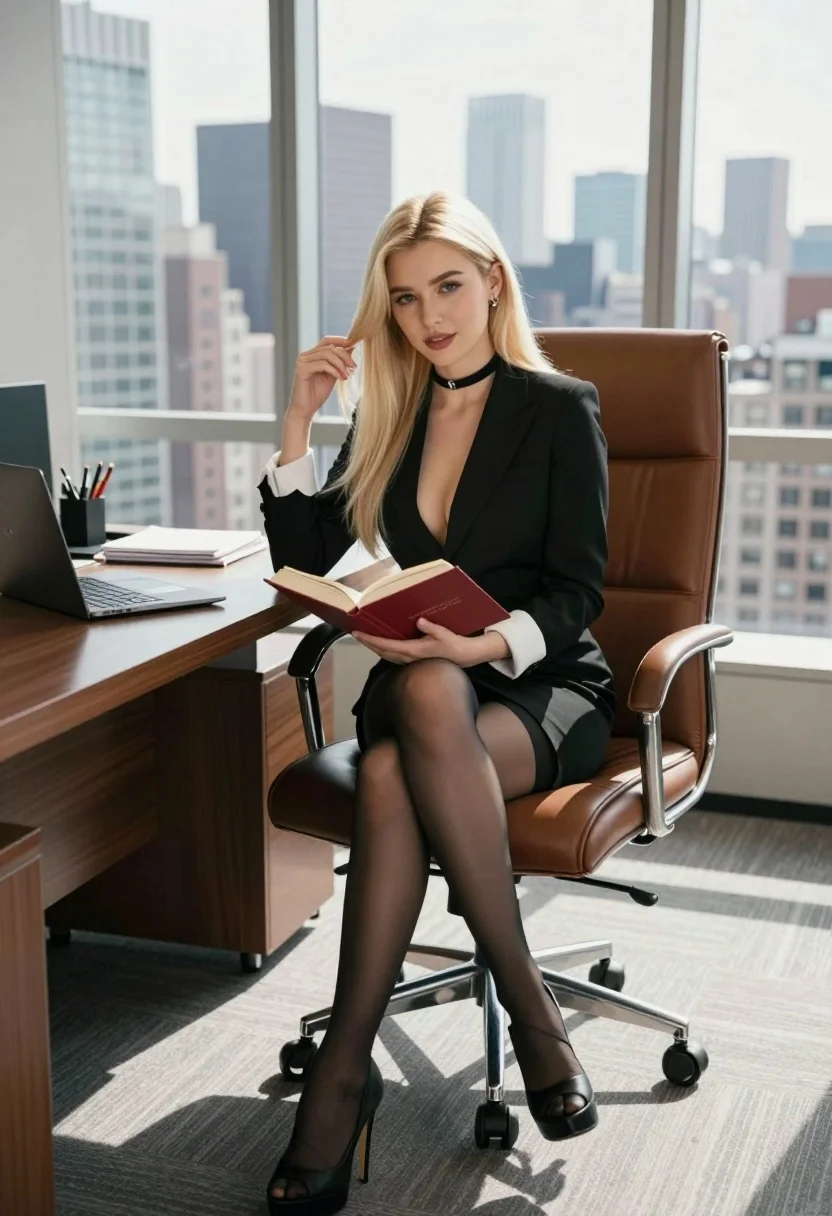
Blonde woman in black blazer sitting in modern office overlooking city skyline
Prompt
A confident blonde woman sits in a high-backed leather executive chair within a modern office overlooking a city skyline.

Subject: A young woman with long straight platinum blonde hair and fair skin, wearing a black choker necklace.

Clothing: She wears a tailored black blazer dress with a deep plunging neckline, white French cuffs visible at the wrists, sheer black stockings, and black platform high-heeled sandals.

Action: She sits with her legs crossed, holding an open red hardcover book on her lap, while her right hand gently touches a strand of hair near her face.

Environment: A spacious office featuring floor-to-ceiling windows that reveal a dense urban skyline with tall skyscrapers in the background.

Objects: A large wooden desk to the left holds a laptop, notebooks, and pens; she sits on a brown leather swivel chair with a chrome base.

Lighting: Bright natural daylight floods the room from the large windows, creating soft highlights on her hair and skin while casting gentle shadows inside the office.

Camera: Eye-level medium shot capturing the subject from the knees up, framed to include the desk on the left and the window view behind her.

Style Details: Photorealistic rendering with high fidelity, sharp focus on the subject, and a clean, professional aesthetic.
Description
This prompt is useful for creating corporate lifestyle editorials, luxury brand advertising campaigns, and sophisticated character portraits set in an urban environment. The combination of 'bright natural daylight' flooding the room and the 'tailored black blazer dress' ensures that while the setting feels expansive due to the visible city skyline, the subject remains sharply focused against a backdrop that avoids looking flat or overly dramatic.
Suggestions
- Change 'black choker necklace' to 'gold chain choker' for a warmer metallic accent.
- Swap 'brown leather swivel chair' for 'minimalist chrome chair' to modernize the furniture.
- Adjust 'deep plunging neckline' to 'structured blazer lapel' for a more conservative corporate feel.
Category
Tags
Black HairBlondeCasual WearFair SkinFemaleMedium ShotRealisticUrban
Date added
August 5, 2026
Added by
PromptDexter Team
Related Prompts
More prompts with similar categories and tags.

Fair skinned woman in black velvet dress at white step and repeat
Blonde woman in black slip dress reclining on beige sofa indoors

Blonde woman holding cocktail glass against a stark white studio background

Smiling blonde woman in sheer black gown at a dark event backdrop

Medium close up portrait of blonde woman in black floral velvet dress

Blonde woman sitting on coffee table in modern living room setting

Fair blonde woman touching hair outdoors overlooking hazy cityscape

Blonde woman seated sideways in black mini dress by window
Young blonde woman at wooden table in dimly lit upscale restaurant setting
Blonde woman in black leather bodysuit on a bright pink red carpet
