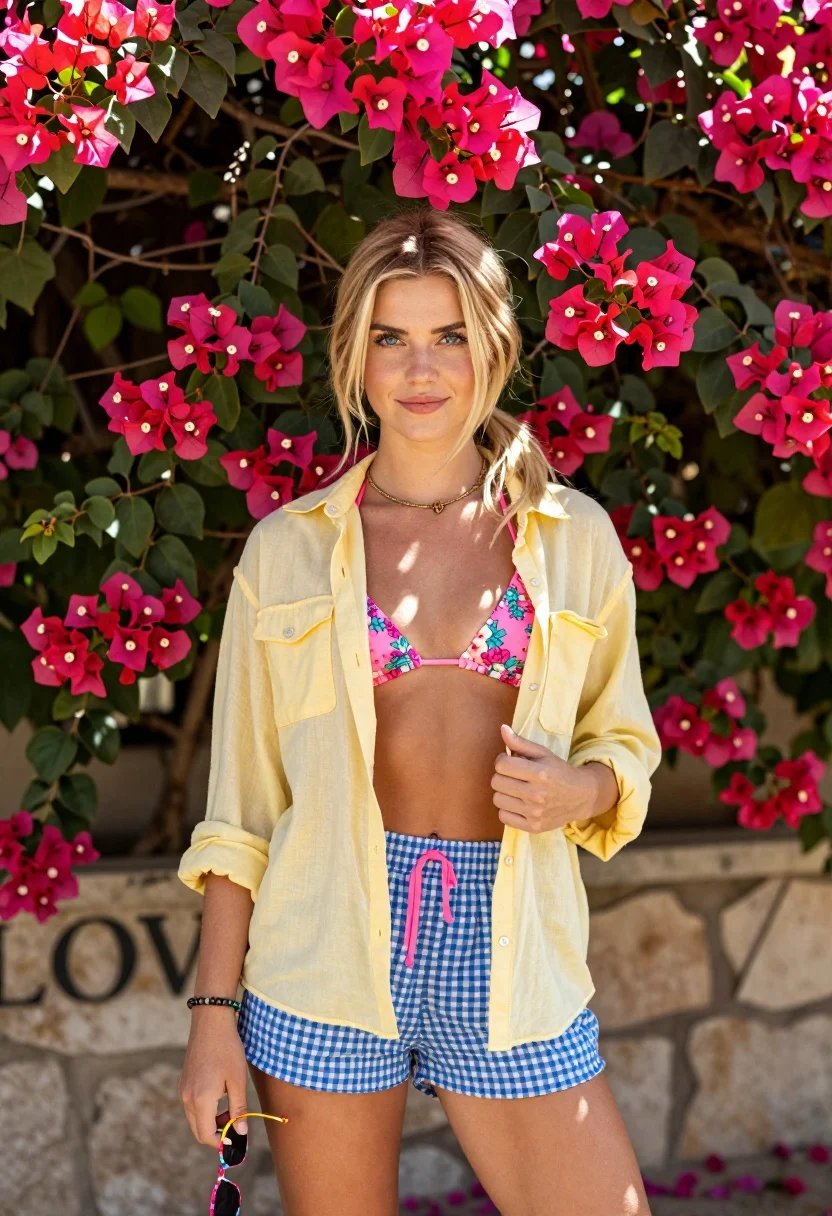
Blonde woman standing by pink bougainvillea flowers against stone wall
Prompt
A young woman with blonde hair stands confidently in front of a lush wall of vibrant pink bougainvillea flowers.

Subject: A fair-skinned young woman with long blonde hair tied back loosely, featuring blue eyes and a soft, confident smile.

Clothing: She wears a yellow button-down shirt worn open over a pink floral bikini top, paired with blue and white gingham shorts that have pink drawstrings at the waist. She accessorizes with layered gold necklaces, a beaded bracelet on her wrist, and holds a pair of colorful sunglasses in her hand.

Action: She stands facing forward with a relaxed posture, holding the bottom of her yellow shirt open with one hand while gripping sunglasses in the other.

Environment: The background is filled with dense pink bougainvillea flowers and green leaves, with a stone wall visible behind her bearing the text "LOVE".

Camera: A medium shot capturing the subject from the thighs up, utilizing a shallow depth of field to keep the focus sharp on the woman while softly blurring the floral background.

Lighting: Bright, natural sunlight illuminates the scene from above and slightly in front, casting soft shadows and highlighting the textures of her skin and clothing.

Style Details: The image features a high-quality, photorealistic aesthetic with vibrant color saturation and a warm, summery atmosphere.
Description
This prompt is useful for creating resort wear lookbooks, summer lifestyle editorials, and romantic portrait photography featuring bright natural elements. The combination of 'bright, natural sunlight' casting soft shadows alongside the 'shallow depth of field' ensures that while the vibrant pink bougainvillea provides saturated color context, the focus remains sharply on the subject's skin and clothing textures.
Suggestions
- Change 'yellow button-down shirt' to 'sheer white blouse' for a lighter feel.
- Swap 'pink floral bikini top' for 'solid blush bandeau' to simplify the pattern.
- Adjust 'bright, natural sunlight' to 'late afternoon diffused light' for softer shadows.
Category
Tags
BlondeCasual WearFair SkinFemaleMedium ShotNatureOutdoorsRealistic
Date added
August 5, 2026
Added by
PromptDexter Team
Related Prompts
More prompts with similar categories and tags.

Smiling blonde woman in cowboy hat standing outdoors with green foliage
Fair blonde woman in pink romper standing by dense green hedge outdoors
Fair blonde woman in beige swimsuit standing outdoors on green path

Woman standing barefoot in dry autumn field at golden hour

Smiling blonde woman in sports bra sitting on outdoor lounge chair
Blonde woman in light blue sequined outfit in lush green garden
Fair blonde woman in champagne mini dress by dried pampas grass
Medium close up portrait of blonde woman in yellow top outdoors

Blonde woman in blue dress on sun drenched beach looking back
Blonde woman posing by wooden lattice fence in sheer white shirt