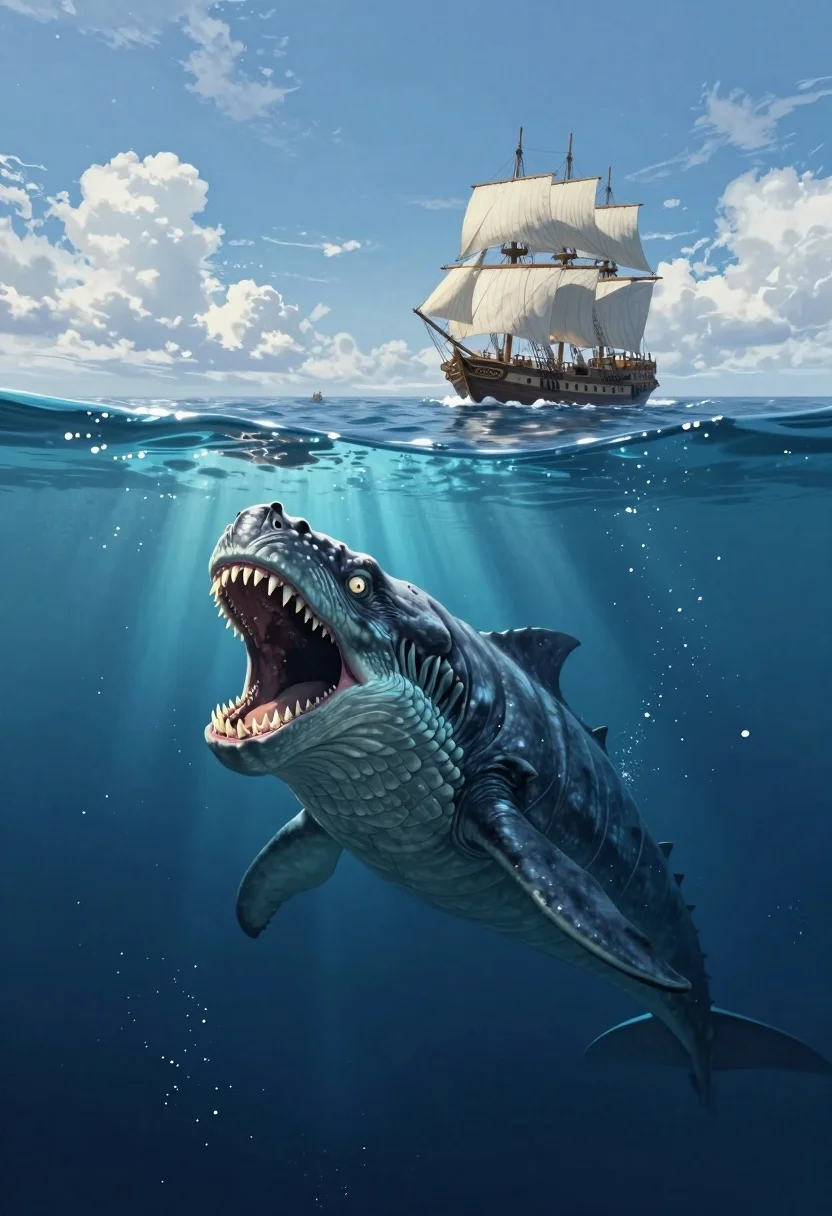
Colossal sea monster rising beneath an old sailing ship on the open
Prompt
A split-level view of a massive sea monster lurking beneath the ocean surface while an old sailing ship sails on the horizon above.

Subject: A colossal, reptilian sea creature with scaly blue-grey skin, glowing pale eyes, and a wide-open mouth revealing rows of sharp, jagged teeth.

Clothing: None visible as the subject is a mythical beast.

Action: The creature is rising from the depths with its mouth agape in a roar or attack, while the ship sails calmly on the surface above.

Environment: A vast ocean setting divided into two distinct zones; the upper half shows a calm sea under a blue sky with fluffy white clouds, and the lower half depicts deep underwater space illuminated by sun rays filtering from above.

Camera: A split-level composition that captures both the waterline and the underwater scene simultaneously, utilizing a wide-angle perspective to emphasize the scale of the monster relative to the ship.

Lighting: Bright natural daylight on the surface creating high contrast with the deep blue, shadowed underwater environment where light beams pierce through the water column.

Subject: An old-fashioned wooden sailing ship with white sails and tall masts navigating the ocean in the distance.

Objects: A small boat is visible near the main ship on the surface.

Interaction: The creature appears to be threatening or hunting the ship, creating a dramatic contrast between the peaceful surface voyage and the dangerous depths below.

Style Details: Digital painting with hyper-realistic textures, cinematic lighting, and a fantasy art style that blends realistic ocean physics with mythical creature design.
Description
This prompt is useful for creating epic movie concept art, dramatic book covers for adventure novels, and high-impact video game environment keyframes. The 'split-level composition' combined with the contrast between the 'calm sea under a blue sky' and the 'deep underwater space illuminated by sun rays' effectively frames the threat, ensuring the monster's scale is immediately apparent against the recognizable silhouette of the sailing ship.
Suggestions
- Change 'scaly blue-grey skin' to 'iridescent obsidian hide' for more dramatic reflections.
- Swap 'fluffy white clouds' for 'stormy bruised sky' to increase tension.
- Adjust 'wide-angle perspective' to 'anamorphic lens' for cinematic distortion.
Category
Tags
3dAnimalCreatureWide Shot
Date added
July 3, 2026
Added by
PromptDexter Team
Related Prompts
More prompts with similar categories and tags.

Woman riding snowy tiger through heavy falling snow
Mystical black rabbit in alien landscape under purple vortex
Black panther emerging from shadows in a fantasy forest
Man and golden retriever dog sitting on log by ocean at sunset

Man and emperor penguin walking together through snowy arctic landscape

Young woman and emperor penguin walking across snowy polar landscape

Romantic couple walking on beach with white horse at golden hour

Obsidian humanoid in neon cube holding glowing heart