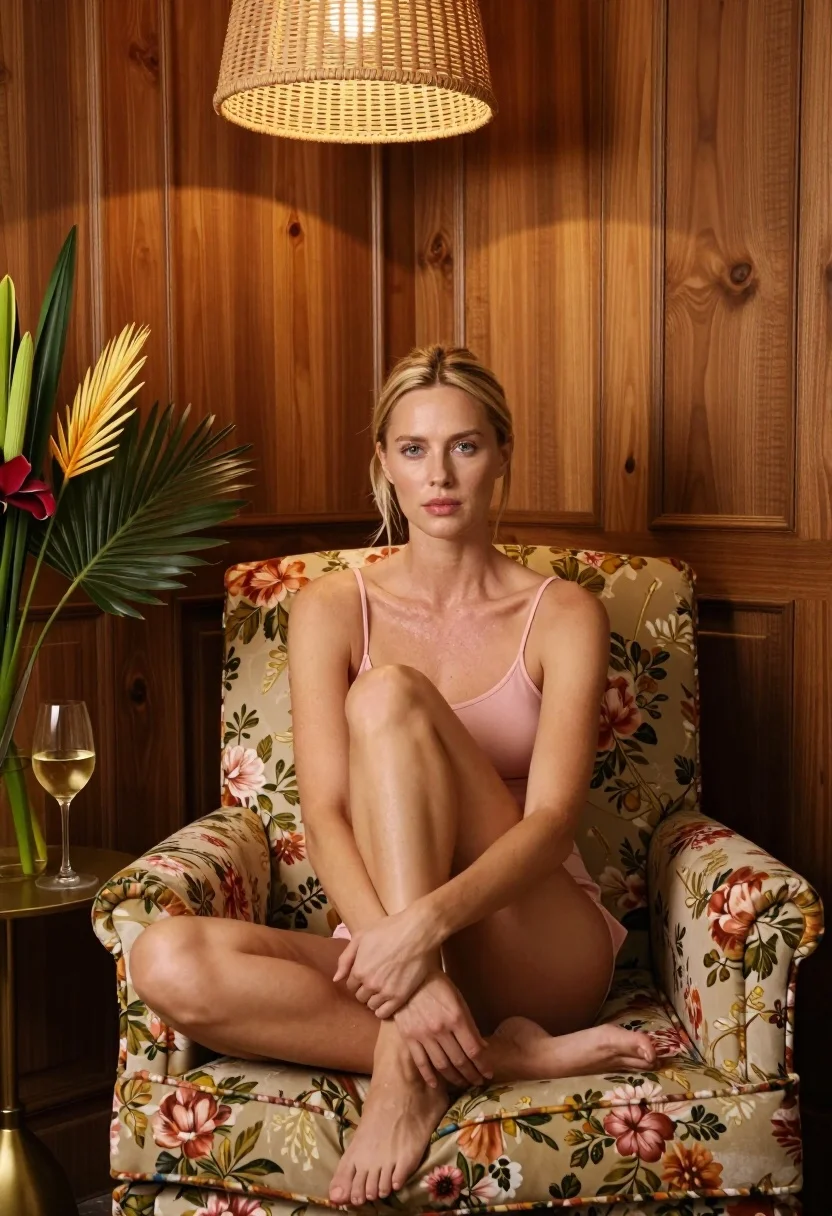
Fair blonde woman seated in floral armchair against rich wood paneling indoors
Prompt
A woman sits cross-legged in a plush floral armchair against a backdrop of rich wooden paneling.

Subject: A fair-skinned woman with blonde hair pulled back, looking directly at the camera with a neutral expression.

Clothing: She wears a simple, pale pink camisole top and matching bottoms.

Action: She is seated with her knees drawn up to her chest, arms wrapped around her legs in a relaxed pose.

Environment: The setting features warm-toned wood-paneled walls and a large floral-patterned armchair. To the left, a small round side table holds a glass of white wine and a vase with tall tropical flowers. Above, a woven rattan pendant light fixture hangs from the ceiling.

Lighting: Warm, ambient indoor lighting emanates from the overhead fixture, casting soft shadows and highlighting the wood grain.

Camera: The shot is framed at eye level with a medium-full composition that captures the subject and surrounding interior details clearly.

Style Details: The image has a polished, high-end editorial aesthetic with natural textures and a cozy atmosphere.
Description
This prompt is useful for creating magazine features on home decor, lifestyle branding materials, and intimate portrait sessions requiring an established mood. The combination of 'plush floral armchair' against 'rich wooden paneling' establishes a contained, curated domestic scene, while the 'warm, ambient indoor lighting' ensures that the visible wood grain and natural textures remain palpable rather than appearing flat.
Suggestions
- Change 'pale pink camisole top' to 'ivory silk slip' for more luxury.
- Swap 'tropical flowers' for 'dried eucalyptus' to mute the color palette.
- Adjust 'medium-full composition' to 'waist up portrait' for a tighter focus.
Category
Tags
BlondeCasual WearFair SkinFemaleIndoorsMedium ShotPortrait ShotRealistic
Date added
July 12, 2026
Added by
PromptDexter Team
Related Prompts
More prompts with similar categories and tags.

Young blonde woman in brown top seated in modern living room setting
Woman with freckles sitting on brown leather sofa

Blonde woman in black dress seated indoors holding glass with soft light

Blonde woman in black coat leaning against white wall by window
Blonde woman sitting in wicker chair in cozy room

Blonde woman in black slip dress winking at table in upscale restaurant
Blonde woman in cream gown arranging perfume bottles on glass table
Blonde woman in cable knit dress sitting in rattan chair

Blonde woman in rust knit sweater leaning against textured wall

Smiling young woman in black leather jacket holding award at red carpet
