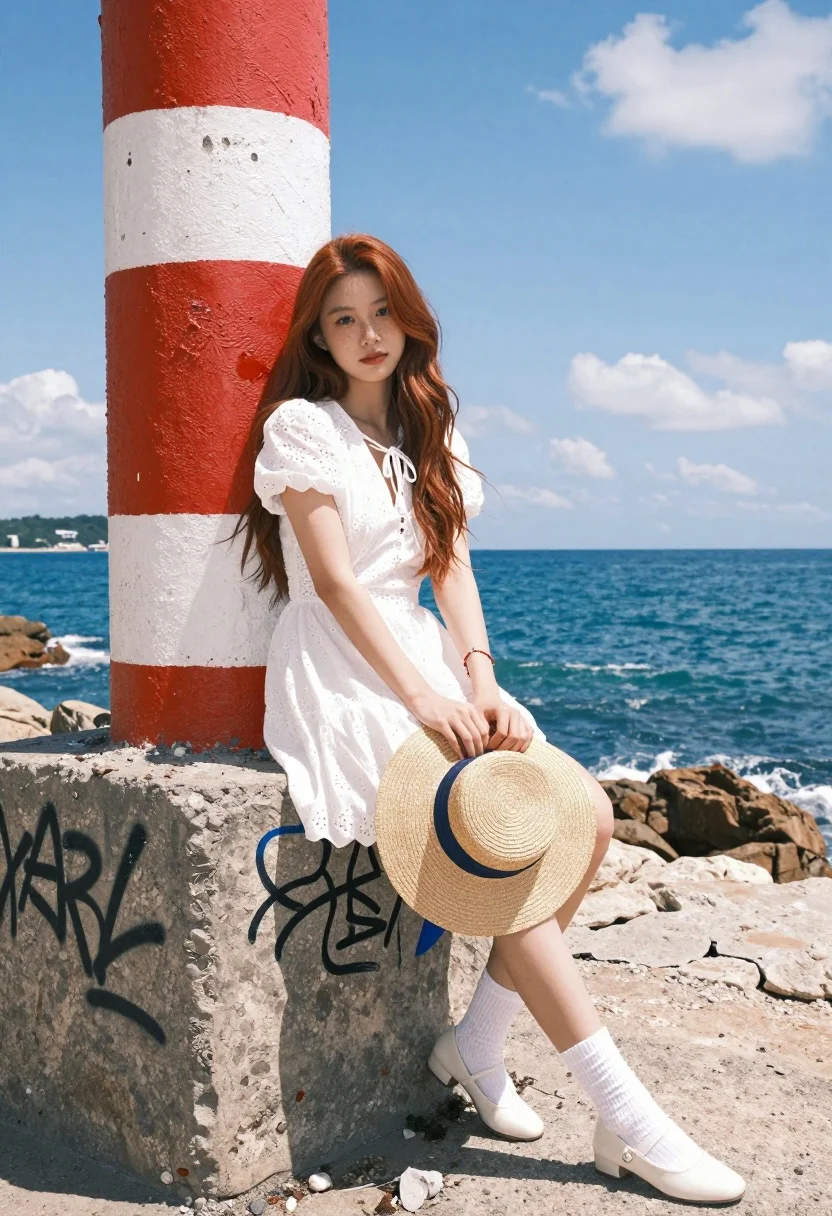
Fair young woman in white dress sitting by weathered pillar overlooking blue
Prompt
A young woman with long reddish-brown hair sits casually on a weathered concrete pillar painted with red and white stripes and covered in graffiti, overlooking a bright blue ocean under a sunny sky.

Subject: A fair-skinned young woman with long wavy reddish-brown hair, freckles across her nose and cheeks, and a calm, direct gaze at the camera.

Clothing: She wears a white short-sleeved eyelet dress with a keyhole neckline tied with a bow, paired with thick white socks and white low-heeled shoes; she holds a straw sun hat with a blue ribbon in her lap.

Action: She sits with one leg crossed over the other, hands clasped together on her knee, leaning slightly back against the pillar.

Environment: The setting is a rocky coastal area with turquoise water and a distant shoreline visible under a clear sky with scattered clouds.

Camera: Shot from a low angle looking up at the subject to emphasize her height against the pillar, using a wide-angle perspective that captures the expansive background.

Lighting: Bright natural sunlight illuminates the scene from above, casting soft shadows and highlighting the texture of the dress and the weathered paint on the pillar.

Style Details: The image features a high-resolution, photorealistic aesthetic with vibrant colors and a shallow depth of field that keeps the subject sharp while slightly blurring the distant background.
Description
This prompt is useful for creating travel magazine spreads, character portraits set in coastal locations, and editorial fashion editorials emphasizing contrast. The combination of 'low angle looking up' with a 'wide-angle perspective' exaggerates the subject's presence against the vastness of the 'bright blue ocean,' while the 'shallow depth of field' ensures that the intricate details of the 'eyelet dress' remain sharp despite the expansive background.
Suggestions
- Change 'reddish-brown hair' to 'auburn hair' for a richer tone.
- Swap 'weathered concrete pillar painted with red and white stripes' for 'moss-covered stone archway' for a softer feel.
- Adjust 'low angle looking up' to 'eye level' if you want a more intimate portrait.
Category
Tags
Casual WearFair SkinFemaleLow AngleOutdoorsRealisticRed HairWide Shot
Date added
August 5, 2026
Added by
PromptDexter Team
Related Prompts
More prompts with similar categories and tags.

Stylish woman on speedboat bow against deep blue water with hazy mountains

Blonde woman in black bikini on lounge chair at sunny beach

Young woman in zebra swimsuit seated on boat by turquoise water

Blonde woman in swimsuit by yacht window overlooking blue sea

Blonde woman in bikini sitting cross legged under tropical palm trees

Young woman posing on vintage white car in theme park setting

Young woman in blue dress on balcony overlooking resort pool and beach
Fair skinned woman in red swimsuit sitting on beach lifeguard tower steps

Four women laughing on a sunny tropical beach with palm trees and

Blonde woman in pink dress leaning on pillar before colosseum in rome