

Low angle portrait of white android by turquoise ocean
Prompt
A photorealistic low-angle portrait of a humanoid robot standing against a bright coastal backdrop

Subject: sleek white female android with smooth glossy skin-like surface and exposed internal mechanical components visible through open chest plating, featuring intricate wiring, gears, and articulated joints.

Clothing: minimal functional design consisting of shoulder armor plates on the upper torso and forearm guards that house circular joint mechanisms.

Action: standing upright in a relaxed neutral pose with arms hanging naturally by her sides; head tilted slightly to one side while looking off-camera with dark hollow eyes reflecting ambient light, conveying an enigmatic expression.

Environment: open outdoor setting featuring blue sky filled with fluffy clouds behind the subject and blurred turquoise ocean horizon visible at the base of the frame.

Camera: low angle perspective emphasizing verticality of figure against sky; shallow depth-of-field rendering background soft while keeping mechanical textures sharp in foreground.

Lighting: natural daylight casting warm highlights on metallic surfaces, creating defined shadows within exposed internal machinery for dramatic contrast between sleek exterior and complex interior workings.
Description
This prompt is useful for creating sci-fi concept art, character splash pages for video games, and futuristic editorial spreads showcasing advanced technology in natural settings. The combination of 'low angle perspective emphasizing verticality' with the 'shallow depth-of-field rendering background soft' ensures the android dominates the frame while the specified 'natural daylight casting warm highlights on metallic surfaces' provides necessary visual contrast between the glossy exterior and the detailed internal wiring.
Suggestions
- Change 'glossy skin-like surface' to 'matte ceramic plating' for a different material feel.
- Swap 'turquoise ocean horizon' for 'volcanic black sand beach' to alter the color palette.
- Adjust 'dark hollow eyes reflecting ambient light' to 'glowing cyan optical sensors' for more sci-fi impact.
Category
Tags
ArmorDigital ArtFemaleFull BodyLow AngleNatureOutdoorsPortrait ShotRealisticRobot
Date added
June 19, 2026
Added by
PromptDexter Team
Related Prompts
More prompts with similar categories and tags.
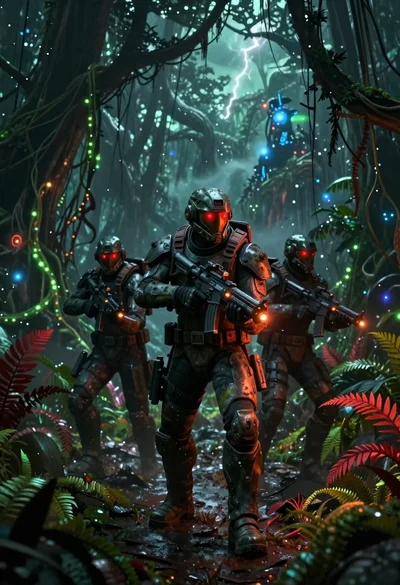
Futuristic soldier squad in bioluminescent alien jungle

Massive glowing full moon over dark ocean shoreline under starry night sky

Futuristic android woman in metallic corridor

Hyperrealistic low angle shot of superhero crouching on cracked asphalt debris

Robotic warrior kneeling in rocky canyon terrain

Astronaut walking through calm reflective shallow water

High fashion portrait of android with white armor

Surreal landscape of solar eclipse over mountains lake and autumn foliage
