
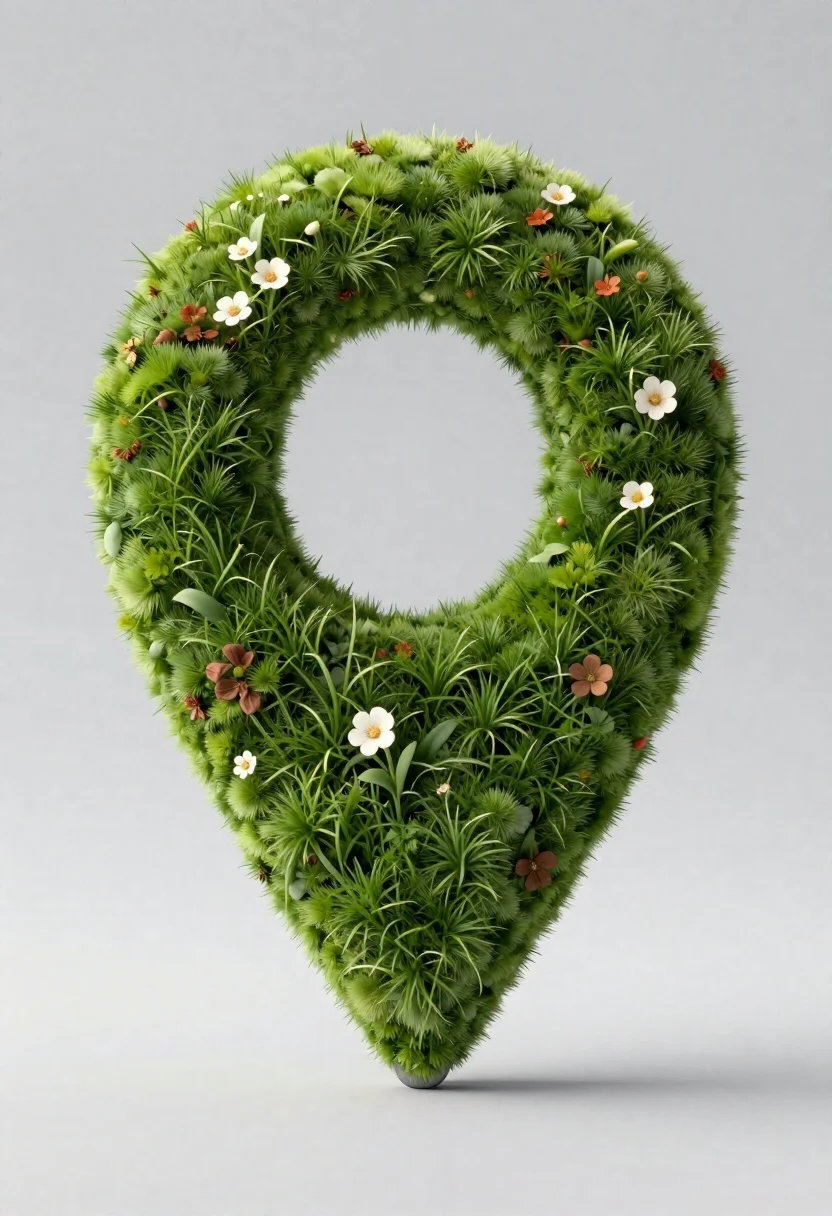
Moss map location pin on a white studio floor
Prompt
A photorealistic 3D render of a vibrant green map location pin with lush grass texture and an open circular center

Subject: A large, detailed map marker made entirely of dense, natural-looking moss and textured turf

Environment: An empty studio setting with soft gray background and smooth white floor casting minimal shadow beneath the object

Lighting: Soft diffused lighting from above creating gentle highlights on grass blades and flowers without harsh shadows

Style Details: Highly realistic macro photography style with intricate surface detail, natural depth of field, and organic material simulation.
Description
This prompt is useful for creating product visualization mockups, nature-themed graphic elements, and botanical advertising assets. The combination of 'soft diffused lighting from above' and the 'highly realistic macro photography style' ensures that every individual blade of grass and moss clump receives gentle illumination, preventing harsh shadows that would flatten the intricate surface detail necessary for convincing product placement.
Suggestions
- Change 'vibrant green' to 'deep emerald' for a more saturated look.
- Add 'bokeh background' to enhance the depth of field effect.
- Swap 'smooth white floor' for 'polished concrete' to change the base material.
Category
Tags
3dMacro ShotNature
Date added
June 19, 2026
Added by
PromptDexter Team
Related Prompts
More prompts with similar categories and tags.

Macro shot of miniature forest inside a medical capsule

Cartoon octopus portrait on mossy rock in shallow water

Miniature couple sitting intimately on pink beetle atop rough tree stump

Woman resting in meadow with white rabbit at golden hour

Three disney characters on a tropical grassy rock
Close up portrait of serene bust with gold kintsugi cracks

High relief sculpture of a red rose in bronze frame

Black perfume bottle on driftwood surrounded by pink cosmos flowers in purple