
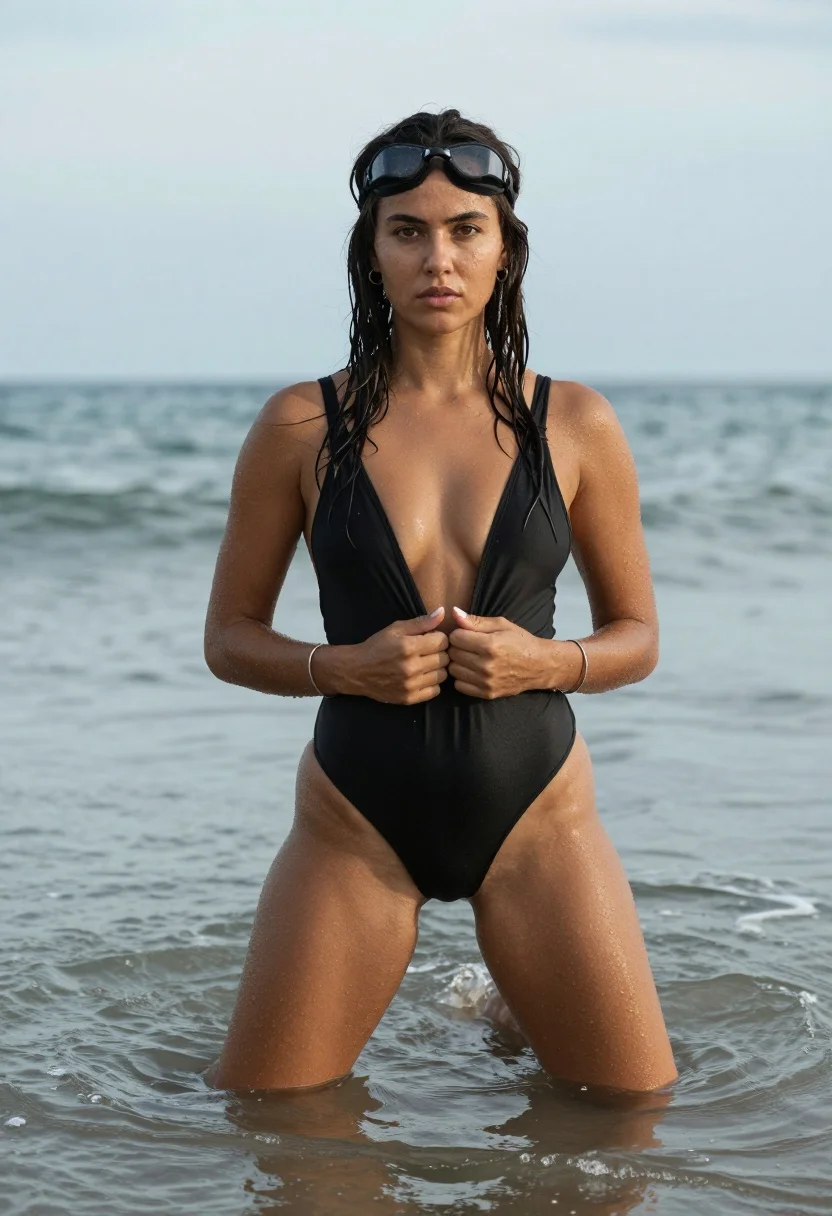
Photorealistic portrait of woman in ocean wearing black swimsuit
Prompt
A woman stands waist-deep in the ocean water with a serious expression and wet hair clinging to her face.

Subject: A woman with dark skin and long, wet, dark brown hair that is slicked back from her forehead. She wears black swimming goggles pushed up onto her head like a headband. Her gaze is direct and intense.

Clothing: She is wearing a high-cut, deep-plunge black one-piece swimsuit made of smooth fabric. She wears thin silver bracelets on both wrists and small hoop earrings.

Action: She stands with her legs slightly apart in the water, holding the front of her swimsuit with both hands near her chest. Her posture is confident and grounded.

Environment: The setting is a calm ocean with gentle waves lapping around her legs. The background consists of a soft-focus horizon line where the sea meets an overcast, cloudy sky.

Camera: A medium shot framing the subject from the thighs up, utilizing a shallow depth of field to blur the background and emphasize the subject's features.

Lighting: Soft, diffused natural light typical of an overcast day, creating even illumination with minimal harsh shadows.

Objects: Swimming goggles resting on her head and silver bracelets on her wrists.

Style Details: Photorealistic portrait photography with a focus on skin texture and water droplets, featuring a muted color palette dominated by blacks and cool blues.
Description
This prompt is useful for creating editorial swimwear campaigns, dramatic character portraits, and high-end resort advertising that requires moody atmosphere. The combination of 'soft, diffused natural light' and the 'overcast, cloudy sky' ensures even illumination across the 'skin texture and water droplets,' preventing harsh highlights that would distract from the subject's intense gaze and the deep blacks of the swimsuit.
Suggestions
- Change 'black swimming goggles' to 'clear swimming goggles' for a more mysterious look.
- Swap 'muted color palette dominated by blacks and cool blues' for 'deep emerald and slate tones' to shift the mood.
- Adjust 'gentle waves lapping around her legs' to 'ripples receding from her ankles' for a sense of recent movement.
Category
Tags
Brown HairBrunetteDark SkinFemaleMedium ShotOutdoorsRealisticSwimwear
Date added
August 5, 2026
Added by
PromptDexter Team
Related Prompts
More prompts with similar categories and tags.

Young woman in red swimsuit by sunny poolside with beer glass

Medium close up portrait of woman in red black beaded top

Brunette woman in white bikini on sunny beach
Fit woman crouching in blue swimsuit and red jacket on solid studio
Smiling woman in light blue swimsuit on jet ski near luxury yacht
Fit woman in patterned swimsuit standing outdoors by cream wall

Young woman in black and white patterned outfit on urban rooftop

Blonde woman in turtleneck and swim bottoms on a beach
Stylish woman in puffer jacket at snowy mountain village setting
Confident woman in black bodysuit near blue swimming pool outdoors
