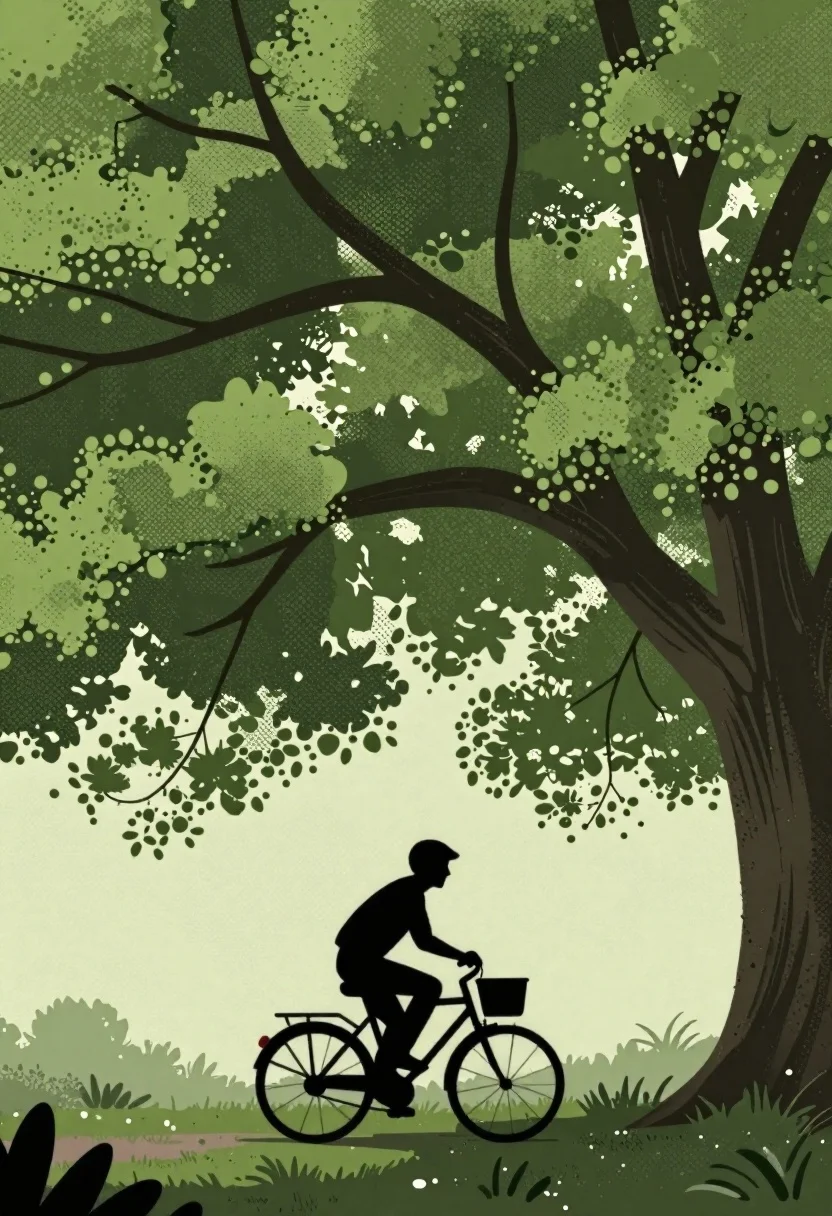
Silhouette on a bicycle under massive tree canopy
Prompt
A digital illustration of a silhouetted cyclist riding beneath sprawling massive trees.

Subject: person in dark silhouette riding a bicycle with visible wheels, handlebars, and a front basket, wearing trousers and long-sleeved outerwear.

Action: pedaling forward with a slightly leaned posture suggesting motion.

Environment: expansive tree canopies filling the upper composition with intricate stippled light green foliage, deep forest-green shadows, thick gnarled branches arching overhead, and small distant trees along the horizon.

Objects: stylized bicycle, sprawling branches forming natural archways.

Style Details: graphic print aesthetic, halftone dot textures simulating shading, detailed stippled foliage patterns without smooth gradients.
Description
This prompt is useful for creating album art for indie folk bands, editorial nature spreads with a vintage feel, and stylized storybook illustrations. The combination of 'halftone dot textures' and 'stippled light green foliage' achieves a graphic print aesthetic that prevents the natural elements from looking too photorealistic or muddy, keeping the focus on the strong silhouette against the detailed canopy.
Suggestions
- Change 'light green foliage' to 'verdigris leaves' for an aged patina.
- Add 'Art Deco influence' to the style details for more geometric shapes.
- Swap 'trousers and long-sleeved outerwear' for 'vintage overalls' to better fit a streetwear vibe.
Category
Tags
Digital ArtForestFull BodyMacro ShotStreetwearWide Shot
Date added
June 19, 2026
Added by
PromptDexter Team
Related Prompts
More prompts with similar categories and tags.

Man on mushroom in magical forest at night

Black and white line drawing of cabin by mountains
Oil painting of a river canyon at sunset

Solitary figure viewing glowing key in alien canyon

Surreal poppy forest framing a moonlit sky

Lone figure walking through surreal forest under pink moon

Jazz club scene with silhouetted musicians and woman

Anime pagoda on mountain peak with cherry blossoms