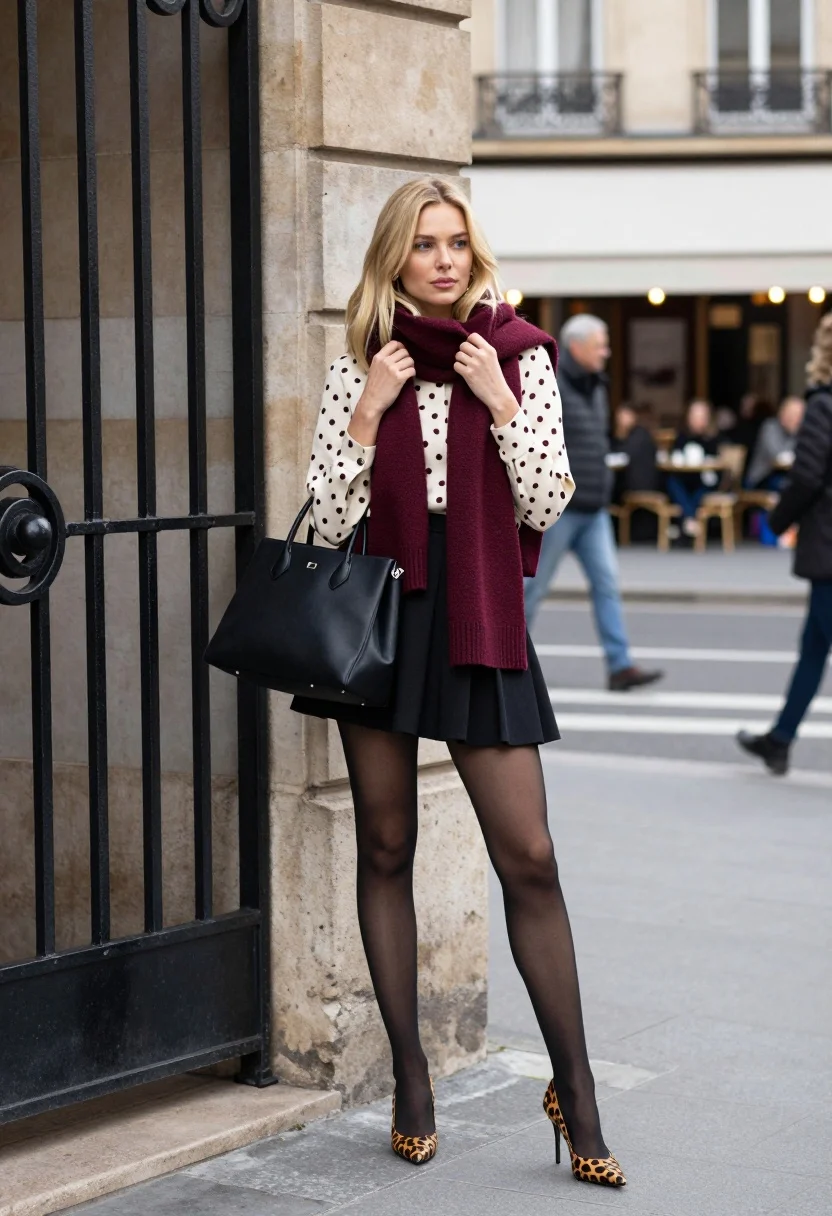
Stylish blonde woman posing by black wrought iron gate in european city
Prompt
A stylish blonde woman stands confidently in an urban European setting, posing against a black wrought iron gate.

Subject: A young woman with shoulder-length blonde hair and fair skin stands facing slightly to the left while looking directly at the camera. She has a neutral expression and holds the ends of her scarf with both hands near her chest.

Clothing: She wears a cream-colored blouse with dark polka dots, a thick maroon knit scarf wrapped around her neck, a black pleated mini skirt, sheer black tights, and leopard print high-heeled pumps. She carries a large structured black leather handbag on her left shoulder.

Action: The woman stands in a relaxed pose next to a building corner, holding the ends of her scarf with both hands near her collarbone. Her body is angled slightly away from the camera while her head faces forward.

Environment: The setting is a paved city street featuring a large black ornate metal gate on the left and a stone building facade behind her. In the background, there are blurred figures of people walking and sitting at an outdoor cafe under white awnings.

Camera: The shot is taken from a medium-full length perspective with a shallow depth of field that keeps the subject sharp while blurring the background street scene.

Lighting: The lighting is soft and diffused natural daylight, casting gentle shadows and highlighting the textures of her clothing without harsh contrast.

Style Details: The image has a high-fashion editorial aesthetic with a focus on street style fashion photography.
Description
This prompt is useful for creating editorial fashion moodboards, street style lookbooks, and magazine features showcasing urban elegance. The combination of 'soft and diffused natural daylight' prevents harsh shadows that would distract from the intricate details of the 'black wrought iron gate' and the textures of her clothing, ensuring the focus remains squarely on the subject's styling.
Suggestions
- Change 'cream-colored blouse' to 'ivory silk blouse' for a more luxurious feel.
- Swap 'leopard print high-heeled pumps' for 'patent black ankle boots' for a tougher edge.
- Adjust 'medium-full length perspective' to 'waist shot' to emphasize the skirt and accessories.
Category
Tags
Black HairBlondeCasual WearFair SkinFemaleMedium ShotPortrait ShotStreetUrban
Date added
July 12, 2026
Added by
PromptDexter Team
Related Prompts
More prompts with similar categories and tags.

Fair skinned woman in black velvet dress at white step and repeat

Blonde woman holding cocktail glass against a stark white studio background

Smiling blonde woman in sheer black gown at a dark event backdrop

Medium close up portrait of blonde woman in black floral velvet dress

Fair blonde woman touching hair outdoors overlooking hazy cityscape

Blonde woman in black slip dress winking at table in upscale restaurant

Blonde woman in black dress against yellow step and repeat backdrop
Confident woman in red top and black leather pants on city street
Young woman in black bomber jacket leaning against a black sedan at
Confident blonde woman in black mini dress at modern glass building entrance