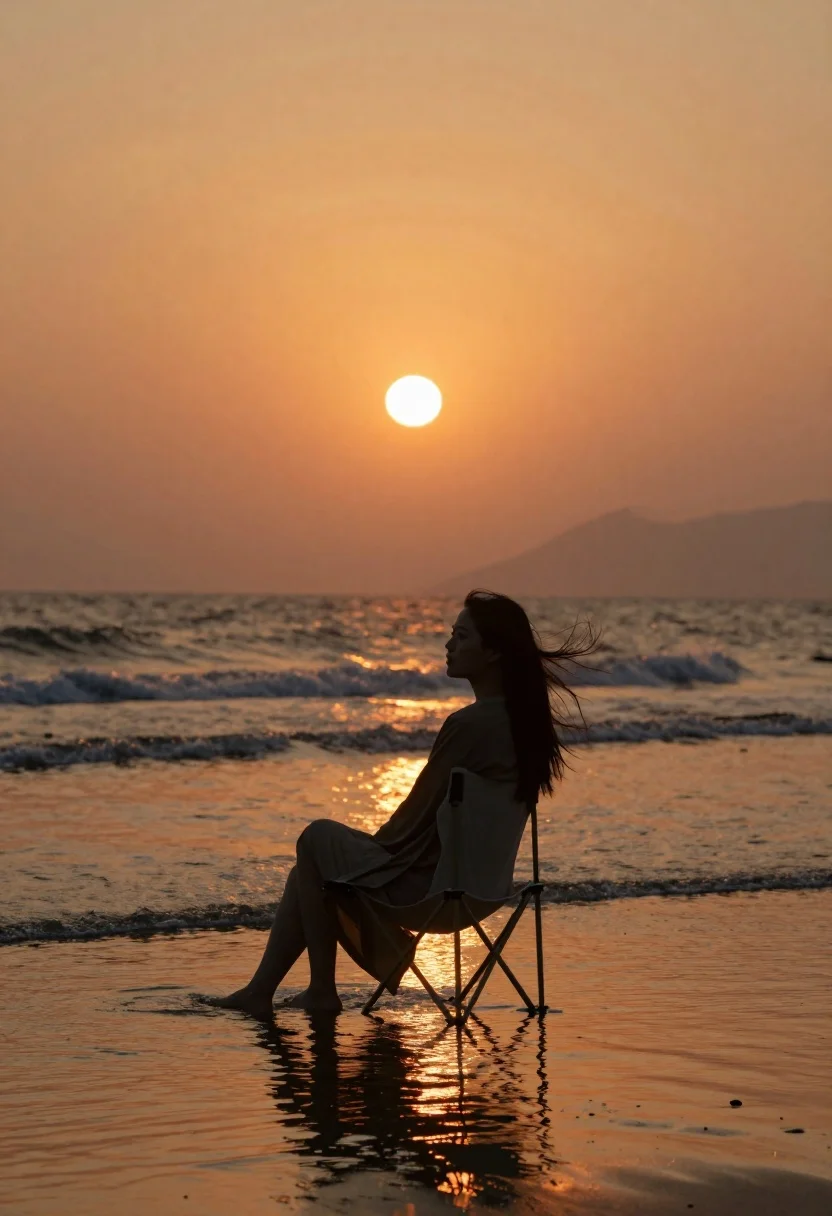
Woman silhouette sitting in shallow ocean water at sunset
Prompt
Medium and scene: A cinematic portrait of a lone figure in silhouette against the ocean at sunset.

Subject: A woman with long hair blowing gently in the wind sits calmly on a folding chair placed directly in shallow water, facing right toward the horizon; her expression is serene as she gazes forward.

Clothing: She wears a loose-fitting robe or cover-up that drapes naturally over her form.

Action: Her posture is relaxed and still, embodying quiet contemplation of the setting sun ahead.

Environment: The scene unfolds on a wide beach with soft waves rolling in behind her; reflections shimmer across wet sand at the water's edge.

Lighting: Warm golden hour light bathes everything in an orange glow, centered around a large, luminous orb low in the sky likely the sun or moon casting radiant beams downward and reflecting vividly on both surface and ground.

Camera: Shot from eye level with slight upward tilt to emphasize the vastness of the horizon; composition uses negative space above to frame the celestial body while anchoring attention below at the seated figure.
Description
This prompt is useful for creating evocative travel posters, cinematic film stills, and minimalist editorial spreads focusing on solitude. The combination of 'silhouette against the ocean' with 'warm golden hour light' ensures that details are minimized in favor of shape and atmosphere, allowing the viewer to project their own narrative onto the 'lone figure,' while the composition's focus on negative space above frames the dramatic celestial event.
Suggestions
- Change 'folding chair' to 'driftwood log' for a more natural element.
- Swap 'loose-fitting robe or cover-up' for 'sheer white kaftan' to enhance translucency.
- Adjust 'eye level with slight upward tilt' to 'low angle shot' to exaggerate the water's surface.
Category
Tags
BeachFemaleFull BodyOutdoorsPortrait ShotRealisticWide Shot
Date added
June 19, 2026
Added by
PromptDexter Team
Related Prompts
More prompts with similar categories and tags.

Man relaxing on beach chair by turquoise ocean

Young woman with curly brown hair standing on cracked asphalt road

Polynesian woman emerging from overwater bungalow at dawn in bora bora

Smiling woman in cream dress on stone stairs by the ocean
Young woman in floral sundress sitting on luxury yacht deck at sea

Woman in white dress on sunny beach looking at turquoise ocean waves

Young woman in yellow dress with straw hat on tropical resort lawn

Exhilarated tourist woman at machu picchu summit at dawn