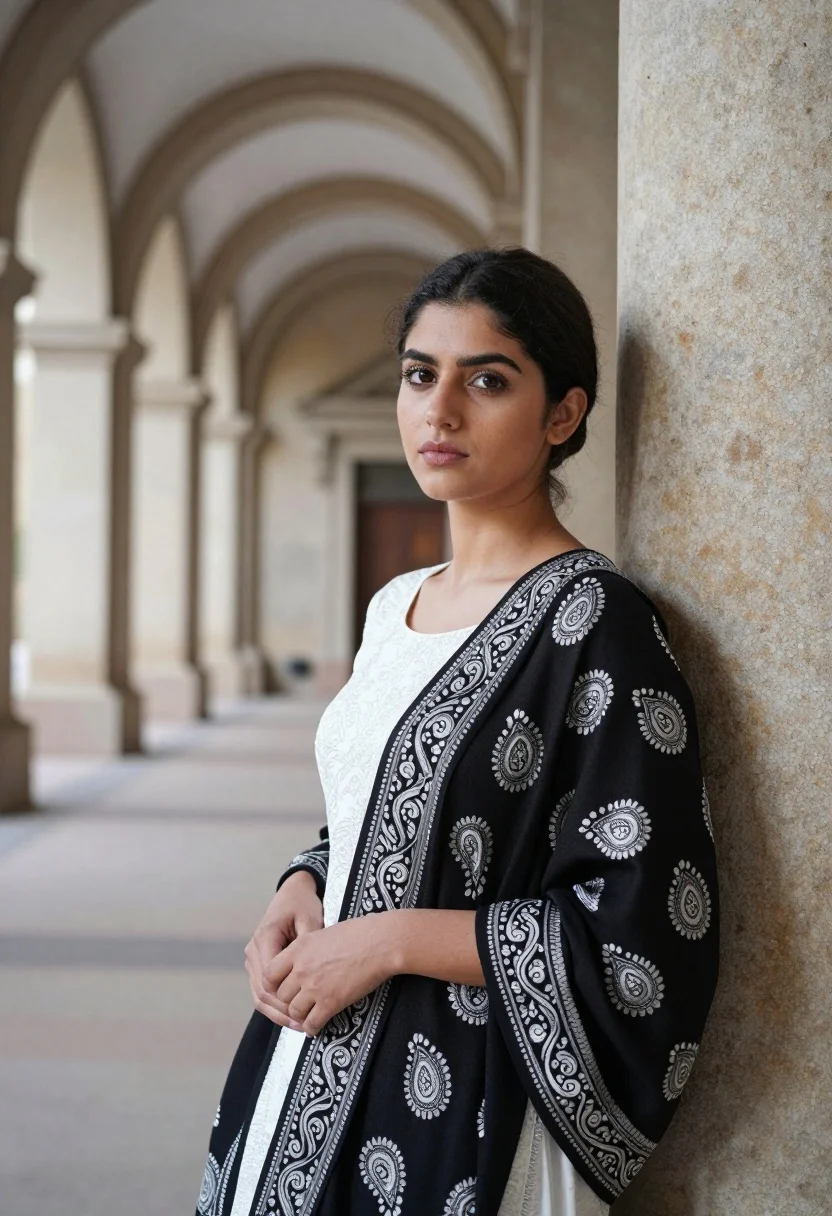
Young woman in black shawl leaning against stone column in arched corridor
Prompt
A young woman with dark hair pulled back stands leaning against a tall stone column in an arched corridor.

Subject: A young woman with fair skin and dark brown eyes looking directly at the camera with a calm expression.

Clothing: She wears a black shawl with intricate silver paisley embroidery draped over her shoulders, revealing a white patterned top underneath.

Action: Her hands are clasped gently in front of her waist, and she leans slightly against the column to her right.

Environment: A grand architectural setting featuring a row of large stone arches and columns receding into a soft-focus background.

Lighting: Soft, natural daylight illuminates the scene from the left, casting gentle shadows and highlighting the texture of the fabric.

Camera: Medium shot with a shallow depth of field that keeps the subject sharp while blurring the architectural background.

Style Details: High-resolution photography with warm color tones and a focus on elegant textures.
Description
This prompt is useful for creating editorial fashion moodboards, historical costume concept art, and sophisticated portrait galleries. The combination of 'soft, natural daylight' illuminating the subject against the receding arches ensures that the 'intricate silver paisley embroidery' catches light without harsh glare, while the 'shallow depth of field' isolates the figure from the grand architectural setting.
Suggestions
- Change 'black shawl' to 'deep emerald velvet' for a richer color contrast.
- Add 'chiaroscuro lighting' to deepen the shadows on the column.
- Swap 'warm color tones' for 'muted sepia tones' for an aged feel.
Category
Tags
Fair SkinFemaleIndoorsMedium ShotRealistic
Date added
August 5, 2026
Added by
PromptDexter Team
Related Prompts
More prompts with similar categories and tags.

Young woman in white lace dress seated against soft floral backdrop
Young woman in elaborate red and pink traditional indian attire indoors

Young woman seated on grey sofa against pink wall fashion portrait

Smiling woman in floral kurta dress indoors with sheer dupatta drape

Blonde woman in striped swimsuit seated on sofa indoors studio shot

Young woman in zebra print dress indoors near wooden dresser

Blonde woman in sheer white shirt by large sunlit window indoors
Young woman in navy jumpsuit posing indoors with soft expression

Blonde woman in black leather jacket standing in modern marble bathroom

Fair blonde woman sitting on vintage gold sofa in dimly lit room