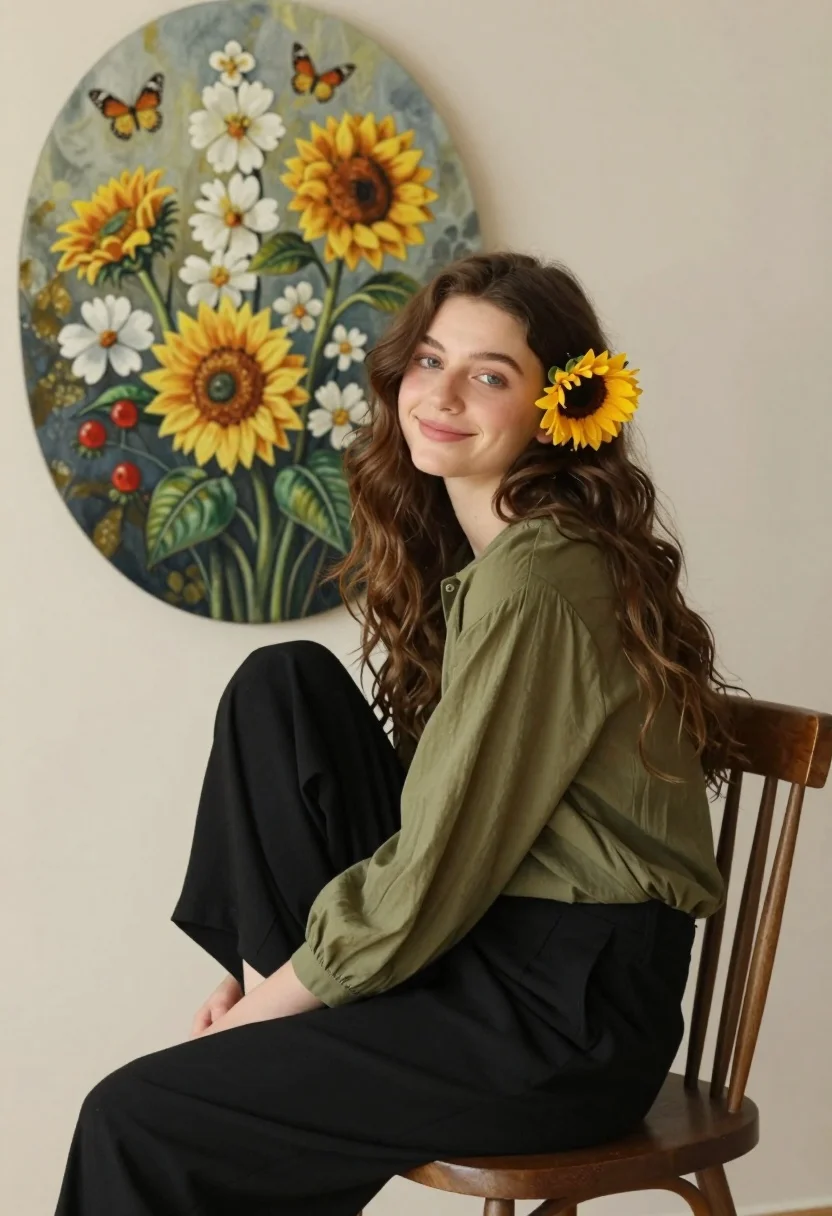
Young woman with brown hair seated by sunflowers against neutral wall backdrop
Prompt
A young woman with long wavy brown hair sits sideways on a wooden chair, smiling softly at the camera while wearing a bright yellow sunflower tucked behind her ear.

Subject: A young woman with fair skin and long, voluminous wavy dark brown hair that cascades over her shoulder. She has a gentle, pleasant expression with a subtle smile and soft blue eyes looking directly at the viewer.

Clothing: She wears an olive green long-sleeved blouse made of a soft, flowing fabric with slightly puffed sleeves, paired with loose-fitting black trousers.

Action: The woman is seated in profile but turned her head to face forward, sitting relaxed on a simple wooden chair with bentwood spindles. Her posture is casual and comfortable.

Environment: She sits against a plain, neutral off-white wall that serves as a clean backdrop for the scene.

Objects: A large, tall oval-shaped painting hangs on the wall behind her to the left. The artwork depicts a lush floral arrangement featuring bright yellow sunflowers, clusters of white flowers, green leaves, and small red berries, with several butterflies fluttering around them.

Lighting: Soft, diffused lighting illuminates the scene evenly, creating gentle shadows and highlighting the texture of her hair and clothing without harsh contrasts.

Style Details: The image has a warm, naturalistic aesthetic with a focus on organic textures and soft colors, resembling a high-quality lifestyle portrait or fine art photography.
Description
This prompt is useful for creating editorial fashion moodboards, intimate portraiture featuring nature elements, and sophisticated lifestyle branding imagery. The combination of 'soft, diffused lighting' and the 'neutral off-white wall' ensures that the vibrant yellow sunflowers and the texture of the 'olive green long-sleeved blouse' remain the primary focal points without any harsh shadows distracting from the subject's gentle expression.
Suggestions
- Change 'wooden chair' to 'wicker chair' for a more bohemian feel.
- Swap 'bright yellow sunflower' for 'deep red poppy' to shift the color palette.
- Adjust 'soft, diffused lighting' to 'rim light' to separate her hair from the background.
Category
Tags
Brown HairBrunetteCasual WearFair SkinFemaleNaturePortrait ShotRealisticSide ProfileStudio
Date added
August 5, 2026
Added by
PromptDexter Team
Related Prompts
More prompts with similar categories and tags.

Woman in dusty rose slip dress looking over shoulder against light blue

Blonde woman looking back over shoulder against white wall

Poised woman in black blazer sitting on stool against blue gradient background

Fair skinned woman with red hair in brown satin dress against gray

Close up portrait of woman in champagne gown with brown hair

Woman in rust gown posing on white step and repeat backdrop

Close up portrait of blonde woman in hot pink gown at event
Glamorous portrait of young woman in shimmering black mesh top
Young woman in red sweater dress standing in grassy field fashion shoot

Young woman in black velvet dress looking over shoulder at event