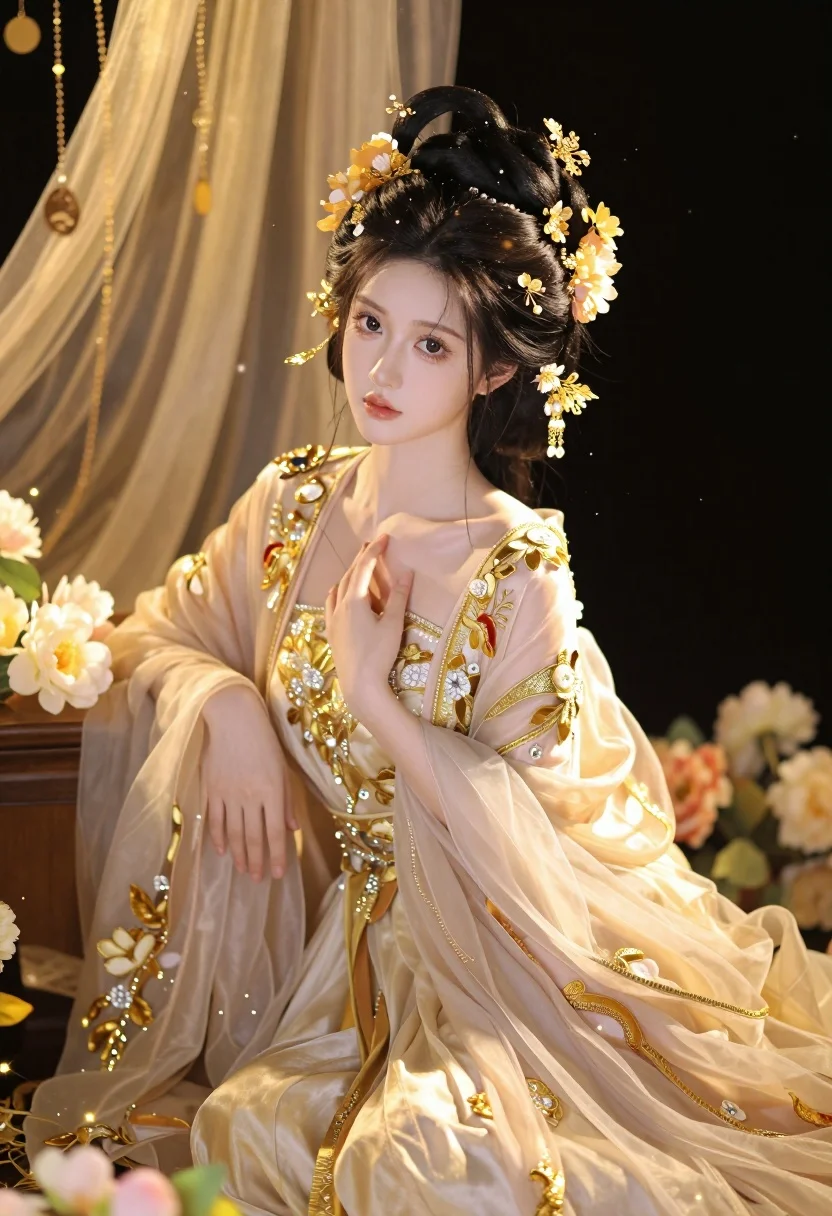
Beautiful woman in cream gown sitting amidst magical golden floral setting
Prompt
A beautiful woman with fair skin and dark hair styled in an elaborate updo sits gracefully amidst a magical, golden setting.

Subject: A young woman with pale skin, large expressive eyes, and a serene expression. Her dark hair is styled in a complex updo adorned with intricate gold jewelry and flowers.

Clothing: She wears a flowing, translucent gown in shades of cream and pale pink, heavily embroidered with gold thread and floral patterns. The dress features long sleeves and a deep neckline, embellished with sparkling gems and delicate fabric layers that drape elegantly around her.

Action: She sits in a relaxed pose with one hand raised near her chest and the other resting on her lap. Her gaze is directed slightly off-camera with a calm demeanor.

Environment: The setting is richly decorated with hanging golden ornaments, sheer fabrics, and soft floral arrangements. A dark background contrasts with the warm, glowing elements surrounding her.

Camera: The shot is framed as a medium close-up focusing on the upper body and face, with a shallow depth of field that blurs the background slightly to emphasize the subject.

Lighting: Warm golden light illuminates the scene from above and the side, creating soft highlights on her skin and dress while casting gentle shadows for depth.

Style Details: The image features a highly detailed, painterly aesthetic with a dreamy atmosphere, enhanced by sparkling particles and glowing effects that give it an ethereal quality.
Description
This prompt is useful for creating high-end bridal editorial spreads, fantasy character portraits, and luxury perfume advertisements. The combination of 'translucent gown in shades of cream and pale pink' against a 'dark background' allows the 'warm golden light' to intensely illuminate the subject while the specified 'shallow depth of field' ensures that only the woman's face and immediate adornments remain sharp, preventing visual clutter from the surrounding magical elements.
Suggestions
- Change 'pale skin' to 'alabaster skin' for a more porcelain effect.
- Swap 'golden ornaments' for 'crystal chandeliers' to alter the reflective quality of the setting.
- Adjust 'medium close-up' to 'head and shoulders portrait' to focus solely on the jewelry.
Category
Tags
Fair SkinFemaleIndoorsPortrait ShotRealistic
Date added
July 3, 2026
Added by
PromptDexter Team
Related Prompts
More prompts with similar categories and tags.

Young woman in white lace dress seated against soft floral backdrop

Young woman seated on grey sofa against pink wall fashion portrait
Smiling woman in floral kurta dress indoors with sheer dupatta drape

Blonde woman in striped swimsuit seated on sofa indoors studio shot

Young woman in zebra print dress indoors near wooden dresser

Young woman in navy jumpsuit posing indoors with soft expression

Blonde woman in pink satin slip dress against grey marble tile background
Blonde woman in floral blouse seated in moody blue interior setting

Young woman in black graphic tshirt against white paneled wall

Close up portrait of woman with dark brown hair looking over shoulder
