

Young woman in black graphic tshirt against white paneled wall
Prompt
A woman with long dark wavy hair stands in a three-quarter pose looking off to the side.

Subject: A young woman with fair skin and long dark brown wavy hair that cascades over her shoulders. She has defined eyebrows, subtle eye makeup, and pink lipstick.

Clothing: She wears an oversized black t-shirt featuring a large graphic print of a cathedral in sepia tones with a jagged red and yellow text logo above it. Underneath the t-shirt, she wears long black leather sleeves or arm warmers that extend to her wrists. She is wearing a sparkly diamond stud earring in her left ear.

Action: She stands leaning slightly against a white paneled wall, looking away from the camera with a calm and composed expression. Her posture is relaxed but poised.

Environment: The background consists of a white interior wall with vertical molding or paneling details. A blurry object is partially visible on the right edge of the frame.

Lighting: Soft natural light illuminates her face and hair, creating gentle highlights on her skin and subtle shadows that define her features.

Camera: Shot from a medium close-up angle at eye level, capturing the subject from the chest up with a shallow depth of field that keeps the focus sharp on her while blurring the background slightly.

Style Details: High-quality fashion photography with a clean aesthetic, natural color grading, and a polished studio look.
Description
This prompt is useful for creating editorial street style features, e-commerce product shots for apparel, and mood boards emphasizing graphic contrast. The combination of the 'oversized black t-shirt featuring a large graphic print' against the 'white paneled wall' maximizes visual impact by using high contrast, while the 'shallow depth of field' ensures that the viewer's attention remains fixed on the subject's composed expression rather than distracting background details.
Suggestions
- Change 'sepia tones' to 'monochromatic blue' for a cooler graphic feel.
- Swap 'diamond stud earring' for 'silver hoop earring' to match the casual vibe.
- Adjust 'medium close-up angle' to 'waist up shot' to better showcase the t-shirt graphics.
Category
Tags
Brown HairBrunetteCasual WearFair SkinFemaleIndoorsMedium ShotPortrait ShotRealisticStudio
Date added
June 19, 2026
Added by
PromptDexter Team
Related Prompts
More prompts with similar categories and tags.

Blonde woman in striped swimsuit seated on sofa indoors studio shot

Blonde woman in cream sweater sitting on beige couch

Glamorous woman posing in shimmering two piece outfit against green backdrop

Fair skinned woman in black blazer against white studio wall

Woman with brown hair in white top and black skirt indoors

Smiling young woman in pink dress seated indoors with glowing backlight

Young woman in white crop top and sequined skirt in decorated bedroom

Young woman in cream blouse leaning against rustic wood
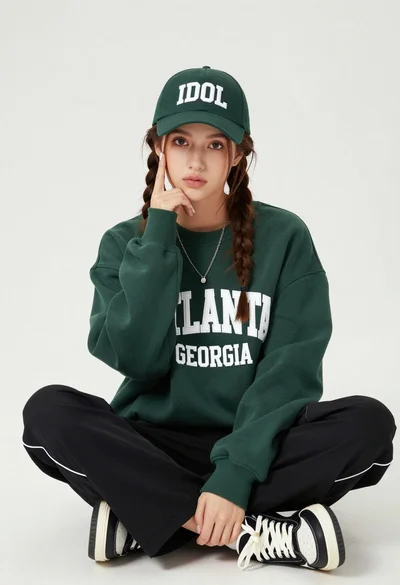
Young woman with braids sitting cross legged in green sweatshirt studio portrait

Young woman in white lace dress seated against soft floral backdrop
