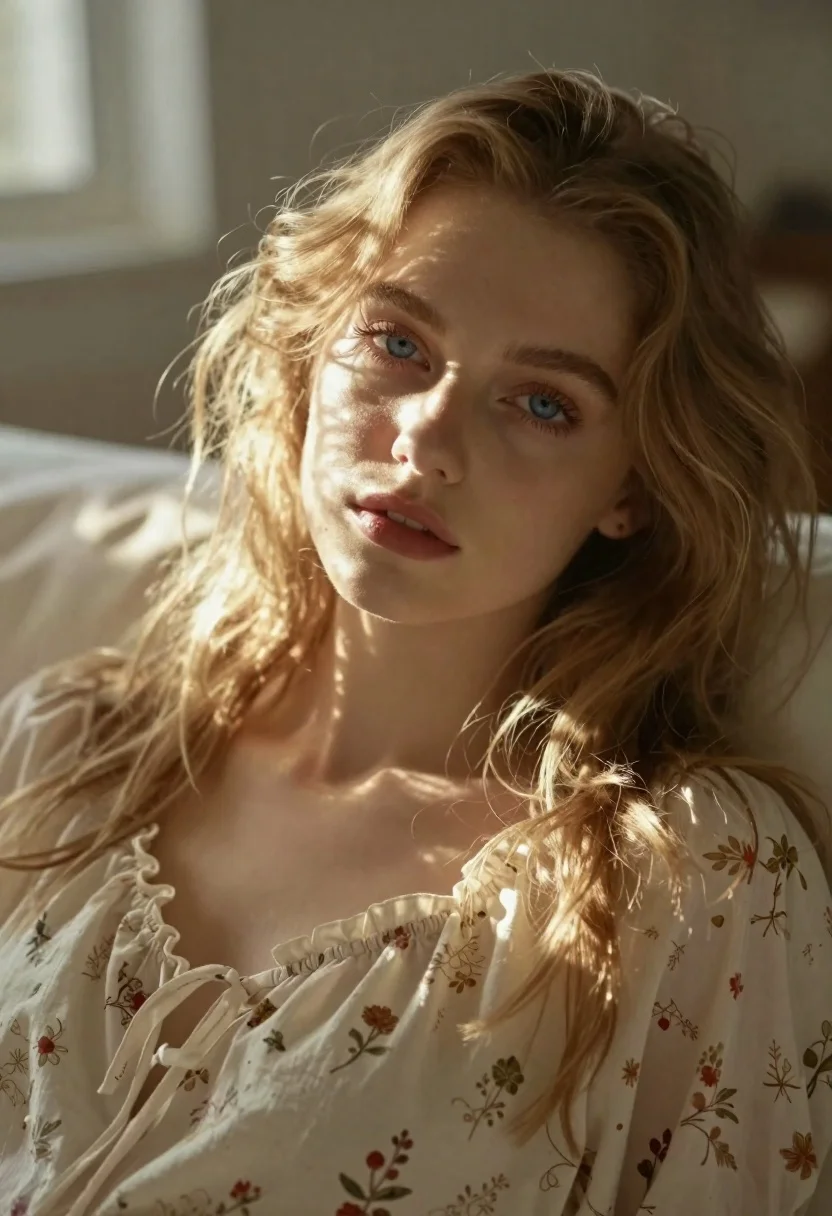
Close up portrait of blonde woman in cream nightgown
Prompt
Soft-focus close-up portrait of a young woman lying down with long wavy blonde hair and striking blue eyes gazing directly at the camera

Subject: fair-skinned female model with voluminous flowing light brown-to-blonde waves cascading over shoulders, defined eyebrows, full natural lips, soft facial features.

Clothing: loose-fitting cream blouse or nightgown with delicate floral print in muted reds and golds, ruffled neckline gathered at chest, subtle fabric texture visible under light.

Lighting: warm golden sunlight streaming from upper left casting dappled shadows across face and neck, creating soft highlights on skin and hair edges; gentle contrast between lit areas and deep ambient background tones.

Environment: blurred neutral-toned backdrop suggesting a cozy indoor space like bedroom or studio with diffused natural light source filtering through unseen window.

Camera: intimate medium shot framed tightly around head and upper torso, shallow depth of field blurring surroundings to emphasize subject's eyes and expression; slightly elevated angle looking down gently onto her face.

Style Details: dreamy ethereal aesthetic reminiscent of fine art portraiture with painterly softness enhanced by warm color palette (golds, creams, pale greens) and subtle lens flare effects adding luminous glow around hair and shoulders.
Description
This prompt is useful for creating intimate editorial portraits, romantic fine art prints, and soft-focus beauty editorials. The combination of 'warm golden sunlight streaming from upper left' casting 'dappled shadows' prevents the image from looking flat by adding natural dimension to the skin and hair, while the 'shallow depth of field' ensures that the viewer's focus remains locked onto the subject's gaze.
Suggestions
- Change 'light brown-to-blonde waves' to 'platinum blonde waves' for a more dramatic look.
- Swap 'muted reds and golds' for 'pale dusty rose and sage' for a cooler palette.
- Adjust 'intimate medium shot' to 'extreme close-up' to emphasize the eyes.
Category
Tags
BedroomBlondeBrown HairClose UpFair SkinFemaleFull BodyIndoorsMedium ShotPortrait ShotStudio
Date added
June 19, 2026
Added by
PromptDexter Team
Related Prompts
More prompts with similar categories and tags.
Close up portrait of blonde woman in champagne gown at gala

Young blonde woman in brown top seated in modern living room setting

Woman in rust gown posing on white step and repeat backdrop
Medium close up portrait of blonde woman in beige blazer studio setting

Smiling blonde woman in black leather outfit at an indoor evening event

Full length shot of woman in dusty pink lace gown at indoor
Portrait of young woman with blonde hair and freckles

Black and white portrait of confident woman in blazer