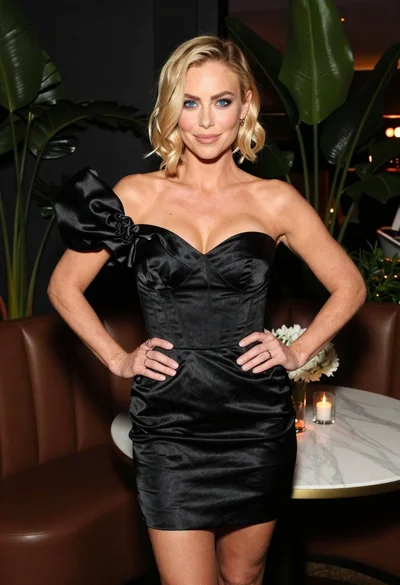
Close up portrait of smiling blonde woman in silver sequin gown
Prompt
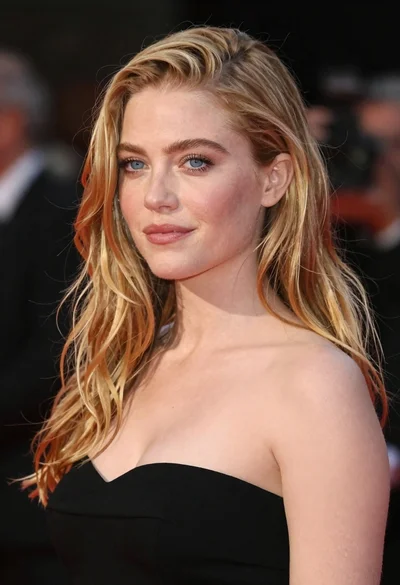
A close-up portrait of a smiling blonde woman with wavy hair and blue eyes wearing a strapless sequined gown.

Subject: A fair-skinned woman with long, voluminous blonde hair styled in loose waves that frame her face. She has bright blue eyes, defined dark eyeliner, and glossy pink lips forming a wide, happy smile showing her teeth. Her skin appears smooth with a natural glow.

Clothing: She wears a strapless gown featuring a heavily embellished bodice covered in shimmering silver and white sequins arranged in horizontal stripes and textured patterns. A delicate silver chain necklace with small diamond-like pendants rests on her collarbone.

Action: The subject is looking slightly to the right of the camera with a cheerful, engaging expression. Her head is tilted slightly, and her shoulders are relaxed.

Environment: The background is dark and out of focus, suggesting an indoor event or red carpet setting with indistinct shapes of people and lights in the distance.

Camera: A medium close-up shot taken at eye level with a shallow depth of field that keeps the subject sharp while blurring the background significantly.

Lighting: Bright, direct flash lighting illuminates the front of her face and chest evenly, creating soft shadows and highlighting the sparkle on her sequined dress.

Style Details: High-resolution photography with a polished, glamorous aesthetic typical of celebrity event coverage.
Description
This prompt is useful for generating high-end red carpet photography, magazine feature spreads, and promotional headshots requiring immediate glamour impact. The combination of 'bright, direct flash lighting' against the 'dark and out of focus' background ensures that the intense sparkle of the 'shimmering silver and white sequins' remains the absolute focal point, preventing the detailed gown from getting lost in ambient light.
Suggestions
- Change 'direct flash lighting' to 'soft box lighting' for a more diffused look.
- Swap 'blue eyes' for 'emerald green eyes' to change the color palette.
- Adjust 'medium close-up shot' to 'headshot' for tighter focus.
Category
Tags
BlondeClose UpFair SkinFemaleIndoorsMedium ShotRealistic
Date added
June 19, 2026
Added by
PromptDexter Team
Related Prompts
More prompts with similar categories and tags.

Blonde woman in black coat leaning against white wall by window

Blonde woman in black slip dress winking at table in upscale restaurant
Woman in olive green silk dress reading a book on bed

Close up portrait of blonde woman in champagne gown at gala

Fair blonde woman in metallic corset mini dress against light blue studio
Close up portrait of fair woman with platinum blonde hair and blue

Blonde woman looking back over shoulder against white wall
Fair blonde woman in deep red velvet dress posing against plain white
Close up portrait of fair woman with strawberry blonde hair and blue

Fair skinned woman in black velvet dress at white step and repeat