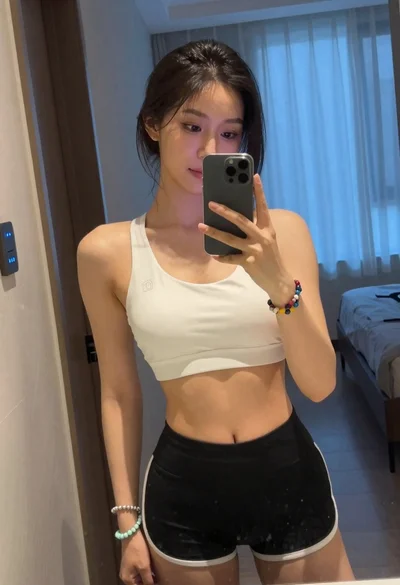

Close up selfie of young woman with dark hair in modern room
Prompt
A close-up selfie of a woman with dark wavy hair taking a mirror photo in a modern room.

Subject: A young woman with dark brown wavy shoulder-length hair and defined facial features looking directly at the camera.

Clothing: She is wearing a dark grey sports bra with black trim around the neckline and a ribbed waistband featuring a small white logo that reads "olo".

Action: The subject is holding the camera for a selfie, her arms extended out of frame, with a direct gaze and neutral expression.

Environment: An indoor setting with a large window in the background showing greenery outside, a desk with a pink lamp to the left, and a white bed or sofa to the right.

Lighting: Bright natural daylight streaming from the window creates soft highlights on her skin and arms while illuminating the room evenly.

Camera: A close-up selfie angle with a shallow depth of field that keeps the subject sharp while slightly blurring the background elements.

Style Details: High-resolution, realistic photography with smooth skin texture and vibrant color grading typical of modern social media portraits.
Description
This prompt is useful for creating contemporary Instagram profile pictures, lifestyle blog headers, and intimate personal portraiture. The combination of 'bright natural daylight' and a 'shallow depth of field' ensures the subject remains sharply focused against the softly blurred background elements like the window greenery, mimicking the polished look favored in modern social media portraits.
Suggestions
- Change 'dark brown wavy hair' to 'slicked back ponytail' for a more severe look.
- Swap 'pink lamp' for 'minimalist black desk lamp' to update the aesthetic.
- Adjust 'neutral expression' to 'slight, knowing smile' to add personality.
Category
Tags
Brown SkinClose UpFemaleIndoorsRealisticSelfie
Date added
June 19, 2026
Added by
PromptDexter Team
Related Prompts
More prompts with similar categories and tags.

Close up selfie of smiling woman in floral top inside airplane cabin
Young woman taking mirror selfie in bathroom wearing sports bra
Woman with blonder hair taking mirror selfie in messy bedroom
Young woman taking a mirror selfie in front of dark wood panels

Blonde woman in black lingerie taking a mirror selfie

Close up selfie portrait of young woman with brown hair indoors
Woman reclining in black dress on white wicker chair dimly lit

Close up portrait of young woman with dark hair resting chin on

Close up portrait of young woman in gaming chair indoors

Selfie portrait of woman in cozy living room