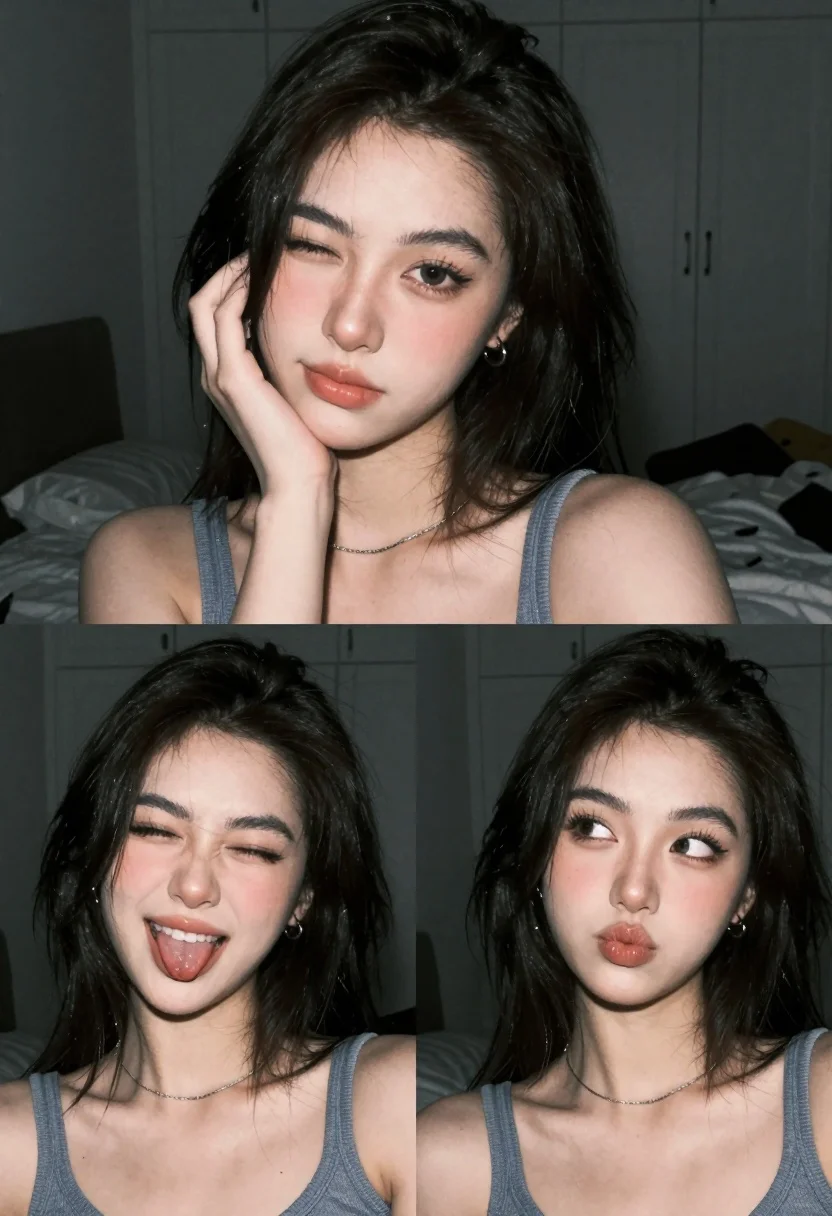
Collage of three close up portraits of young woman in dimly lit
Prompt
A collage of three close-up portraits featuring a young woman with dark shoulder-length hair and fair skin in a dimly lit bedroom setting.

Subject: A young woman with dark, shoulder-length hair, fair skin, and soft makeup featuring glossy pink lips and subtle blush on her cheeks. She wears a thin silver chain necklace and small hoop earrings.

Clothing: She is wearing a blue-grey tank top that reveals her shoulders and collarbones.

Action: The first panel shows her resting her chin on her hand with a gentle gaze; the second panel features her winking and playfully sticking out her tongue; the third panel captures her looking away to the side with pursed lips.

Environment: The background is a dark, muted bedroom interior containing white closet doors with handles and a glimpse of a bed in the distance.

Lighting: Soft, low-key lighting creates a moody atmosphere with gentle shadows and highlights on her face, suggesting an indoor artificial light source.

Camera: Close-up framing focusing tightly on the subject's head and shoulders with a shallow depth of field that blurs the background details.

Style Details: The image has a grainy, film-like texture with a muted color palette and a soft-focus aesthetic typical of modern social media photography.
Description
This prompt is useful for creating intimate personal photo essays, moody Instagram grid layouts, or character concept art for narrative projects. The combination of 'soft, low-key lighting' and the 'grainy, film-like texture' establishes a highly atmospheric mood that prevents the close-up portraits from feeling too sterile, while the shallow depth of field ensures focus remains tightly on her face despite the detailed background elements.
Suggestions
- Change 'blue-grey tank top' to 'silk slip dress' for more luxurious texture.
- Swap 'glossy pink lips' for 'matte nude lipstick' to tone down the playfulness.
- Adjust 'dimly lit bedroom setting' to include 'velvet curtains' for richer background color.
Category
Tags
BedroomClose UpFair SkinFemaleIndoorsPortrait Shot
Date added
July 3, 2026
Added by
PromptDexter Team
Related Prompts
More prompts with similar categories and tags.

Close up portrait of young woman with dark brown hair indoors

Young girl smiling in messy bedroom with string lights
Black and white portrait of woman in vintage car
Close up portrait of woman in white turtleneck sweater

Young woman with brown hair holding camera and winking in indoor setting

Portrait of young woman with black hair holding white roses bouquet
Woman with wavy brown hair in patterned tunic leaning on wooden table

Portrait of young woman in red santa hat and knit sweater

Young woman in red sweater sitting on bed during christmas season

Young woman in white satin dress making shushing gesture in bedroom