
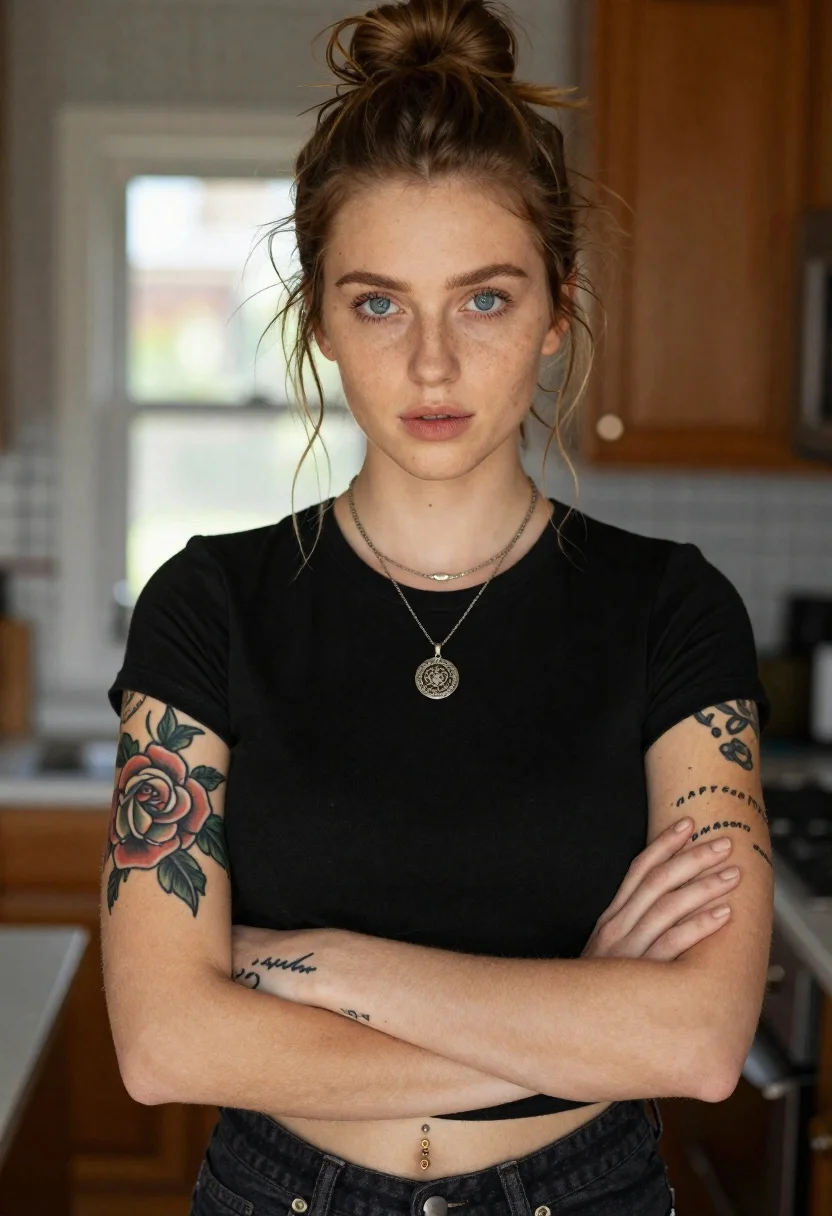
Portrait of woman with blue eyes and freckles indoors
Prompt
Portrait of a young woman with light brown hair tied in a messy bun and loose face-framing strands

Subject: she has striking blue eyes and fair skin with visible freckles across her nose, cheeks, and forehead

Clothing: she wears a simple black short-sleeved crop top tucked into dark denim jeans that reveal part of her waistline where a small gold belly button ring is attached

Accessories: layered necklaces including a thin chain and one featuring an ornate circular pendant with intricate design details hanging at the center of her chest

Tattoos: visible ink on both arms a large rose tattoo covers most of her left forearm while smaller script tattoos appear along her right wrist area near knuckles, displaying faint lettering that appears to say 'HAPPY BIRTHDAY'; Arms crossed confidently over chest with head slightly tilted forward gazing directly into camera lens

Environment: blurred background suggests indoor setting possibly kitchen or living room space featuring wooden elements and soft bokeh lights coming from windows behind her creating dreamy atmosphere

Camera: medium close-up shot taken at eye level emphasizing facial features without distraction

Lighting: natural daylight illuminates front of face softly casting gentle shadows under chin, nose bridge highlighting bone structure subtly enhancing realistic texture appearance overall composition feels intimate yet professional quality photography style.
Description
This prompt is useful for creating editorial beauty shots, character portraits for literary magazines, and lifestyle branding content requiring an intimate feel. The combination of 'natural daylight illuminates front of face softly casting gentle shadows' ensures that the visible freckles and bone structure are highlighted with subtle dimension, while the 'blurred background suggests indoor setting' keeps focus tightly on the subject's direct gaze.
Suggestions
- Change 'light brown hair tied in a messy bun' to 'wet-look hair' for a different texture.
- Swap 'simple black short-sleeved crop top' for 'cream knit sweater' to soften the contrast.
- Adjust 'medium close-up shot taken at eye level' to 'head and shoulders portrait' for more negative space.
Category
Tags
Black HairBlondeBrown HairFair SkinFemaleIndoorsMedium ShotPortrait ShotRealistic
Date added
June 19, 2026
Added by
PromptDexter Team
Related Prompts
More prompts with similar categories and tags.

Smiling blonde woman in black leather outfit at an indoor evening event

Blonde woman in black coat leaning against white wall by window
Blonde woman in black slip dress winking at table in upscale restaurant

Blonde woman in rust knit sweater leaning against textured wall

Woman in black dress by window overlooking ocean at golden hour
Smiling young woman in black leather jacket holding award at red carpet

Blonde woman looking back over shoulder against white wall
Blonde woman in black lace corset top against dark green wall
