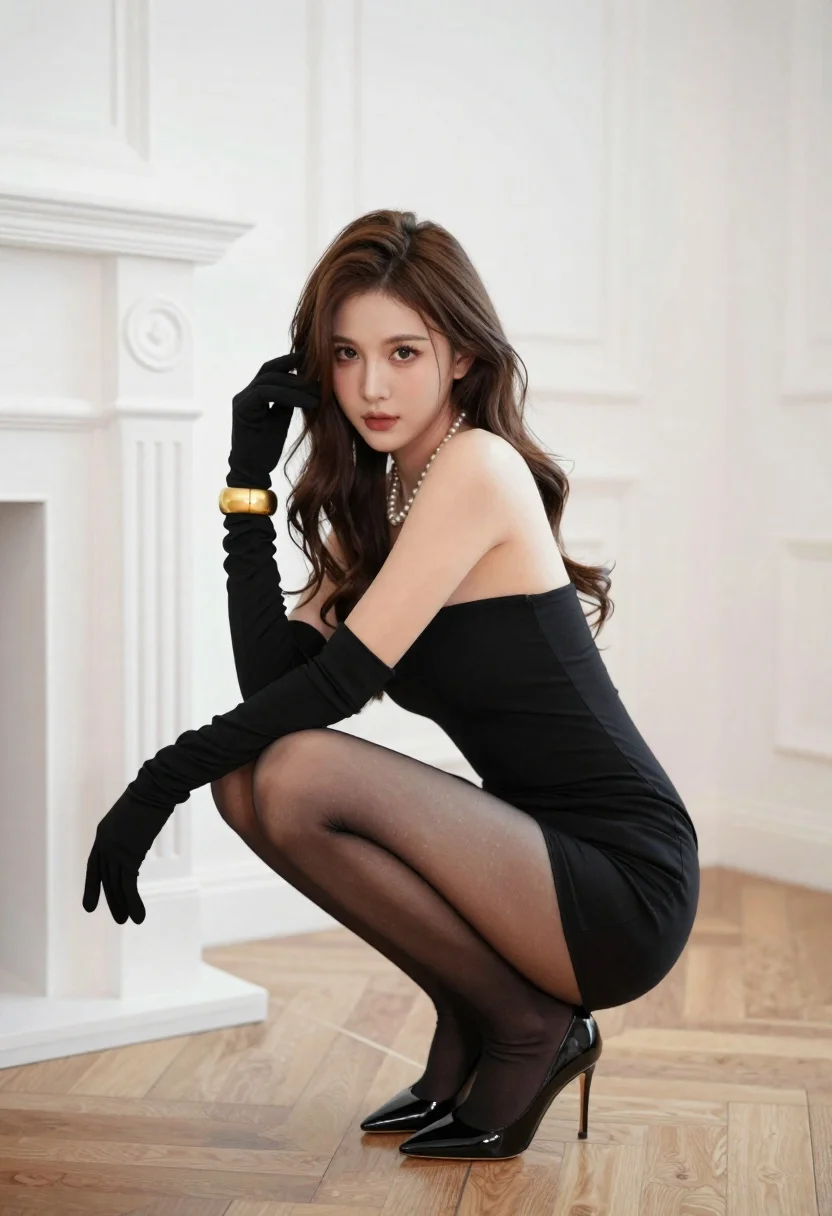
Woman in black strapless mini dress crouching in luxurious room
Prompt
A woman crouching elegantly in a luxurious room with white walls and a wooden parquet floor.

Subject: A woman with long wavy brown hair, fair skin, and a confident gaze directed at the camera.

Clothing: She wears a tight black strapless mini dress, sheer black stockings, and black patent leather high heels. She is accessorized with long black opera gloves, a pearl necklace, and thick gold cuffs on both wrists.

Action: She is crouching low to the ground with one hand touching her hair and the other resting near her knee. Her body is angled slightly away from the camera while her head faces forward.

Environment: The setting is an elegant interior featuring white paneled walls, a classic white fireplace mantel on the left, and light wood parquet flooring arranged in a geometric pattern.

Camera: Shot at eye level with a medium-full shot that captures the subject's entire crouching form, utilizing a shallow depth of field to blur the background slightly.

Lighting: Soft, diffused natural light illuminates the scene from the left, casting gentle shadows and highlighting the textures of her skin and clothing.

Style Details: High-fashion photography with a polished, elegant aesthetic, sharp focus on the subject, and rich contrast between the black attire and the bright white surroundings.
Description
This prompt is useful for creating editorial fashion editorials, character concept art for luxury brands, and high-end portraiture mood boards. The combination of 'soft, diffused natural light' against the 'rich contrast between the black attire and the bright white surroundings' ensures that the textures—like the 'patent leather high heels' and 'black strapless mini dress'—are sharply defined without harsh shadows obscuring the subject's form.
Suggestions
- Change 'wooden parquet floor' to 'marble flooring' for a cooler, more opulent feel.
- Swap 'pearl necklace' for 'diamond choker' to increase the perceived luxury level.
- Adjust 'medium-full shot' to 'full body shot' to better capture the high heels.
Category
Tags
Brown HairCasual WearFair SkinFemaleFull BodyIndoorsMedium ShotOutdoorsPortrait ShotRealistic
Date added
June 26, 2026
Added by
PromptDexter Team
Related Prompts
More prompts with similar categories and tags.

Young woman in green jacket holding plush toy at festive carousel
Woman in black mini dress looking back over shoulder in mirror reflection

Young woman leaning against white wall with beige handbag under bright sunlight
Young woman in grey top and white skirt by water at dusk

Fair skinned woman in green papaya swimsuit by vintage yellow car on

Woman standing barefoot in dry autumn field at golden hour

Young woman in white lace dress seated against soft floral backdrop

Fair skinned woman in black sequined outfit sitting elegantly indoors