
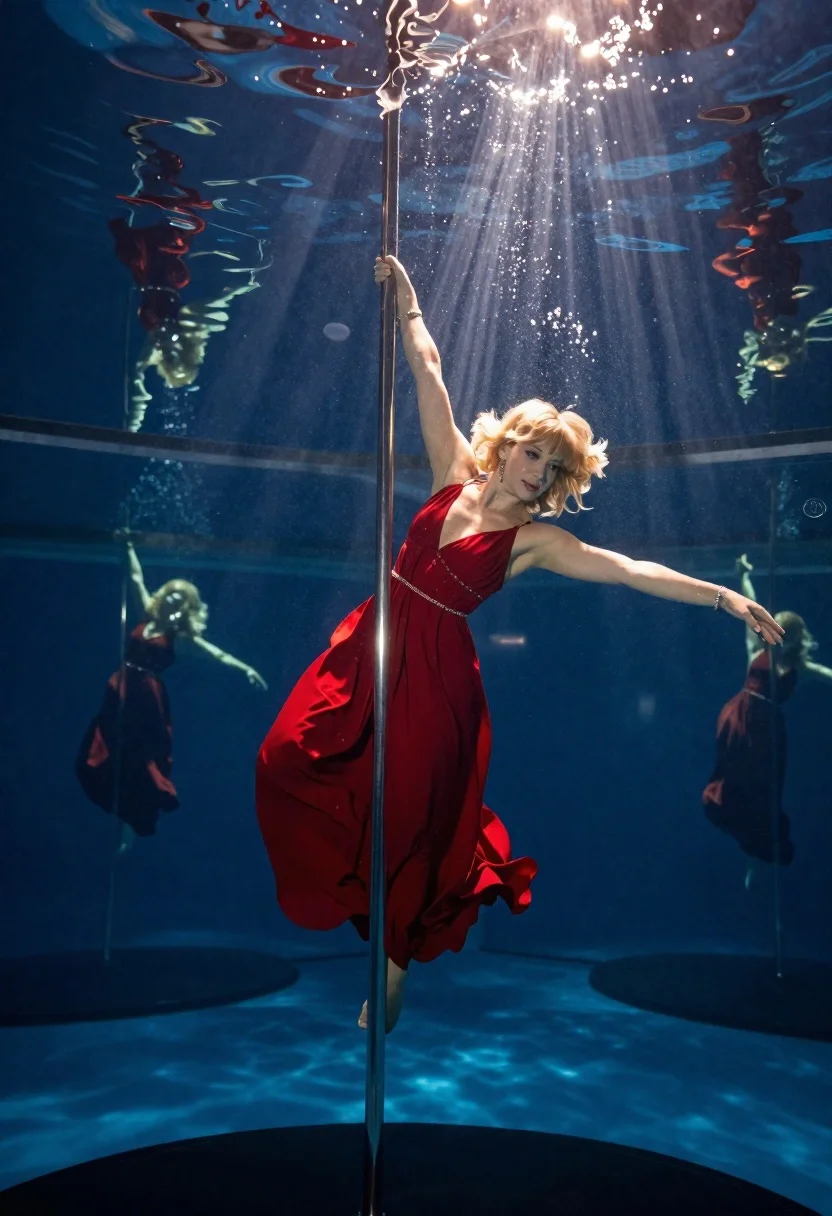
Woman pole dancing underwater in red gown
Prompt
An underwater studio shot of a woman performing an acrobatic pole dance in a shimmering red evening gown, holding the vertical metal pole with one hand while balancing on one extended leg as water flows around her form.

Subject: blonde woman with short wavy hair and bangs, acrobatic performer

Clothing: shimmering red evening gown flowing in water

Accessories: earrings and bracelets

Action: holding vertical metal pole with one hand above head while balancing on one leg extended outward behind body

Environment: enclosed underwater space resembling glass-walled pool or tank structure surrounding dancer, reflective surfaces showing mirrored reflections in background blur

Lighting: bright sunbeams piercing down through water surface creating deep blue illumination, lighting radiates downward clearly illuminating subject despite submerged conditions

Camera: slightly low angle emphasizing height of figure against reflective surfaces

Style Details: cinematic color grading with rich reds contrasting cool blues, realistic physics simulation for flowing dress and suspended water droplets midair.
Description
This prompt is useful for creating avant-garde editorial spreads, conceptual fine art photography, and high-concept swimwear editorials. The combination of 'shimmering red evening gown' against the deep blue illumination, coupled with the 'realistic physics simulation for flowing dress', ensures the fabric interacts believably with the water, preventing it from looking stiff or merely draped.
Suggestions
- Change 'shimmering red evening gown' to 'iridescent silk gown' for a different color play.
- Adjust 'deep blue illumination' to 'cyan and turquoise illumination' for a cooler mood.
- Modify 'slightly low angle' to 'worm's-eye view' to exaggerate the height.
Category
Tags
BlondeFemaleFull BodyLow AngleRealisticStudioSwimwearUnderwater
Date added
June 19, 2026
Added by
PromptDexter Team
Related Prompts
More prompts with similar categories and tags.

Woman submerged in water in a mossy forest
Woman in polka dot outfit in underground parking garage

Glamorous blonde woman in black lace gown seated on vintage chaise lounge
Stylish blonde woman crouching in cream blazer against white studio background

Woman in gold sequin jacket reclining on pink leather sofa
Woman in white ribbed sweater sitting on concrete steps fashion portrait

Fair blonde woman in metallic corset mini dress against light blue studio

Blonde woman in black suit leaning on ladder studio portrait
