

Woman seated in armchair near large windows with greenery
Prompt
A professional portrait of a woman seated in a modern armchair with large windows behind her showing greenery outside

Subject: A confident young woman with long dark wavy hair, brown eyes, and warm skin tone looking directly at the camera with a subtle smile.

Clothing: She is wearing a sleeveless white high-neck top and matching loose-fitting cream trousers in soft fabric. Accessories: Gold hoop earrings, a gold wristwatch on her left wrist, and two thin gold bangles stacked above it; another single delicate bracelet on her right wrist.

Action: Seated comfortably with one knee raised slightly, her chin resting gently against the knuckles of her right hand while her left arm rests across her lap in relaxed fashion.

Environment: A bright minimalist room featuring floor-to-ceiling glass windows or doors revealing blurred green trees outside; light-colored flooring and neutral walls contribute to airy atmosphere.

Objects: A sleek silver laptop sits closed on a low wooden coffee table positioned directly in front of the chair.

Lighting: Natural soft daylight floods the space from behind through expansive window panes creating gentle rim lighting around her silhouette against bright background foliage while frontal fill keeps facial features evenly illuminated without harsh shadows.

Camera: Medium close-up shot captured at eye level with shallow depth-of-field rendering both subject and immediate surroundings in sharp focus while distant windows blur into creamy bokeh of greens and whites; composition centers the figure within frame balanced by negative space on left side where window dominates visual field.
Description
This prompt is useful for creating editorial lifestyle features, architectural interior design showcases, and high-end portrait branding materials. The combination of 'natural soft daylight' providing 'gentle rim lighting' against the 'blurred green trees' ensures the subject pops while maintaining an airy feel, which complements the minimalist setting and shallow depth-of-field rendering.
Suggestions
- Change 'sleeveless white high-neck top' to 'silk blouse' for more drape.
- Swap 'low wooden coffee table' for 'marble side table' to update the material contrast.
- Adjust 'creamy bokeh of greens and whites' to 'soft blue sky bokeh' for a different mood.
Category
Tags
Brown HairCasual WearFemaleIndoorsLight SkinMedium ShotNaturePortrait ShotRealisticStudio
Date added
June 19, 2026
Added by
PromptDexter Team
Related Prompts
More prompts with similar categories and tags.
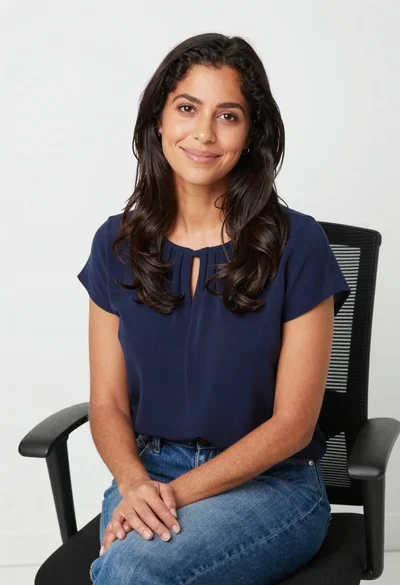
Smiling woman in navy top sitting on black chair against white wall

Studio portrait of woman in black blazer

Professional portrait of smiling blonde woman in navy suit sitting in armchair

Young woman with brown hair smiling on edge of white bathtub in

Poised woman in white top touching collarbone against dark studio background

Young blonde woman in brown top seated in modern living room setting

Poised woman in black blazer sitting on stool against blue gradient background

Black and white portrait of man in polo shirt
