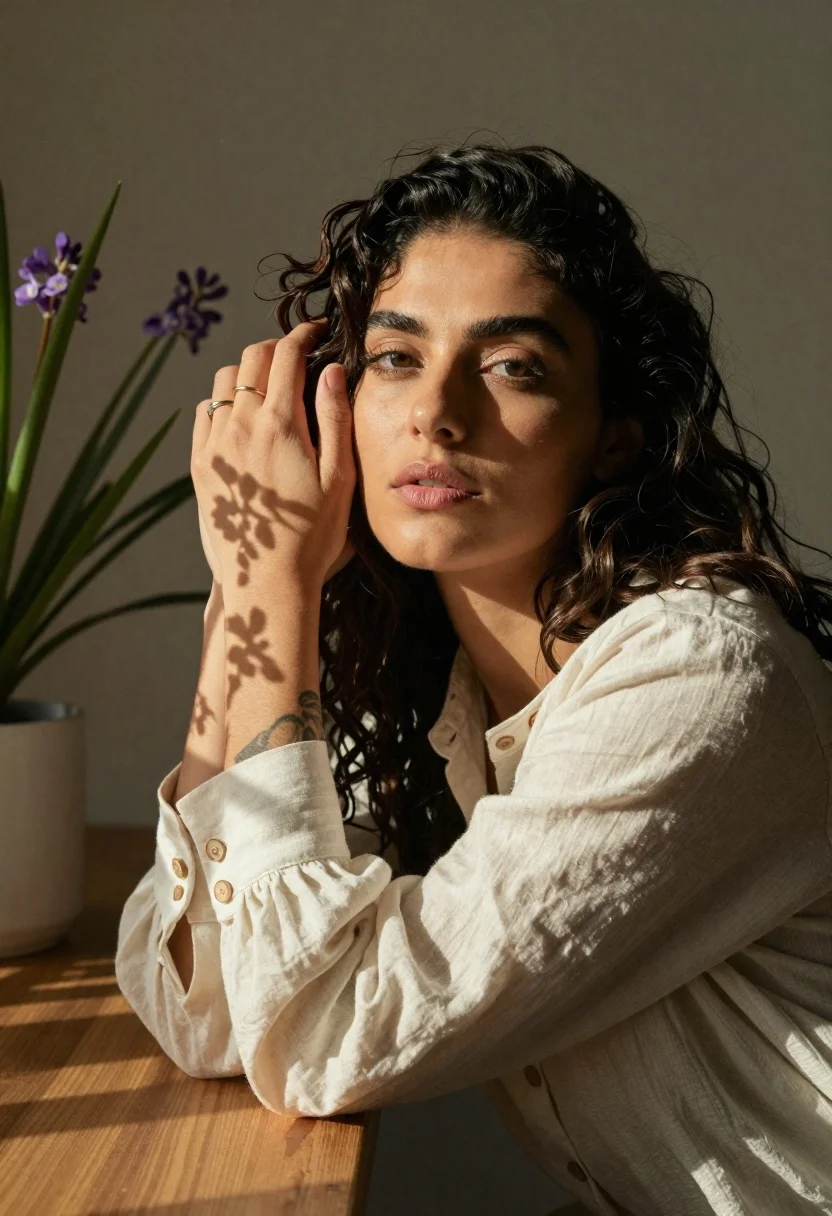
Woman with dark wavy hair in cream blouse near potted plant
Prompt
A woman with dark wavy hair poses in a soft indoor setting, her expression calm and contemplative as she gazes slightly upward.

Subject: A woman with long, dark, wavy hair that cascades over her shoulders and back. Her skin is smooth and illuminated by warm light, highlighting her facial features including defined eyebrows, eyeliner, and full lips. She has a ring on the finger of her left hand and a tattoo visible on her forearm.

Clothing: She wears a loose-fitting, off-white or cream-colored long-sleeved blouse made of a textured fabric like linen or cotton. The sleeve cuff features a row of large, round buttons.

Action: Her right arm is raised with her hand resting gently against the side of her head near her hairline. Her left arm rests on a wooden surface in front of her. She leans slightly forward, creating a relaxed and intimate posture.

Environment: The background is a simple, neutral-toned wall that fades into shadow, keeping the focus entirely on the subject. To the left, there is a potted plant with tall green leaves and clusters of small purple flowers, adding a touch of nature to the scene.

Camera: The shot is a medium close-up framed from a slightly low angle, emphasizing her face and upper body. The composition uses a shallow depth of field to blur the background elements softly.

Lighting: Strong, directional sunlight streams in from the left side, casting sharp, dappled shadows of leaves across her arm, hand, and face. This creates high contrast between the bright highlights and deep shadows, giving the image a warm, golden-hour feel.

Style Details: The image has a soft, cinematic aesthetic with a muted color palette dominated by earthy tones, creams, and greens. There is a distinct film grain texture and a vintage editorial quality to the rendering.
Description
This prompt is useful for creating intimate portraiture for lifestyle magazines, character studies emphasizing natural beauty, and fine art photography collections. The combination of 'strong, directional sunlight' casting 'dappled shadows' across her skin and clothing grounds the image in a specific time and place, while the 'shallow depth of field' ensures that the viewer's attention remains fixed on her contemplative expression despite the detailed elements like the potted plant.
Suggestions
- Change 'potted plant with tall green leaves and clusters of small purple flowers' to 'single orchid bloom' for a more refined look.
- Adjust 'strong, directional sunlight' to 'soft window light' for less harsh contrast.
- Swap 'cream-colored long-sleeved blouse' for 'silk slip top' to change the fabric texture.
Category
Tags
Brown HairDark SkinFemaleIndoorsLow AngleNaturePortrait ShotRealistic
Date added
June 19, 2026
Added by
PromptDexter Team
Related Prompts
More prompts with similar categories and tags.

Woman seated in armchair near large windows with greenery

Woman in teal lace bodice with clasped hands

Close up portrait of woman with green eyes and leaf shadows
Woman with brown hair looking over shoulder in dim bar

Glamorous portrait of woman with dark brown wavy hair against beige wall

Young woman with dark hair holding pastry in warmly lit room

Woman pouring red wine at wooden bar counter indoors

Confident woman in black blazer stands in modern office with blurred colleagues
Medium close up of woman with dark bob in modern cafe setting
Young woman reclining on beige sofa with brown knit dress indoors