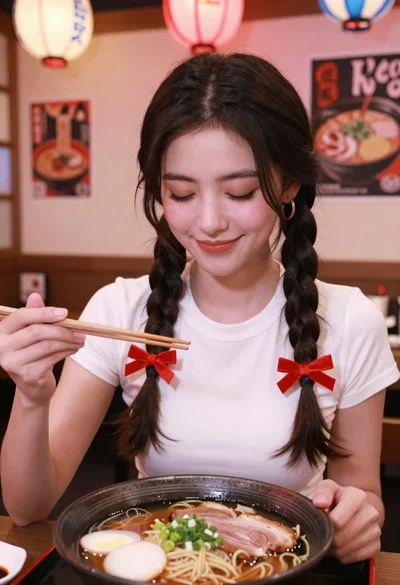

Young east asian woman eating ramen in traditional japanese restaurant setting
Prompt
A young woman with long dark hair sits at a wooden table in a traditional Japanese restaurant, holding chopsticks near her face while making a playful pouty expression.

Subject: A young East Asian woman with long, straight black hair and bangs, fair skin, and a direct gaze toward the camera.

Clothing: She wears a black knit sweater with an open neckline revealing a light-colored bralette underneath, accessorized with a delicate necklace and a pearl bracelet on her wrist.

Action: She holds wooden chopsticks in her right hand near her face, tilting her head slightly while making a pouty expression with pursed lips.

Environment: The setting is a traditional Japanese restaurant featuring tatami mats on the floor, light wood furniture, beige walls, and sliding doors in the background.

Camera: A medium close-up shot taken from a slightly high angle looking down at the subject and the food, creating an intimate perspective.

Lighting: Soft, warm indoor lighting illuminates the scene evenly, casting gentle shadows that highlight the texture of her sweater and the steam rising from the bowl.

Objects: A large black ceramic bowl filled with ramen sits prominently in the foreground, topped with a soft-boiled egg, minced meat, green onions, and mushrooms.

Style Details: The image has a candid, lifestyle photography aesthetic with natural color grading and a shallow depth of field that keeps the subject and food in sharp focus while softly blurring the background.
Description
This prompt is useful for creating intimate food blog posts, character concept art featuring daily life moments, and editorial spreads focusing on cultural dining experiences. The combination of 'soft, warm indoor lighting' and a 'shallow depth of field' ensures the ramen bowl remains sharply focused while gently blurring the background elements like the tatami mats, directing all viewer attention to the subject's playful interaction with the food.
Suggestions
- Change 'black knit sweater' to 'cardigan' for a different silhouette.
- Swap 'pouty expression' for 'laughing candidly' to change the mood.
- Adjust 'medium close-up shot' to 'overhead shot' to emphasize the ramen composition.
Category
Tags
Black HairCasual WearFair SkinFemaleIndoorsRealistic
Date added
June 19, 2026
Added by
PromptDexter Team
Related Prompts
More prompts with similar categories and tags.

Anime woman in food court eating salad
Young woman smiling at table with pizzas in modern restaurant setting

Selfie of young woman with dark hair holding croissant near coffee shop

Blonde woman eating ice cream by riverbank with city skyline background

Woman with dark hair at marble table holding tomato sauce over spaghetti
Young woman eating sushi at restaurant window with raindrops visible
Blonde woman eating pizza at an outdoor european cafe table

Young woman eating pizza on highrise ledge overlooking european city street

Young woman eating croissant in cozy cafe setting low angle shot
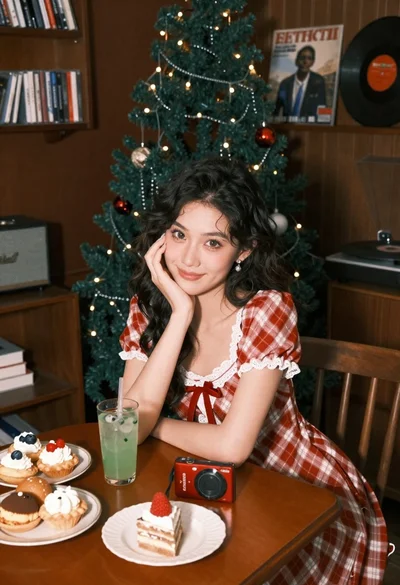
Young woman in plaid dress sitting at table near christmas tree