
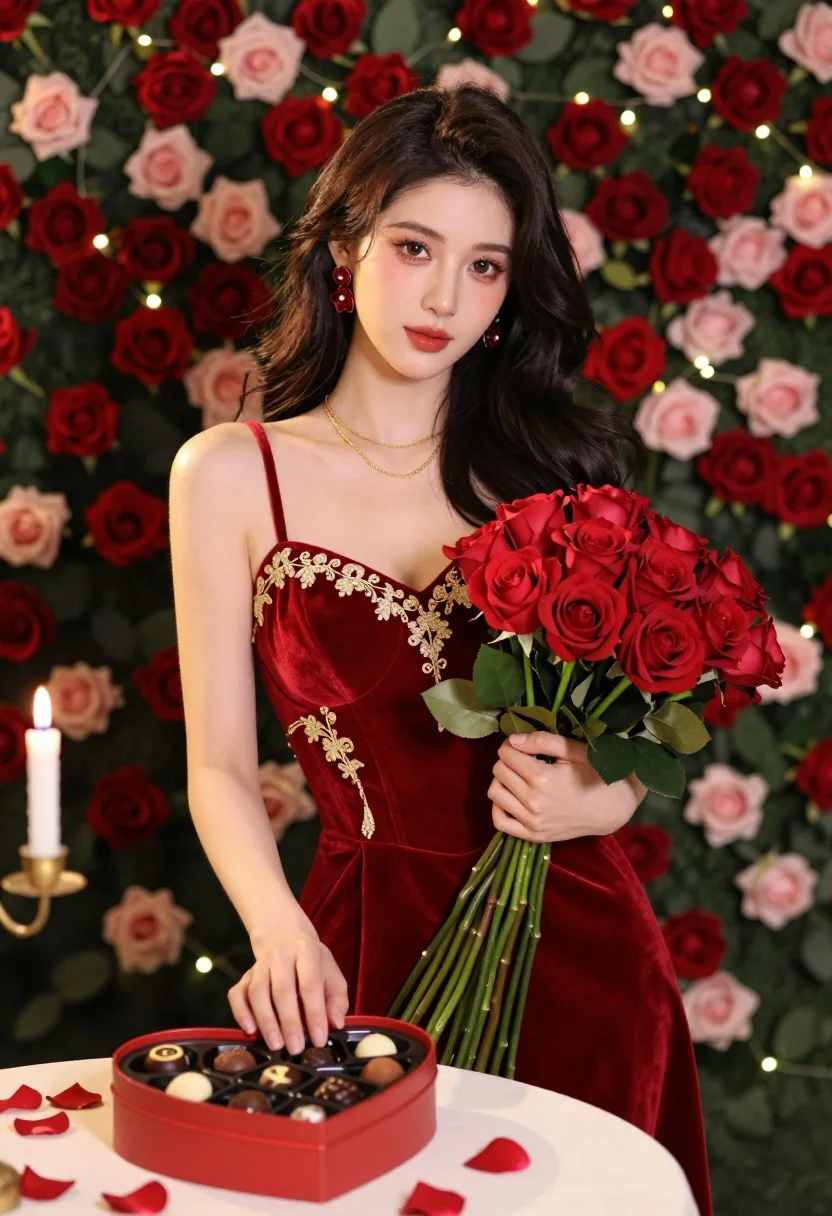
Young east asian woman in red velvet dress with roses and chocolates
Prompt
A young woman with long dark wavy hair stands in a romantic setting holding a bouquet of red roses and a heart-shaped box of chocolates.

Subject: A young East Asian woman with fair skin, soft makeup featuring warm eyeshadow and glossy lips, and a gentle, direct gaze.

Clothing: She wears a luxurious deep red velvet dress with gold embroidery on the bodice and thin straps, accessorized with layered gold necklaces and large red flower-shaped earrings.

Action: She holds a bouquet of red roses in her left arm and rests her right hand gently over a heart-shaped box filled with assorted chocolates placed on a table before her.

Environment: The background is a lush wall of red and pink roses interspersed with fairy lights, while rose petals are scattered across the white table surface in the foreground.

Camera: A medium shot captures the subject from the waist up, utilizing a shallow depth of field to keep the woman sharp while softly blurring the floral background.

Lighting: Soft, warm studio lighting illuminates her face and upper body evenly, creating a romantic and intimate atmosphere with gentle highlights on her skin and velvet fabric.

Objects: A heart-shaped red box containing various chocolates sits prominently on the table, surrounded by scattered rose petals.

Style Details: The image features high-definition realism with rich color saturation, smooth textures, and a polished commercial aesthetic typical of high-end fashion photography.
Description
This prompt is useful for creating romantic anniversary advertisements, luxury perfume campaigns, and editorial bridal feature spreads. The combination of 'deep red velvet' against the 'lush wall of red and pink roses' establishes a highly saturated, opulent mood that complements the intimate focus achieved by using a shallow depth of field to keep the subject sharp.
Suggestions
- Change 'gold embroidery on the bodice' to 'silver beading' for a cooler contrast.
- Swap 'heart-shaped box' for 'crystal display case' to increase luxury feel.
- Adjust 'soft, warm studio lighting' to 'dramatic chiaroscuro' for more moodiness.
Category
Tags
Brown HairCasual WearFair SkinFemaleMedium ShotPortrait ShotRealisticStudio
Date added
July 12, 2026
Added by
PromptDexter Team
Related Prompts
More prompts with similar categories and tags.

Young woman in silver sequin top and lace dress against beige wall

Woman in black dress by window overlooking ocean at golden hour

Blonde woman looking back over shoulder against white wall

Poised woman in black blazer sitting on stool against blue gradient background

Fair skinned woman with red hair in brown satin dress against gray

Fair skinned woman in black velvet dress at white step and repeat

Close up portrait of woman in champagne gown with brown hair

Woman in rust gown posing on white step and repeat backdrop

Blonde woman reading at a cafe table with roses

Smiling blonde woman in black leather outfit at an indoor evening event
