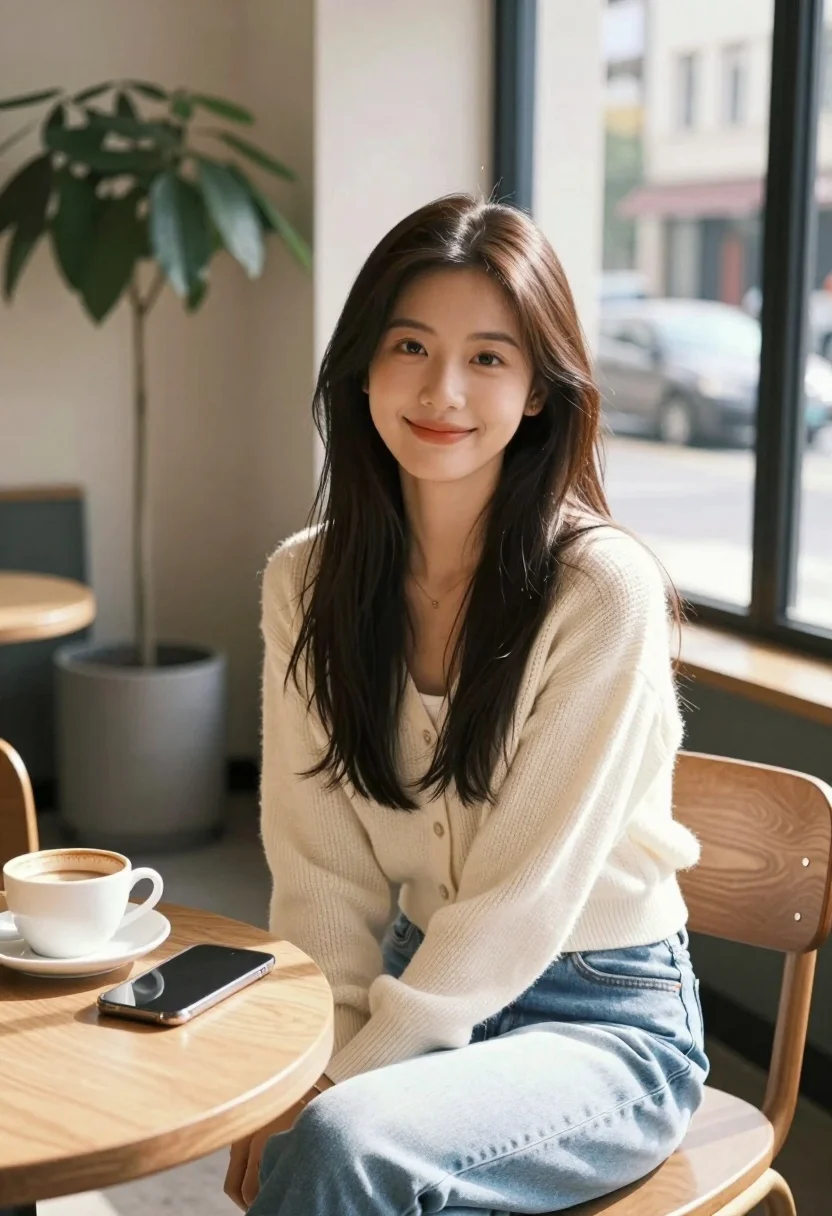
Young east asian woman smiling at wooden table in cozy cafe setting
Prompt
A young woman with long dark hair sits smiling gently at a wooden table in a cozy cafe.

Subject: A young East Asian woman with long, straight dark brown hair that falls over her shoulders and a soft, pleasant smile on her face.

Clothing: She wears a cream-colored knit cardigan over a white top, paired with light blue jeans, and a delicate necklace is visible around her neck.

Action: She is seated in a wooden chair, leaning slightly forward with her hands resting near her lap, looking directly at the camera with a relaxed expression.

Environment: The setting is an indoor cafe with large windows revealing a street scene outside, including parked cars and buildings across the road. A potted plant stands in the background to the left.

Objects: On the round wooden table in front of her sits a white coffee cup on a saucer and a black smartphone lying flat.

Lighting: Soft natural daylight streams in from the large window behind her, illuminating her face and creating a warm, inviting atmosphere with gentle shadows.

Camera: The shot is a medium close-up taken at eye level with a shallow depth of field that keeps the subject sharp while blurring the background street scene.

Style Details: The image features a realistic photographic style with high detail in the fabric textures and skin tones, utilizing a natural color palette dominated by warm neutrals and soft blues.
Description
This prompt is useful for creating lifestyle blog photography, intimate portrait sessions, and cozy brand advertising materials. The combination of 'soft natural daylight' streaming from the large window behind her provides gentle illumination that sculpts her face without harsh shadows, while the 'shallow depth of field' ensures the focus remains tightly on the subject despite the detailed background elements like the street scene.
Suggestions
- Change 'cream-colored knit cardigan' to 'chunky cable knit sweater' for more texture.
- Swap 'black smartphone' for an open book to suggest narrative.
- Adjust 'soft natural daylight' to 'late afternoon diffused light' for warmer tones.
Category
Tags
Brown HairBrunetteCafeCasual WearFemaleIndoorsRealistic
Date added
July 3, 2026
Added by
PromptDexter Team
Related Prompts
More prompts with similar categories and tags.

Portrait of young woman with light brown hair in black shirt

Young woman in white tank top by open window

Smiling woman in navy top sitting on black chair against white wall

Woman with brown hair looking over shoulder in dim bar

Young woman with brown hair seated at desk in bright office setting

Young woman smiling at camera in cafe setting

Young woman with dark hair sitting in cafe looking at city street

Woman in white bathrobe standing in luxurious walkin closet full body shot
Medium close up of woman with dark bob in modern cafe setting

Young woman with brown hair smiling on edge of white bathtub in