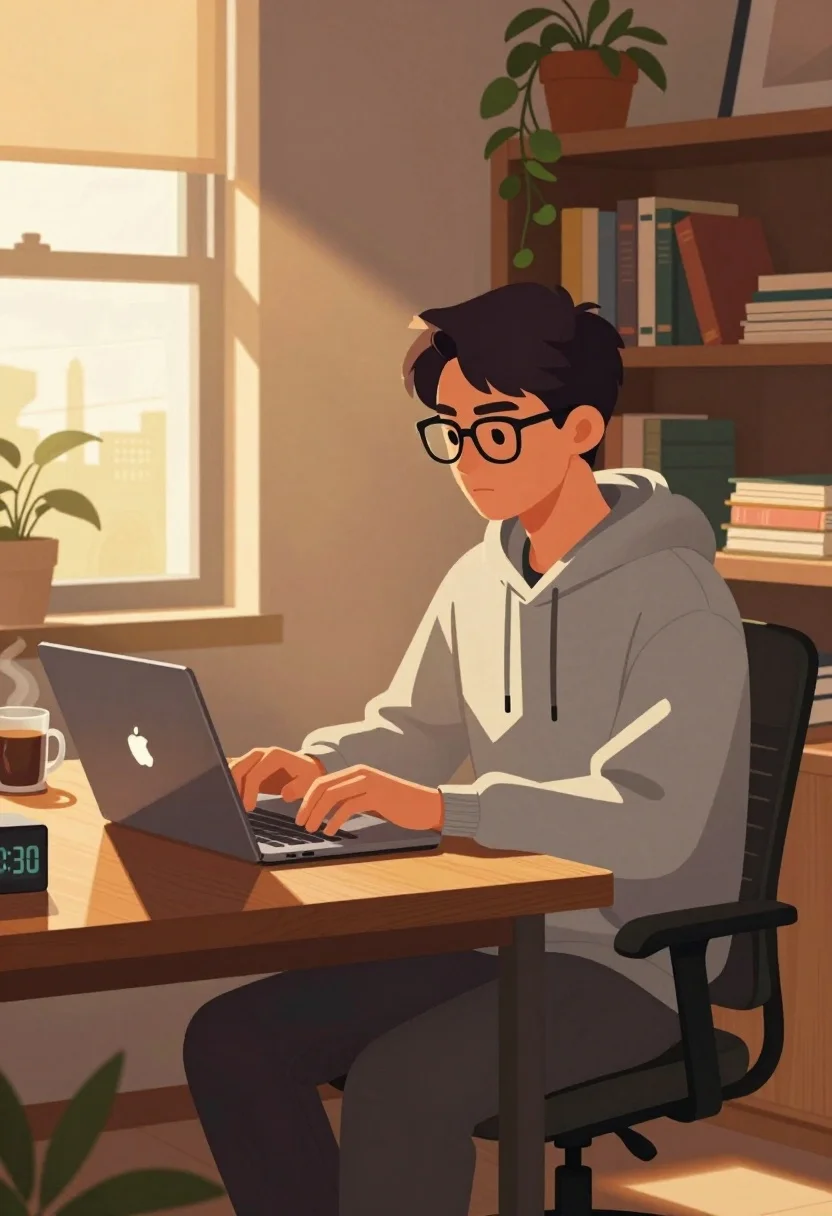
Young man typing on laptop at wooden desk in sunlit cozy room
Prompt
A young man sits at a wooden desk in a cozy room, typing on a laptop with sunlight streaming through a nearby window.

Subject: A young man with short dark hair and black-rimmed glasses, wearing a grey hoodie and dark pants, seated in an office chair.

Clothing: A casual grey hooded sweatshirt with drawstrings and dark trousers.

Action: The man is focused on his laptop screen, typing with both hands while looking slightly to the side with a serious expression.

Environment: A warm, sunlit room featuring a wooden desk, a large window letting in golden light, and a tall bookshelf filled with books behind him.

Camera: Medium shot capturing the subject from the waist up, framed with a slight angle that emphasizes the depth of the room and the sunlight hitting the wall.

Lighting: Warm, golden hour sunlight streaming through the window on the left, casting long shadows across the desk and creating a soft glow on the man's face and clothing.

Objects: A silver laptop with an illuminated logo, a steaming mug of coffee, a digital clock displaying 9:30, several potted plants including one hanging from the bookshelf, and stacks of books on shelves.

Style Details: Digital illustration style with clean lines, soft shading, and a warm color palette dominated by browns, oranges, and muted greens.
Description
This prompt is useful for creating cozy lifestyle blog headers, character concept art for indie games, and interior design mood boards featuring work-from-home aesthetics. The combination of 'digital illustration style with clean lines' and the specific 'warm, golden hour sunlight streaming through the window on the left' ensures that the scene feels inviting rather than overly dramatic, grounding the subject in a believable domestic setting.
Suggestions
- Change 'grey hoodie' to 'navy blue crewneck' for a different color anchor.
- Add 'bokeh effect' to the background to soften the bookshelf details.
- Swap 'golden hour sunlight' for 'mid-morning light' to change the shadow length.
Category
Tags
Black HairBrown SkinCasual WearDigital ArtIndoorsMaleMedium Shot
Date added
July 3, 2026
Added by
PromptDexter Team
Related Prompts
More prompts with similar categories and tags.

Smiling couple embracing indoors woman in red satin dress holding roses
Three friends standing together in a cheerful group pose with doodles

Young man with white hair and mustache standing in a warm classroom

Young woman on wooden dock at sunset

Cheerful girl kneading dough in cozy kitchen setting

Man on mushroom in magical forest at night

Cartoon illustration of a couple in formal wear against purple background

Young girl named paige standing in a cozy bedroom with magical sparkles

Illustration of woman reading book by window in minimalist interior space

Cheerful young boy running through grassy field flying colorful diamond kite