
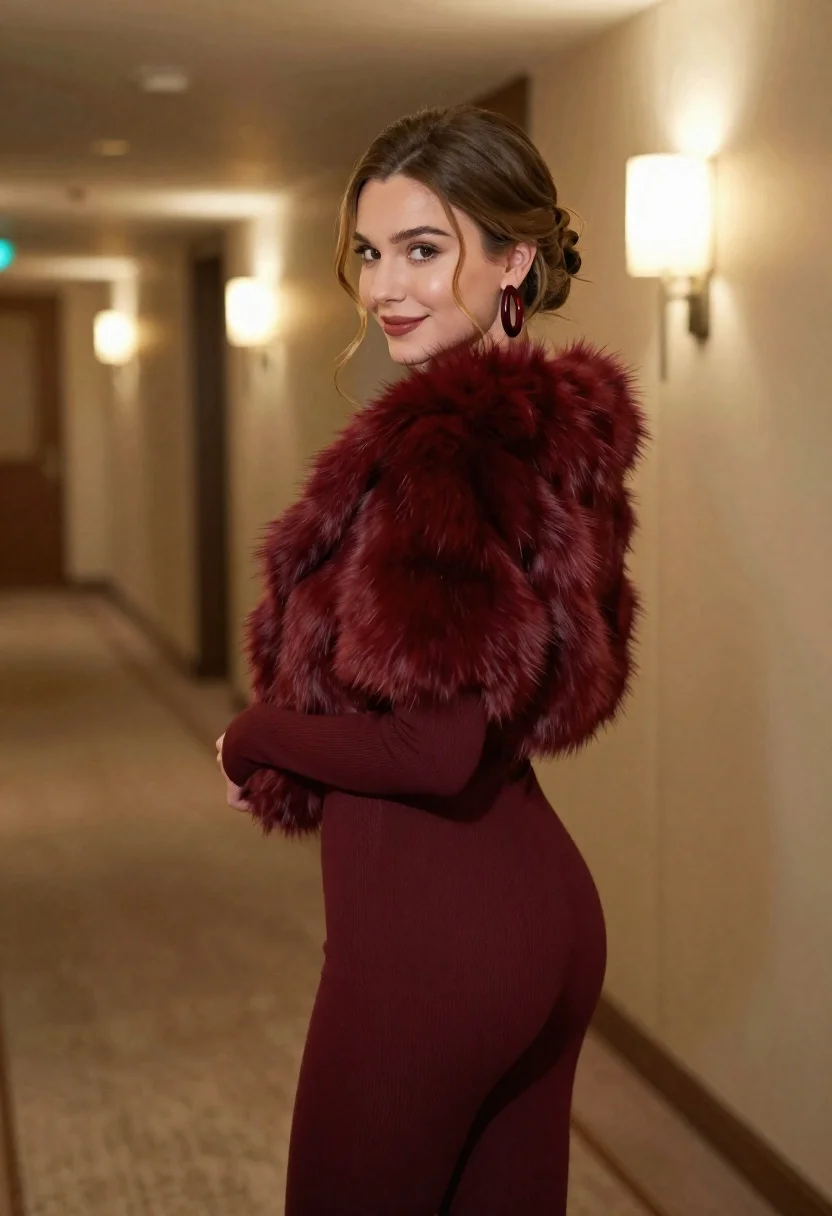
Young woman in burgundy bodysuit and fur stole looking back over shoulder
Prompt
A woman stands in a hotel hallway looking back over her shoulder with a gentle smile.

Subject: A young woman with light brown hair styled in an elegant updo with loose tendrils framing her face. She has fair skin, defined eyebrows, and is wearing subtle makeup that highlights her eyes and lips.

Clothing: She wears a matching burgundy ribbed knit bodysuit with long sleeves and a high-cut leg design. Over the bodysuit, she wears a thick, luxurious faux fur stole in a deep wine red color. She accessorizes with large, dark red hoop earrings.

Action: The woman is captured mid-turn, looking back towards the camera with a soft expression. Her posture is relaxed yet poised, standing slightly angled away from the viewer.

Environment: The setting is an upscale hotel corridor featuring cream-colored walls with paneling and carpeted flooring. A modern wall sconce provides warm ambient light on the right side of the frame.

Lighting: The scene is illuminated by soft, warm artificial light coming from the wall fixtures, creating a cozy atmosphere with gentle shadows that accentuate the texture of the fur and the curves of her body.

Camera: The shot is taken at eye level with a shallow depth of field that keeps the subject sharp while softly blurring the hallway background to emphasize her presence.

Style Details: The image features high-resolution realism with smooth skin textures, detailed fabric rendering, and a cinematic color palette dominated by warm neutrals and deep reds.
Description
This prompt is useful for creating editorial fashion moodboards, character concept art for luxury settings, and intimate portrait photography showcasing rich textiles. The combination of 'burgundy ribbed knit bodysuit' and 'thick, luxurious faux fur stole' against the 'cream-colored walls' directs the model to render deep color saturation and tactile material contrast, which is essential for making the expensive textures feel grounded rather than flat.
Suggestions
- Change 'deep wine red color' to 'oxblood' for a more muted tone.
- Swap 'ribbed knit bodysuit' for 'velvet bodysuit' to increase luxury texture.
- Adjust 'soft, warm artificial light' to 'directional spotlighting' for more drama.
Category
Tags
Casual WearFair SkinFemaleIndoorsMedium ShotOver The ShoulderRealistic
Date added
June 26, 2026
Added by
PromptDexter Team
Related Prompts
More prompts with similar categories and tags.

Young woman seated on grey sofa against pink wall fashion portrait
Smiling woman in floral kurta dress indoors with sheer dupatta drape

Blonde woman in striped swimsuit seated on sofa indoors studio shot
Young woman in zebra print dress indoors near wooden dresser
Young woman in navy jumpsuit posing indoors with soft expression
Blonde woman in black leather jacket standing in modern marble bathroom

Young woman in black graphic tshirt against white paneled wall
Young woman with brown hair sitting on green velvet chair indoors
