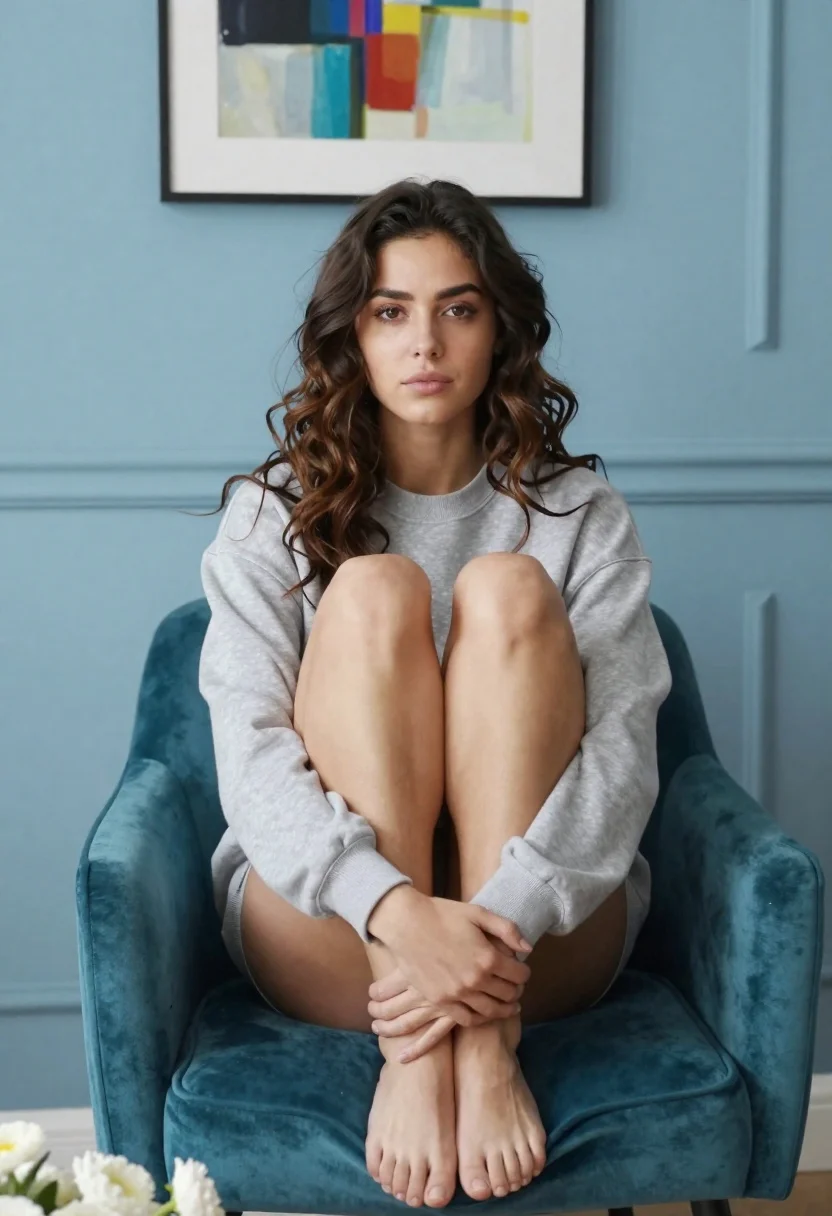
Young woman in grey sweatshirt sitting barefoot on teal velvet armchair indoors
Prompt
A woman with wavy brown hair sits barefoot on a teal velvet armchair in a minimalist room.

Subject: A young woman with long, wavy dark brown hair and fair skin, looking directly at the camera with a neutral expression.

Clothing: She wears a loose-fitting, light grey crewneck sweatshirt that is pulled up over her thighs, leaving her legs bare.

Action: She sits in a relaxed pose with her knees drawn up to her chest and her arms wrapped around her shins, resting her hands on her lower legs.

Environment: The setting is an interior room featuring a solid light blue wall with vertical paneling lines. A framed abstract painting with colorful brushstrokes hangs on the wall above her head.

Objects: A bouquet of white flowers lies on the floor in front of the chair.

Lighting: Soft, diffused lighting illuminates the scene evenly from the front, creating gentle shadows and a calm mood without harsh highlights.

Camera: The shot is framed at eye level with a medium close-up perspective that captures the subject from the knees up, utilizing a shallow depth of field to keep the focus sharp on her face while softly blurring the background.

Style Details: The image has a clean, high-definition aesthetic with smooth skin textures and vibrant, saturated colors.
Description
This prompt is useful for creating intimate portraiture for lifestyle blogs, mood boards focusing on soft domestic aesthetics, or character studies requiring a sense of quiet contemplation. The combination of 'soft, diffused lighting' and the 'shallow depth of field' ensures that while the subject remains clearly visible in a 'medium close-up perspective', the background elements like the 'teal velvet armchair' recede just enough to keep the viewer focused on her expression rather than distracting details.
Suggestions
- Change 'light grey crewneck sweatshirt' to 'oversized cream knit sweater' for warmer tones.
- Swap 'white flowers' for 'dried pampas grass' to adjust the seasonal feel.
- Adjust 'soft, diffused lighting' to 'natural window light' for a more directional quality.
Category
Tags
Brown HairCasual WearFair SkinFemaleFull BodyIndoorsMedium ShotPortrait ShotRealistic
Date added
June 26, 2026
Added by
PromptDexter Team
Related Prompts
More prompts with similar categories and tags.
Woman in white satin slip dress seated on bed looking back over

Young woman in black crop top and cream trousers indoors looking over
Confident woman smiling indoors on dark wood walkway with red decor

Woman in black dress seated in dimly lit diner booth

Young girl smiling in messy bedroom with string lights
Blonde woman with side braid drinking from soda can indoors

Young woman with brown hair on a sunlit rustic porch

Fair skinned woman in black sequined outfit sitting elegantly indoors