

Young woman in pink bodysuit lying on a bed with fairy lights
Prompt
A young woman with long wavy brown hair lies on her stomach on a bed, propped up on her elbows and resting her chin in one hand while gazing directly at the camera.

Subject: A young woman with fair skin, green eyes, and voluminous dark wavy hair that cascades over her shoulders.

Clothing: She wears a soft pink ribbed knit bodysuit featuring long sleeves with cold-shoulder cutouts on the arms.

Action: She is lying prone on a bed, propped up on her forearms, with one hand gently cupping her cheek and the other supporting her arm; her legs are bent at the knees with bare feet raised in the air behind her.

Environment: The setting is a bedroom featuring a grey upholstered headboard and white bedding, with a soft-focus background of warm fairy lights strung against the wall.

Lighting: The scene is illuminated by soft, diffused light that creates a gentle glow on her face and highlights the texture of her skin and hair, casting subtle shadows for depth.

Camera: Shot from a low angle looking slightly up at the subject with a shallow depth of field that keeps her in sharp focus while blurring the background lights into bokeh.

Style Details: The image has a clean, high-definition aesthetic with a pastel color palette and a soft, romantic atmosphere.
Description
This prompt is useful for creating intimate portrait photography, boudoir editorial spreads, and dreamy lifestyle content. The combination of 'soft pink ribbed knit bodysuit' against the 'white bedding' utilizes a 'pastel color palette' that enhances the romantic mood, while the 'low angle looking slightly up' composition makes the subject appear more dominant and alluring.
Suggestions
- Change 'soft pink ribbed knit bodysuit' to 'ivory silk slip' for a different material feel.
- Swap 'warm fairy lights' for 'cool blue string lights' to shift the overall mood.
- Adjust 'shallow depth of field' to 'deep focus' if you want more background detail.
Category
Tags
BedroomBrown HairCasual WearFair SkinFemaleIndoorsLow AnglePortrait ShotRealistic
Date added
June 26, 2026
Added by
PromptDexter Team
Related Prompts
More prompts with similar categories and tags.

Woman in white satin slip dress seated on bed looking back over

Young girl smiling in messy bedroom with string lights
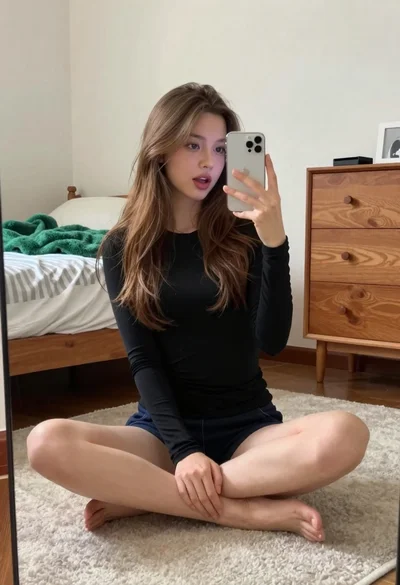
Young woman taking a mirror selfie in a modern bedroom setting

Close up portrait of young woman in car with brown hair

Young woman in oversized knit sweater sitting on bed in bedroom

Young woman with brown hair and glasses lying on a bed in

Young woman with brown hair taking a selfie in bed at night

Woman in bright yellow slip dress posing near white sofa interior