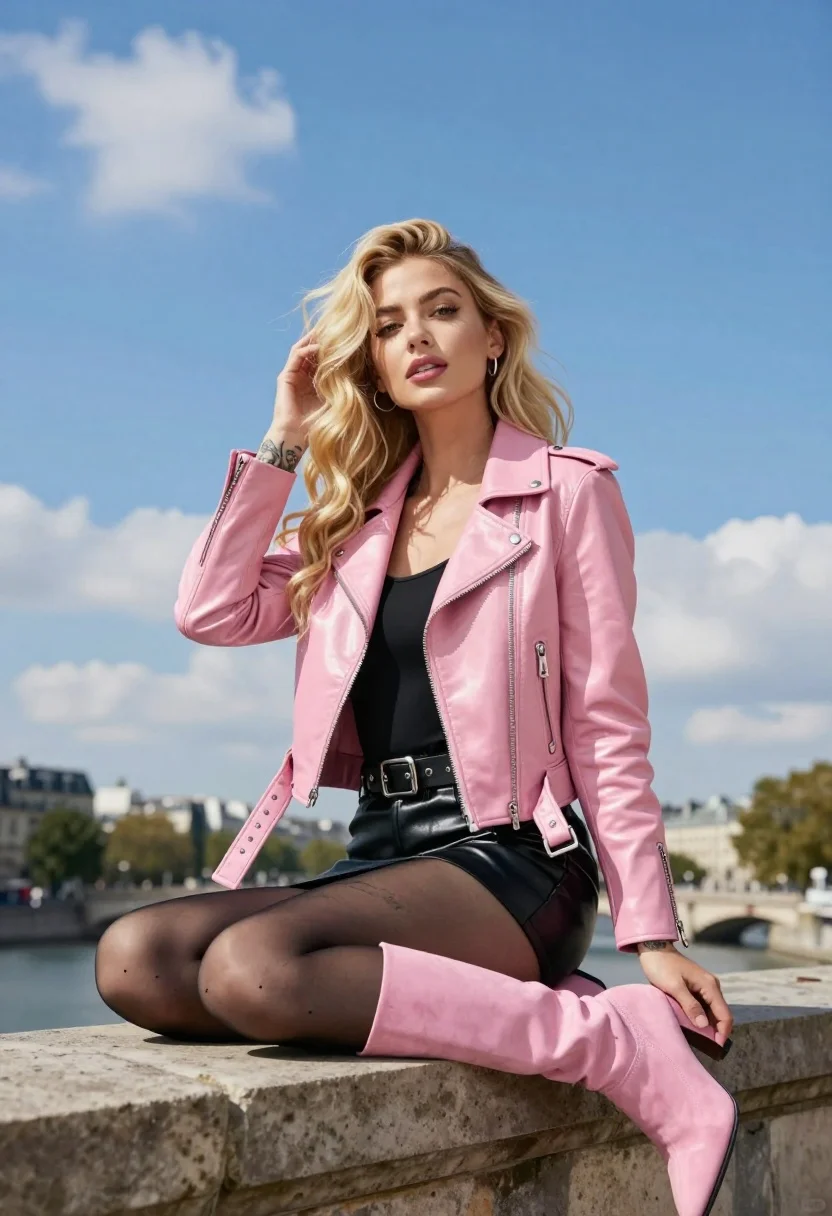
Blonde woman in pink moto jacket seated on stone ledge against blue
Prompt
A young woman with long wavy blonde hair sits on a stone ledge against a bright blue sky with wispy clouds.

Subject: A fair-skinned woman with voluminous wavy blonde hair and light makeup, featuring defined eyebrows, eyeliner, and glossy lips. She has visible tattoos on her left forearm and thigh.

Clothing: She wears a shiny pink leather moto jacket with silver zippers and buckle straps on the cuffs, a black top underneath, a black studded belt, a black leather mini skirt, sheer black tights, and tall pink suede heeled boots.

Action: She is seated in a relaxed pose, leaning back slightly against the stone structure. Her left hand rests gently on her thigh while her right hand touches her hair near her ear. She looks directly at the camera with a soft, confident expression.

Environment: The setting is outdoors under a clear blue sky with scattered white clouds. In the background, there are blurred buildings and green trees suggesting an urban park or riverside location.

Camera: Shot from a low angle looking up at the subject to emphasize her posture against the sky, with a shallow depth of field that keeps the focus sharp on her while blurring the distant cityscape.

Lighting: Bright natural daylight illuminates the scene evenly, creating soft highlights on the leather jacket and hair without harsh shadows, giving the image a vibrant and airy feel.

Style Details: High-resolution fashion photography style with vivid colors, smooth skin texture, and a polished commercial aesthetic.
Description
This prompt is useful for creating edgy editorial portraits, music video concepts, and high-fashion lookbooks set in urban environments. The combination of 'low angle looking up at the subject' with 'bright natural daylight' emphasizes the strong silhouette created by the 'shiny pink leather moto jacket,' ensuring the subject dominates the frame against the expansive blue sky.
Suggestions
- Change 'pink leather moto jacket' to 'black patent leather moto jacket' for a tougher edge.
- Add 'anamorphic lens flare' to enhance the outdoor, cinematic feel.
- Swap 'soft, confident expression' for 'smoldering gaze' to increase intensity.
Category
Tags
BlondeFair SkinFemaleLow AngleOutdoorsPortrait ShotUrban
Date added
July 12, 2026
Added by
PromptDexter Team
Related Prompts
More prompts with similar categories and tags.

Blonde woman in black leather bodysuit on concrete ledge against blue sky

Blonde woman in white embroidered mini dress on rooftop overlooking city
Blonde woman sitting barefoot on rooftop overlooking modern city skyline
Glamorous blonde woman in black blazer by blue swimming pool
Young woman in patterned dress leaning against stone wall by river
Low angle portrait of blonde woman in pink faux fur coat against
Blonde woman in yellow top squats on concrete sidewalk against teal wall
Blonde woman seated in european city square with classical architecture background

Blonde woman in white bikini posing by luxurious poolside at sunset
Blonde woman in pink dress leaning on pillar before colosseum in rome