
Blonde woman taking mirror selfie in luxurious beige marble bathroom setting
Prompt
A blonde woman taking a mirror selfie in a luxurious bathroom while holding a smartphone.

Subject: A young woman with long wavy blonde hair and fair skin, looking directly into the camera with a neutral expression.

Clothing: She is wearing a white deep V-neck one-piece swimsuit that features high-cut legs and a delicate gold necklace around her neck.

Action: The subject holds a gold smartphone in her left hand to take a mirror selfie, displaying a large diamond ring on her finger and a gold bracelet on her wrist.

Environment: The setting is a high-end bathroom featuring beige marble walls, a glass shower enclosure with brass fixtures, and a white towel hanging nearby.

Objects: A potted white orchid sits on the marble countertop to the right, and various toiletries are visible on shelves inside the shower.

Lighting: The scene is illuminated by bright overhead lighting that creates soft highlights on the marble surfaces and reflects clearly in the mirror.

Camera: The shot is a vertical medium close-up taken from a mirror reflection with a straight-on angle.

Style Details: The image has a polished, high-definition aesthetic typical of modern smartphone photography with natural skin tones.
Description
This prompt is useful for creating luxury lifestyle blogs, resort wear lookbooks, and personal social media content featuring bathroom aesthetics. The combination of 'beige marble walls' and 'bright overhead lighting' ensures that the reflective surfaces—like the mirror and brass fixtures—catch highlights effectively, preventing the image from looking flat while keeping the focus on the subject's accessories.
Suggestions
- Change 'white deep V-neck one-piece swimsuit' to 'black high-cut monokini' for contrast.
- Swap 'gold smartphone' for 'vintage film camera' to alter the narrative.
- Adjust 'bright overhead lighting' to 'soft diffused window light' for a more natural feel.
Category
Tags
BlondeFair SkinFemaleIndoorsMedium ShotRealisticSwimwear
Date added
July 12, 2026
Added by
PromptDexter Team
Related Prompts
More prompts with similar categories and tags.

Blonde woman in black lace gown standing in opulent room setting

Blonde woman in sheer white shirt by large sunlit window indoors

Blonde woman in black leather jacket standing in modern marble bathroom

Fair blonde woman sitting on vintage gold sofa in dimly lit room
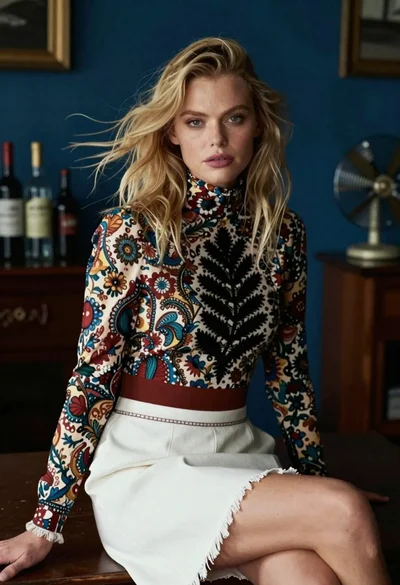
Blonde woman in floral blouse seated in moody blue interior setting

Blonde woman in cream sweater sitting on beige couch

Blonde woman in black sweater standing in modern purple living room

Fair skinned woman in black blazer against white studio wall

Woman in orange mini dress walking down sunlit corridor

Woman in white corset top standing by grey wall and large window