
Close up reflection of blonde woman in mirror against stone wall background
Prompt
A close-up reflection of a woman in a car side-view mirror against a rustic stone wall background.

Subject: A young woman with blonde hair and fair skin is reflected in the mirror, wearing tortoiseshell sunglasses that obscure her eyes. She has a soft, confident expression with a slight smile and glossy pink lips. Her skin shows natural texture and freckles under bright sunlight.

Clothing: She wears a white spaghetti strap top visible at the shoulders. She accessorizes with large gold chain-link earrings and a matching necklace made of white shell beads.

Action: The woman is looking slightly to her left, away from the camera, with a relaxed and contemplative demeanor. Her head is tilted slightly upward.

Environment: The reflection shows green foliage behind her. Outside the mirror frame, there is a textured stone wall and green grass at the bottom of the image.

Camera: A close-up shot focusing tightly on the rectangular side-view mirror, capturing the chrome trim and the car's window frame on the left edge.

Lighting: Bright, direct sunlight creates strong highlights on her skin and hair, casting deep shadows in the corners of the sunglasses and under her chin. The light source is high and to the right.

Objects: A polished chrome side-view mirror with a rounded rectangular shape dominates the center. The car's window frame and door handle are visible on the left.

Text/Graphics: No text or logos are present.

Style Details: High-contrast, sun-drenched aesthetic with natural skin textures and vibrant colors.
Description
This prompt is useful for creating automotive lifestyle photography, editorial beauty shots emphasizing accessories, and cinematic character studies set in urban environments. The combination of 'bright, direct sunlight' casting deep shadows against the polished chrome mirror surface emphasizes high contrast, which prevents the reflection from looking flat and instead gives the blonde subject a dramatic, sculptural quality suitable for both fashion and mood pieces.
Suggestions
- Change 'tortoiseshell sunglasses' to 'aviator sunglasses' for a different shape.
- Swap 'white spaghetti strap top' for 'black silk camisole' to deepen contrast.
- Adjust 'high and to the right' light source to 'low and front-left' for more dramatic shadows.
Category
Tags
BlondeClose UpFair SkinFemaleOutdoorsRealisticSide ProfileStreet
Date added
July 12, 2026
Added by
PromptDexter Team
Related Prompts
More prompts with similar categories and tags.

Young woman drinking iced coffee in car passenger seat

Two young women in car seats wearing denim and beige jackets
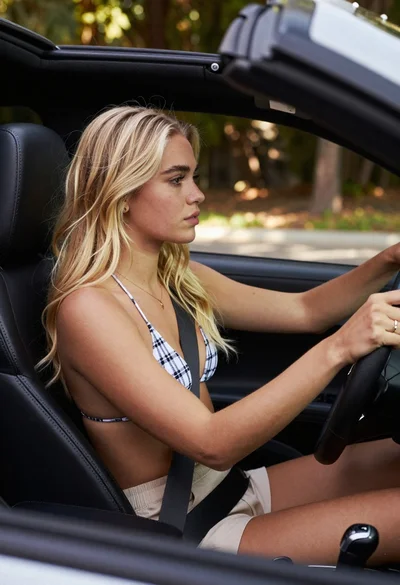
Young blonde woman driving convertible car looking ahead through windshield

Young woman taking high angle selfie outdoors by modern building

Young woman in cream dress taking a selfie on sunny city street

Fair skinned woman with blonde hair taking a mirror selfie in a

Young hispanic woman and caucasian man posing together on a street with

Fair skinned blonde woman taking a mirror selfie with apple and phone

Blonde woman taking selfie with coffee on city street at sunset

Selfie portrait of blonde woman in fur hat on snowy mountain slope