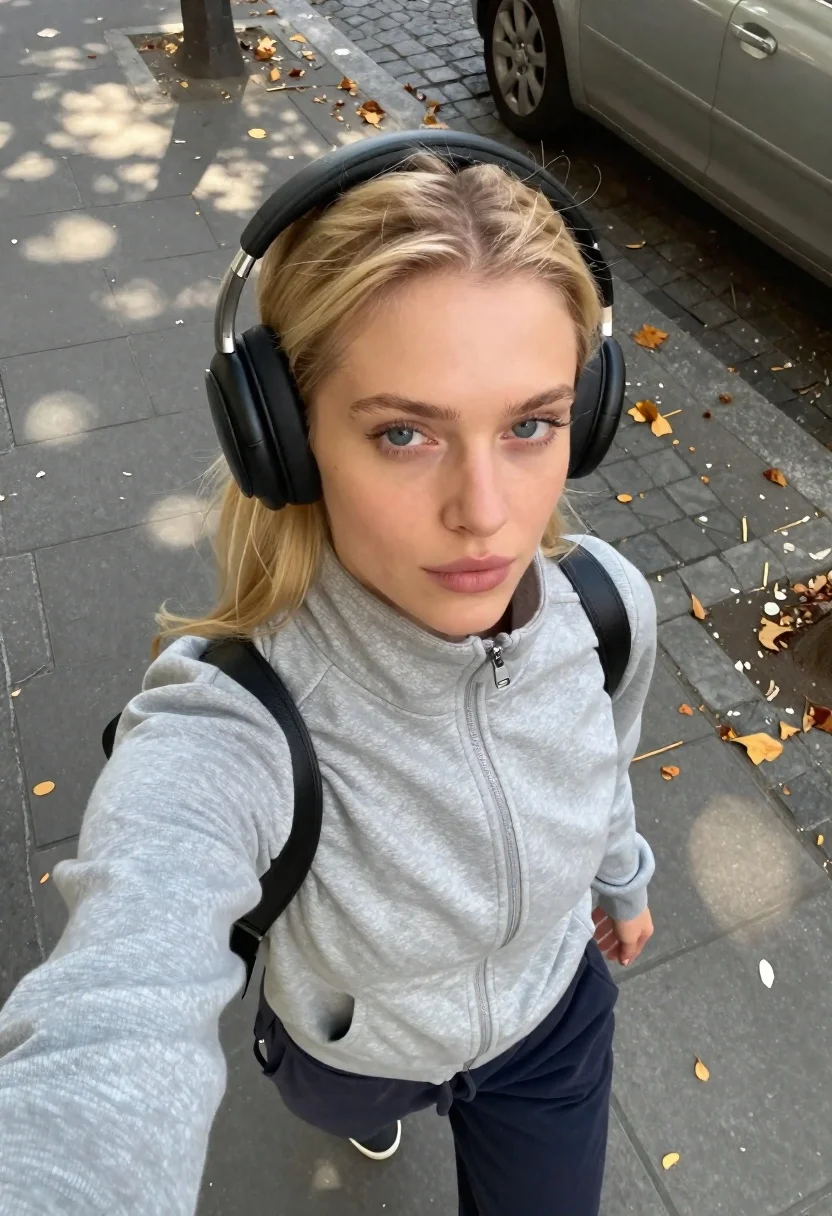
Young blonde woman in grey jacket taking a high angle city sidewalk
Prompt
A realistic high-angle selfie of a young woman with blonde hair pulled back, wearing large black over-ear headphones and a light grey zip-up jacket, standing on a city sidewalk looking straight up at the camera with a calm natural expression.

Subject: A young woman with fair skin and blue eyes, her blonde hair is parted in the middle and pulled back from her face, she has a neutral relaxed facial expression.

Clothing: She wears a light grey zip-up jacket with a high collar and dark navy sweatpants, black over-ear headphones cover her ears, and a black strap of a bag is visible over her shoulder.

Action: The subject is holding the camera at arm's length for a selfie, looking directly up into the lens with a calm natural expression in a relaxed casual pose.

Environment: The setting is an outdoor city sidewalk paved with grey stone tiles and cobblestones, scattered yellow fallen leaves are on the ground, and the lower part of a silver car is visible in the background.

Camera: High angle shot looking down from above, very close framing capturing the subject's face and upper torso, handheld selfie perspective.

Lighting: Natural daylight with soft shadows cast on the pavement, warm sunlight highlights the texture of the jacket and skin tones.

Style Details: Realistic iPhone selfie aesthetic, natural color grading, high detail rendering, casual urban photography style.
Description
This prompt is useful for creating candid street portraiture, social media 'day-in-the-life' content, and lifestyle blogs documenting urban exploration. The combination of a 'high angle shot looking down from above' with the 'handheld selfie perspective' mimics authentic smartphone photography, while specifying 'soft shadows cast on the pavement' prevents the image from looking overly studio-lit or artificially posed.
Suggestions
- Change 'light grey zip-up jacket' to 'charcoal knit jacket' for a deeper tone.
- Swap 'yellow fallen leaves' for 'autumn colored foliage' to enhance seasonal mood.
- Adjust 'Natural daylight' to 'overcast daylight' for more even illumination.
Category
Tags
BlondeCasual WearClose UpFair SkinFemaleHigh AngleOutdoorsRealisticSelfieStreet
Date added
June 26, 2026
Added by
PromptDexter Team
Related Prompts
More prompts with similar categories and tags.

Selfie portrait of blonde woman in fur hat on snowy mountain slope

Fair skinned woman taking a high angle selfie on green lawn

Close up selfie of young woman in yellow top on green turf

Fair skinned woman with blonde hair taking a mirror selfie in a

Fair skinned blonde woman taking a mirror selfie with apple and phone

Young blonde woman taking a selfie by city skyline reflections at night
Blonde woman taking selfie with coffee on city street at sunset
Young woman taking selfie at packed football stadium wearing barcelona jersey