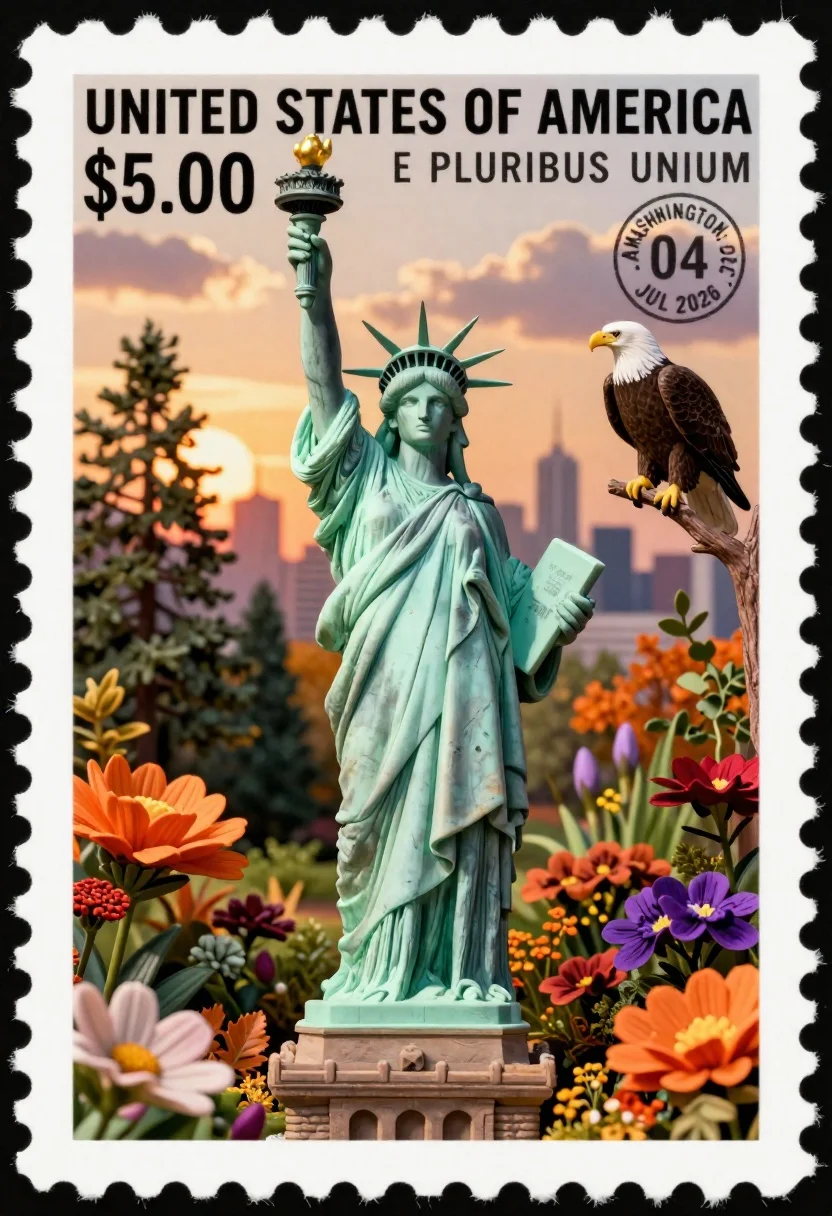
Miniature postage stamp of statue of liberty in garden with eagle
Prompt
A miniature postage stamp featuring the Statue of Liberty standing in a lush garden filled with autumn flowers and foliage.

Subject: The Statue of Liberty stands tall and central, depicted with her iconic green patina, holding the torch aloft in her right hand and the tabula ansata in her left.

Clothing: The statue wears her traditional draped robes and crown with spikes.

Action: The statue stands upright with a serene expression, gazing forward.

Environment: A miniature garden surrounds the base of the statue, featuring tall pine trees, colorful autumn flowers including large orange and purple blooms, and scattered leaves. In the background, a city skyline is visible under a sunset sky with clouds.

Camera: Close-up shot focusing on the stamp details with a shallow depth of field blurring the distant background slightly.

Lighting: Warm golden hour lighting illuminates the scene from the left, casting soft shadows and highlighting the textures of the statue and flowers.

Second

Subject: A bald eagle perches on a branch to the right of the statue.

Objects: A large postage stamp frame with perforated edges encloses the entire scene. Text reads "UNITED STATES OF AMERICA," "$5.00," and "E PLURIBUS UNUM." A circular postmark shows "WASHINGTON D.C., 04 JUL 2026."

Interaction: The eagle appears to be observing the statue from its perch among the branches.

Text/Graphics: Bold black text on the stamp includes country name, denomination, motto, and date stamp.

Style Details: Photorealistic miniature diorama style with detailed textures, vibrant autumn colors, and a sense of depth created by layered elements within the stamp frame.
Description
This prompt is useful for creating commemorative postage designs, highly detailed digital dioramas, and patriotic illustration concepts. The combination of 'photorealistic miniature diorama style' with specific textual elements like "UNITED STATES OF AMERICA" grounds the fantastical subject matter in a tangible, collectible aesthetic, while the 'warm golden hour lighting' ensures that both the statue's patina and the autumn flowers retain rich, visible texture.
Suggestions
- Change 'orange and purple blooms' to 'deep crimson and gold blooms' for a more autumnal feel.
- Add 'macro photography lens' to enhance the close-up focus on stamp details.
- Replace 'perforated edges' with 'wax seal border' for an antique touch.
Category
Tags
Close UpDigital ArtOutdoors
Date added
June 26, 2026
Added by
PromptDexter Team
Related Prompts
More prompts with similar categories and tags.

Portrait of a witch in black corset and hat

Anime girl in vast rose garden at sunset

Girl skateboarding on coastal highway with cherry blossoms

Close up portrait of young man wearing headphones looking upward

Lone figure on steps near glowing moonlit water

Low poly illustration of boy holding ice cream cone with spoon

Young woman in profile wearing headphones and denim jacket against geometric background

Low poly illustration of girl taking selfie with cat on black background