
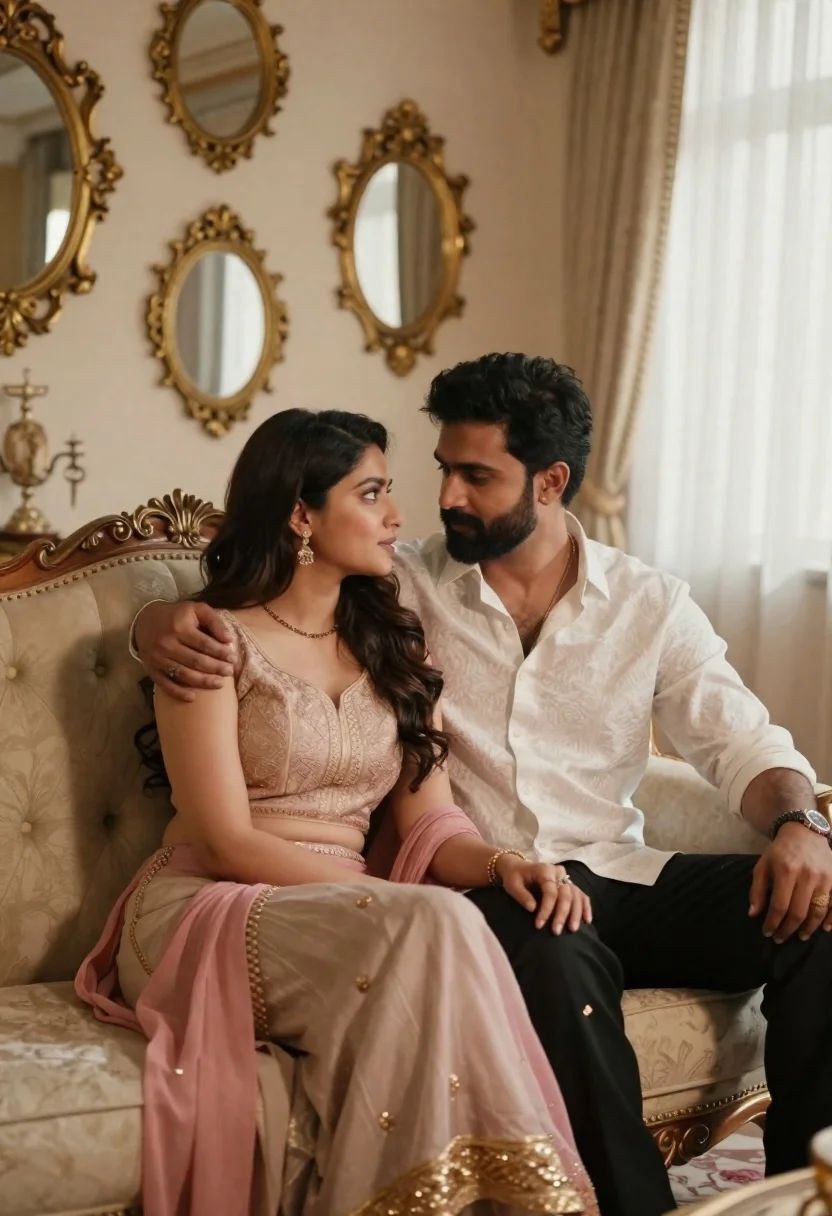
Romantic couple sitting together on an ornate sofa in luxurious room
Prompt
A romantic portrait of a couple sitting intimately on an ornate cream sofa in a luxurious room.

Subject: A woman with long dark hair and a man with short dark hair and a beard sit close together on a plush armchair, gazing affectionately into each other's eyes.

Clothing: The woman wears a pink and beige traditional outfit featuring a sleeveless blouse with intricate embroidery and a flowing dupatta draped over her lap; the man wears a white patterned button-down shirt with the top buttons undone and black trousers with gold embroidery at the hem.

Action: They are seated in a relaxed pose, leaning against each other with their arms wrapped around one another's shoulders and waists to convey closeness.

Environment: The setting is an opulent interior featuring a wall decorated with multiple ornate oval mirrors with heavy gold frames, cream-colored walls, and sheer white curtains allowing soft daylight to filter through.

Camera: The shot is framed at eye level with a medium close-up perspective that captures the couple from the waist up while emphasizing the depth of the room behind them.

Lighting: Soft, warm natural light illuminates the scene from the right side, creating gentle highlights on their faces and casting soft shadows that enhance the romantic mood.

Style Details: The image features high-end cinematic rendering with a shallow depth of field that blurs the background slightly to focus attention on the subjects, utilizing a rich color palette of golds, creams, and pinks.
Description
This prompt is useful for creating romantic wedding portraiture, luxury lifestyle editorial spreads, and intimate character concept art. The combination of 'soft, warm natural light' and the 'shallow depth of field' directs all focus onto the couple's affectionate gaze while allowing the 'ornate oval mirrors with heavy gold frames' to provide rich, contextual background detail without distracting from their connection.
Suggestions
- Change 'pink and beige traditional outfit' to 'deep jewel-toned silk' for a richer contrast.
- Swap 'soft daylight' for 'candlelit glow' to shift the mood entirely.
- Adjust 'medium close-up perspective' to 'full body shot' to better showcase the sofa.
Category
Tags
Black HairFemaleIndoorsMaleMedium ShotPortrait ShotRealisticTraditional Wear
Date added
June 21, 2026
Added by
PromptDexter Team
Related Prompts
More prompts with similar categories and tags.

Couple in red sweaters reading a book together at a table
Indian couple in traditional attire sharing an intimate embrace indoors

Smiling young couple sitting together in a sunlit classroom with wooden desks

Man and woman in formal attire posing in an ornate ballroom
Man and woman in formal wear standing close together in a nightclub

Young couple sharing popcorn in a dimly lit movie theater

Young couple lying on green grass during golden hour in park

Black and white portrait of a couple embracing in intimate profile
