Smiling woman in sparkly top at nighttime outdoor festival crowd
Prompt
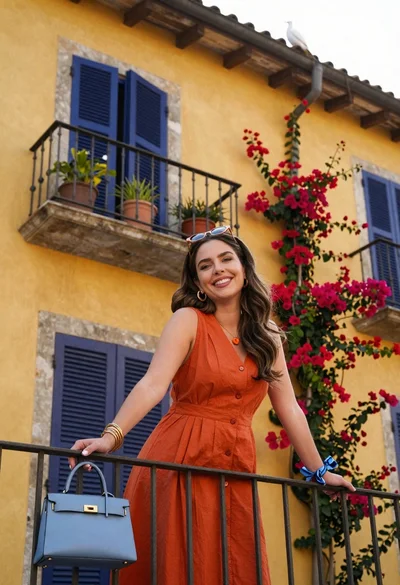
A smiling woman with shoulder-length brown hair stands in the foreground at a nighttime outdoor festival.

Subject: A young woman with fair skin and shoulder-length brown hair parted in the middle, looking directly at the camera with a subtle smile.

Clothing: She wears a sparkly, low-cut top with thin straps featuring vertical stripes of red, orange, and gold sequins, layered under an open black leather jacket draped over her shoulders. She wears multiple necklaces, including a pearl strand and a delicate chain with small charms.

Action: She stands facing forward with her arms crossed loosely around the front of her open jacket.

Environment: A grassy field at night filled with a large crowd of people in the background, some sitting on the ground and others standing near distant tents and structures.

Lighting: The scene is illuminated by warm ambient light reflecting off the woman's skin and clothing, contrasting with cool blue stage lights visible in the distance and a vertical beam of light shining up into the dark sky.

Camera: A medium close-up shot taken from a slightly low angle, capturing the subject clearly while keeping the busy background in soft focus.

Style Details: The image has a candid, high-quality social media aesthetic with vibrant colors and a shallow depth of field that isolates the subject against the bokeh-filled festival backdrop.
Description
This prompt is useful for creating concert photography editorials, nightlife fashion features, and dynamic event coverage suitable for Instagram feeds. The combination of 'warm ambient light' reflecting off the sequins and the contrasting 'cool blue stage lights' creates a high-contrast visual energy that emphasizes the subject against the soft focus bokeh, which prevents the busy crowd from becoming distracting.
Suggestions
- Change 'sparkly, low-cut top' to 'sequined crop top' for more impact.
- Add 'bokeh effect' to the style details for stronger background separation.
- Swap 'grassy field' for 'dirt ground' to better match a festival vibe.
Category
Tags
BlondeBrown HairCasual WearFair SkinFemaleLow AngleOutdoorsRealistic
Date added
June 19, 2026
Added by
PromptDexter Team
Related Prompts
More prompts with similar categories and tags.

Young woman with dark hair at wooden table in open air setting

Blonde woman in purple polo shirt on an urban street setting

Smiling young woman in maroon top standing outdoors with blurred background

Young woman with twotoned hair drinking bubble tea indoors
Blonde woman in white top at indoor sports arena railing looking up
Young woman with brown hair sitting outdoors at night with tropical dress
Two smiling children looking up at camera under blue sky

Blonde woman holding white roses against a dark textured wall
Young woman in dark shirt standing in purple lavender field under cloudy
Young blonde woman in pink crop top posing in a lush garden