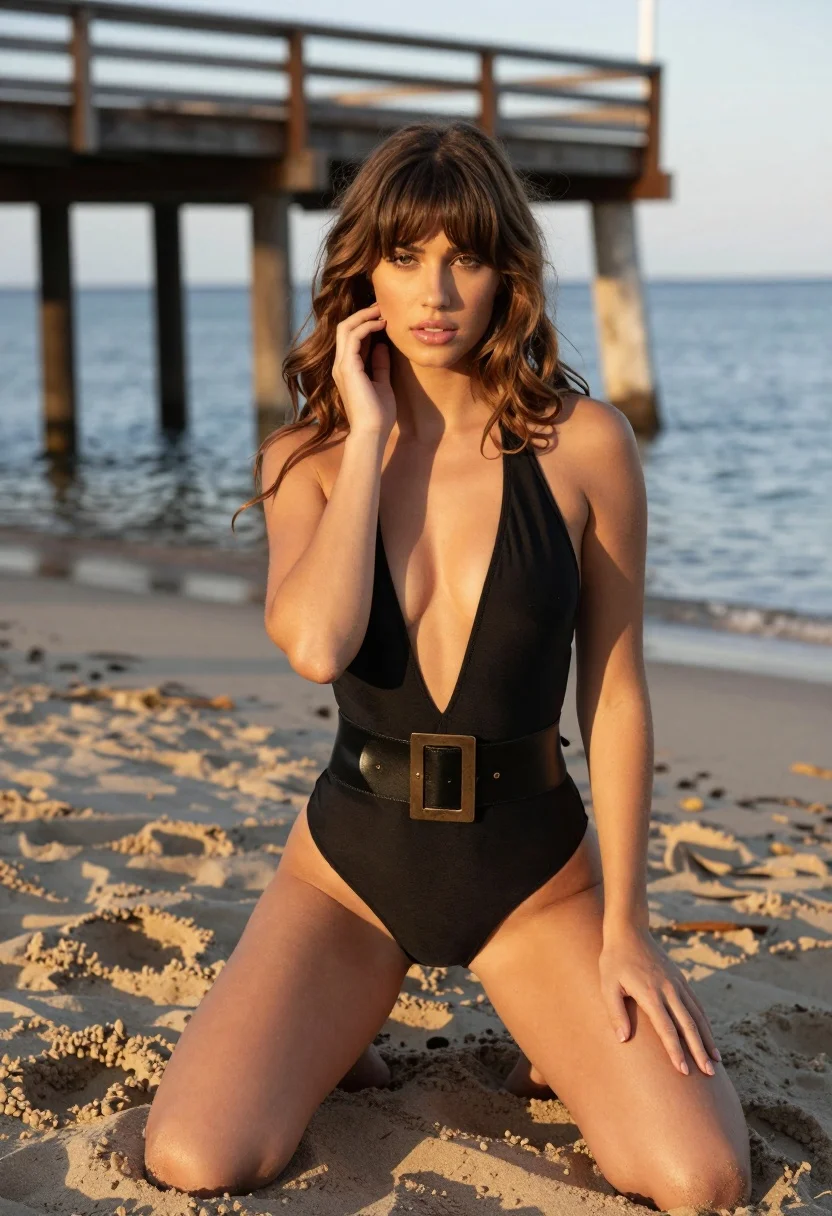
Young woman in black swimsuit kneeling on sandy beach at golden hour
Prompt
A woman with long wavy brown hair and bangs kneels on a sandy beach while looking directly at the camera.

Subject: A young woman with fair skin, long wavy light brown hair, and straight bangs framing her face. She has a soft, neutral expression with glossy lips and is kneeling on one knee with her legs bent.

Clothing: She wears a black halter-neck one-piece swimsuit featuring a deep plunging neckline and a wide faux leather belt with a large gold rectangular buckle around the waist.

Action: Her right hand is raised to gently touch her cheek near her ear, while her left hand rests on her left thigh. She is kneeling on the sand in a relaxed pose.

Environment: The setting is a sandy beach with a wooden pier structure visible in the background featuring thick ropes and stone pillars. Beyond the pier, calm blue water stretches to the horizon under a soft sky.

Lighting: The scene is illuminated by warm golden hour sunlight coming from the side, casting soft shadows on her skin and highlighting the texture of the sand.

Camera: A medium shot captures the subject from the knees up with a shallow depth of field that blurs the background pier and water to emphasize the subject.

Style Details: The image features high-definition realism with smooth skin textures and natural color grading, resembling a professional fashion photography portrait.
Description
This prompt is useful for creating swimwear lookbooks, editorial beach portraits, and lifestyle advertising featuring resort wear. The combination of 'warm golden hour sunlight coming from the side' casting soft shadows enhances the dimensionality of her skin and the texture of the sand, while the 'shallow depth of field' ensures the background pier remains a contextual element without distracting from the subject.
Suggestions
- Change 'black halter-neck one-piece swimsuit' to 'deep emerald halter-neck one-piece swimsuit' for color variation.
- Add 'bokeh effect' to the camera details for more pronounced background blur.
- Swap 'wooden pier structure' for 'driftwood logs' to change the environmental texture.
Category
Tags
BeachBlondeBrown HairCasual WearFair SkinFemaleMedium ShotOutdoorsPortrait ShotRealistic
Date added
August 5, 2026
Added by
PromptDexter Team
Related Prompts
More prompts with similar categories and tags.

Blonde woman in blue dress on sun drenched beach looking back

Joyful young woman in orange swimsuit holding surfboard on sunny beach

Young woman leaning against white wall with beige handbag under bright sunlight

Smiling young woman in floral mini dress against soft textured beige wall

Young woman in yellow bikini by wooden post on sunny beach

Two women in red mini dresses posing indoors at an opulent setting

Smiling blonde woman in sports bra sitting on outdoor lounge chair

Young woman in yellow bikini sitting outdoors near poolside lounge chair

Blonde woman in cream sweater sitting on beige couch
Woman in red halter dress sitting on stones against textured rock wall