
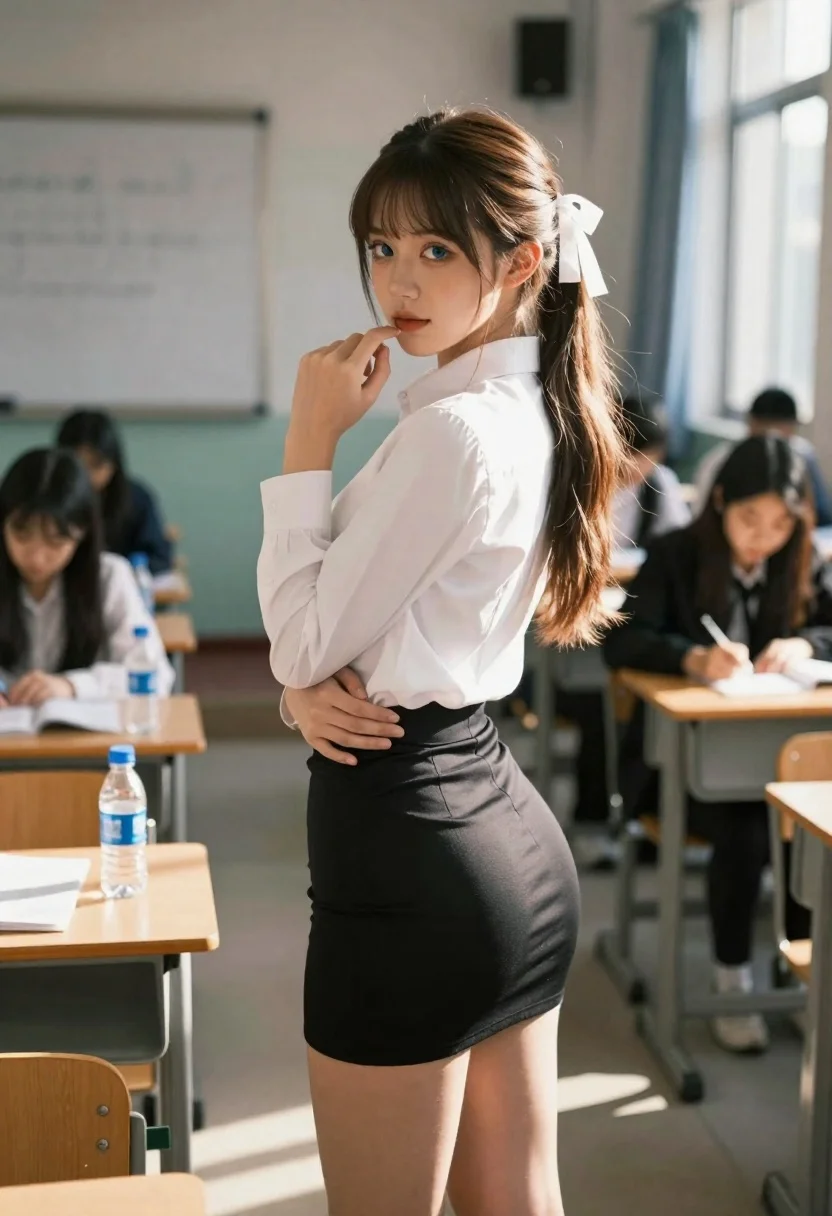
Young woman in classroom looking over shoulder at camera
Prompt
Photo-realistic portrait of a young woman standing in the center of a classroom

Subject: A beautiful girl with long brown hair tied back into pigtails secured by large white ribbons, fair skin, and striking blue eyes wearing subtle makeup

Clothing: She wears a crisp, fitted white button-up shirt tucked neatly into a tight black mini-skirt that highlights her figure

Action: Standing in profile but turning to look over her shoulder directly at the camera with an alluring expression, one hand resting on her hip while she touches her chin and lips gently with her other index finger

Environment: A typical classroom setting featuring rows of wooden desks equipped with water bottles and papers, a whiteboard visible in the background, and blurred students seated at their tables reading or writing to create depth

Lighting: Warm golden sunlight streaming through large windows on the right side casting soft shadows across the floor and highlighting her hair against a cool-toned interior atmosphere

Camera: Medium shot composition utilizing shallow depth of field with heavy bokeh that blurs the background figures while keeping the subject sharp, viewed from eye level to capture an intimate yet candid perspective.
Description
This prompt is useful for creating character concept art, narrative scene illustrations, and editorial portraits suggesting a moment of private contemplation. The combination of 'warm golden sunlight' streaming in from the right and the 'shallow depth of field with heavy bokeh' isolates the subject against the busy classroom setting, ensuring that the viewer focuses intensely on her alluring expression while the background elements provide contextual realism.
Suggestions
- Change 'pigtails secured by large white ribbons' to 'loose waves' for a more natural look.
- Swap 'tight black mini-skirt' for 'pleated navy skirt' to alter the formality.
- Adjust 'Warm golden sunlight' to 'diffused overcast light' if you want less harsh contrast.
Category
Tags
Brown HairCasual WearFair SkinFemaleIndoorsMedium ShotOver The ShoulderPortrait ShotRealisticSide Profile
Date added
June 19, 2026
Added by
PromptDexter Team
Related Prompts
More prompts with similar categories and tags.

Young woman in black crop top and cream trousers indoors looking over

Woman in black dress seated in dimly lit diner booth

Young girl smiling in messy bedroom with string lights

Young woman in red velvet gown standing indoors against white wall
Young woman in black lace dress standing on wooden staircase indoors

Young woman with brown hair and glasses lying on a bed in

Candid portrait of young woman laughing at an upscale restaurant table

Young woman in white blouse leaning against beige wall near mirror