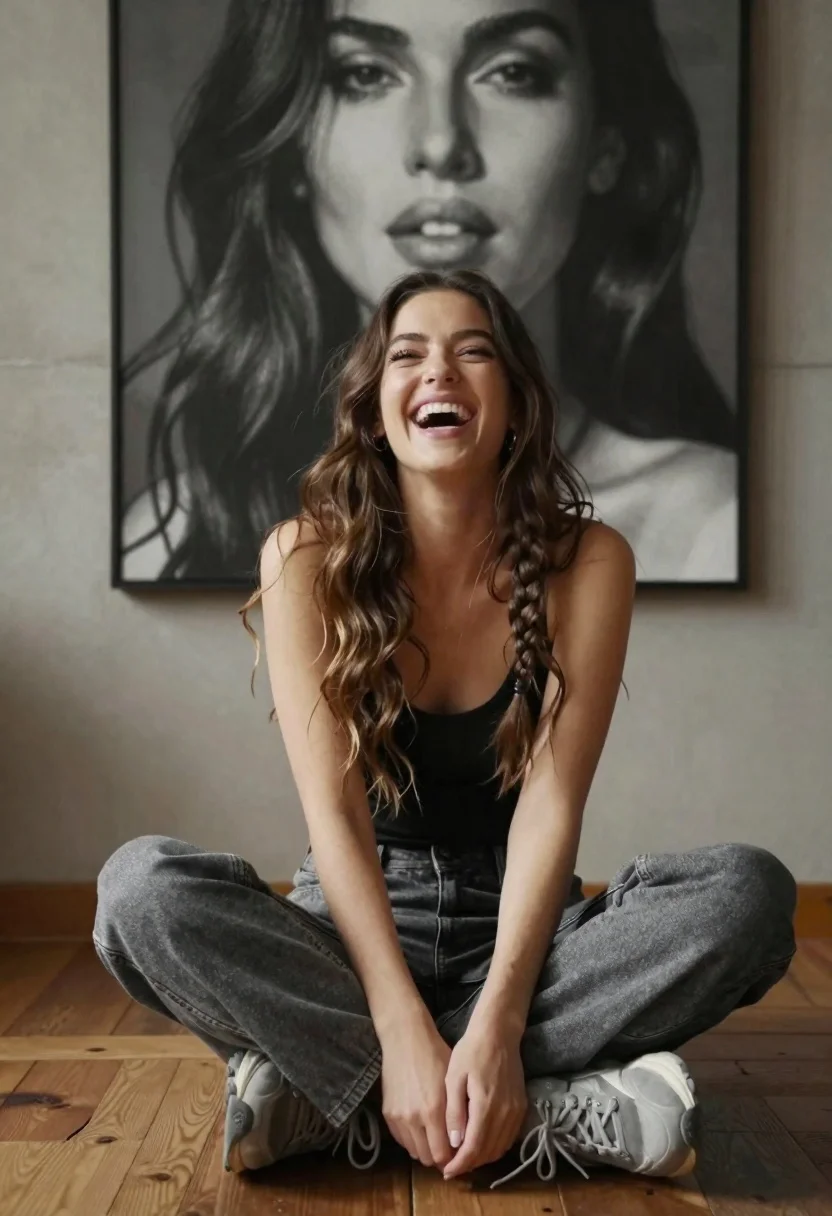
Young woman laughing cross legged indoors near large black and white portrait
Prompt
A young woman with long wavy brown hair styled in a side braid sits cross-legged on a wooden floor laughing joyfully.

Subject: A young woman with long wavy brown hair featuring a prominent side braid, fair skin, and a radiant smile looking upward.

Clothing: She wears a black sleeveless top tucked into loose-fitting grey jeans and chunky grey sneakers.

Action: Sitting cross-legged on the floor with her head tilted back in laughter, eyes crinkled, and mouth open in a joyful expression.

Environment: An indoor room with a polished wooden floor and a textured concrete wall behind her.

Camera: Medium shot capturing the subject from the knees up, framed to include the large artwork directly behind her.

Lighting: Soft natural light illuminating her face from the side, creating gentle shadows that highlight her features and hair texture.

Second

Subject: A large black-and-white portrait of a woman’s face mounted on the wall directly behind the seated subject.

Objects: None visible beyond the furniture or architectural elements.

Interaction: The seated woman appears to be reacting emotionally to something off-camera, while the portrait remains static and observational.

Text/Graphics: No readable text or logos are present in the image.

Style Details: Photorealistic rendering with high detail in skin texture and fabric, warm color grading, and cinematic depth of field emphasizing the subject against the muted background.
Description
This prompt is useful for creating lifestyle editorial spreads, character studies featuring internal moments, and mood boards exploring contrast between life and art. The combination of 'soft natural light' highlighting her features while placing a large black-and-white portrait behind her establishes a dynamic tension that grounds the joyful action against a more formal, observational backdrop.
Suggestions
- Change 'loose-fitting grey jeans' to 'dark wash denim' for stronger contrast.
- Swap 'wooden floor' for 'distressed concrete floor' to match the wall texture.
- Adjust 'laughing joyfully' to 'gazing thoughtfully' if you want a more pensive mood.
Category
Tags
Black HairBrown HairCasual WearFair SkinFemaleIndoorsMedium ShotRealistic
Date added
June 19, 2026
Added by
PromptDexter Team
Related Prompts
More prompts with similar categories and tags.

Young blonde woman in brown top seated in modern living room setting

Young woman with brown hair sitting on white sofa in bright modern

Smiling blonde woman in black leather outfit at an indoor evening event

Young woman with brown hair sitting on green velvet chair indoors

Woman with chestnut hair reclining on dark couch indoors

Woman in black suit sitting on white desk in modern office setting

Blonde woman in black coat leaning against white wall by window

Studio portrait of woman with brown hair and green eyes

Young woman in black velvet dress looking over shoulder at event

Studio portrait of woman in black blazer