
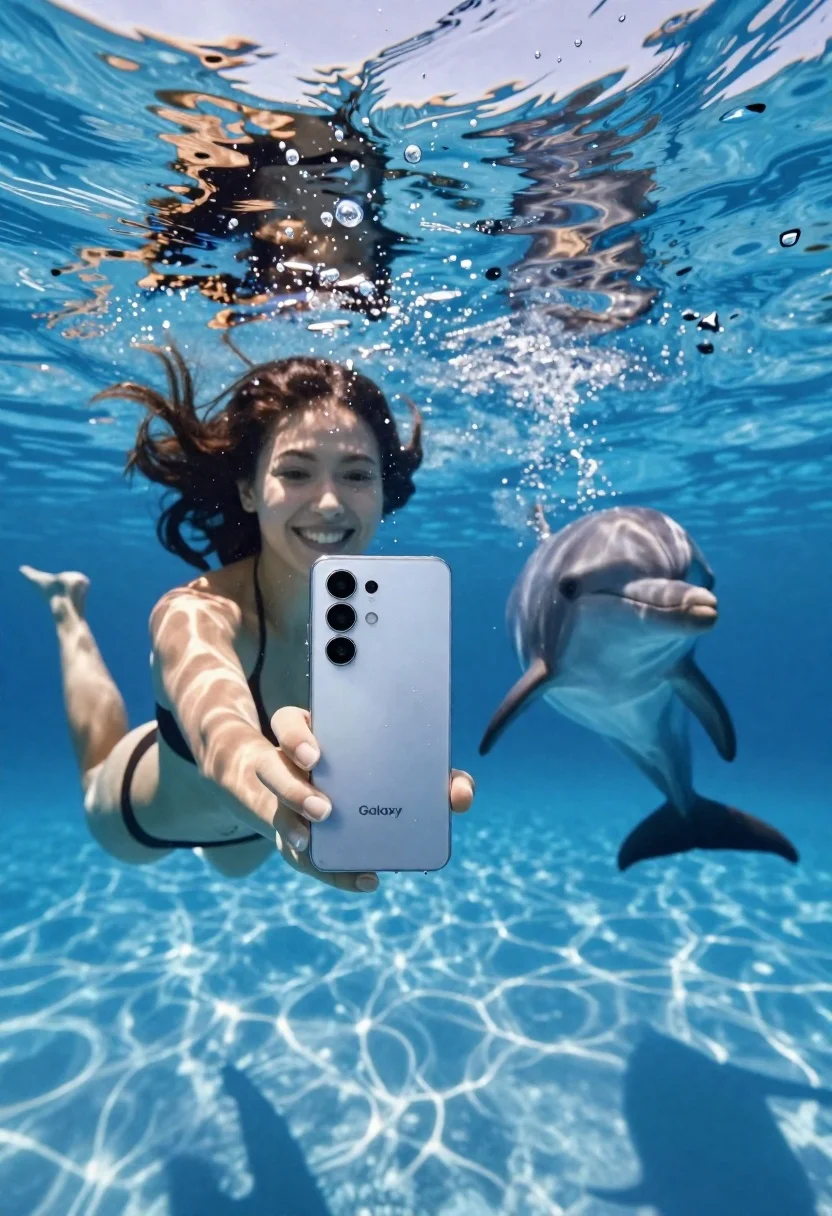
Young woman taking underwater selfie with dolphin in blue pool
Prompt
A woman underwater holding a smartphone to take a selfie with a dolphin swimming nearby in the background.

Subject: A smiling young woman with dark hair floating underwater, holding a silver smartphone out towards the camera lens.

Clothing: She is wearing a black bikini top and matching bottoms.

Action: The woman holds the phone in her right hand while floating on her back, looking directly at the camera with a bright smile.

Environment: A clear blue swimming pool or ocean setting with sunlight filtering through the surface above, creating shimmering caustic light patterns on the water floor.

Camera: Shot from a low angle underwater perspective, capturing the phone in the foreground and the subjects behind it with a shallow depth of field.

Lighting: Bright natural sunlight streaming down from the surface, illuminating the scene with high contrast and sparkling reflections on the water.
Second

Subject: A friendly dolphin swimming gracefully in the background to the right of the woman.

Objects: A silver Samsung Galaxy smartphone held prominently in the foreground, featuring a large camera module and visible water droplets on its back.

Text/Graphics: The word "Galaxy" is printed in white lettering near the bottom center of the phone's back panel.

Style Details: High-resolution commercial photography with vibrant colors, realistic water refraction, bubbles rising around the subjects, and a clean, polished aesthetic.
Description
This prompt is useful for creating lifestyle advertising campaigns for swimwear or electronics, dynamic travel blogs featuring aquatic life, and conceptual art pieces exploring human-animal interaction. The combination of 'low angle underwater perspective' with 'shimmering caustic light patterns' ensures the scene feels immersive rather than staged, while specifying a 'silver Samsung Galaxy smartphone' grounds the image in commercial product photography.
Suggestions
- Change 'black bikini top and matching bottoms' to 'high-waisted emerald swimsuit' for color contrast.
- Add 'macro shot of water droplets on phone' to emphasize detail.
- Replace 'dolphin swimming gracefully' with 'dolphin breaching near the surface' for more action.
Category
Tags
AnimalFemaleLow AngleMacro ShotOutdoorsRealisticSelfieSwimwearUnderwater
Date added
June 26, 2026
Added by
PromptDexter Team
Related Prompts
More prompts with similar categories and tags.

Young woman with black hair and white top relaxing in sunlit garden

Young woman crouching behind large ginger cat in abandoned building

Woman in orange top highfives tan dog sitting on lush green grass

Young woman with cat wearing crocheted scarf under bright blue sky

Close up selfie of smiling woman and brindle french bulldog in bedroom

Blonde woman by white suv looking back at camera with dog

Woman riding a horse through a dusty desert storm
Woman underwater holding a beverage can near the surface looking up
