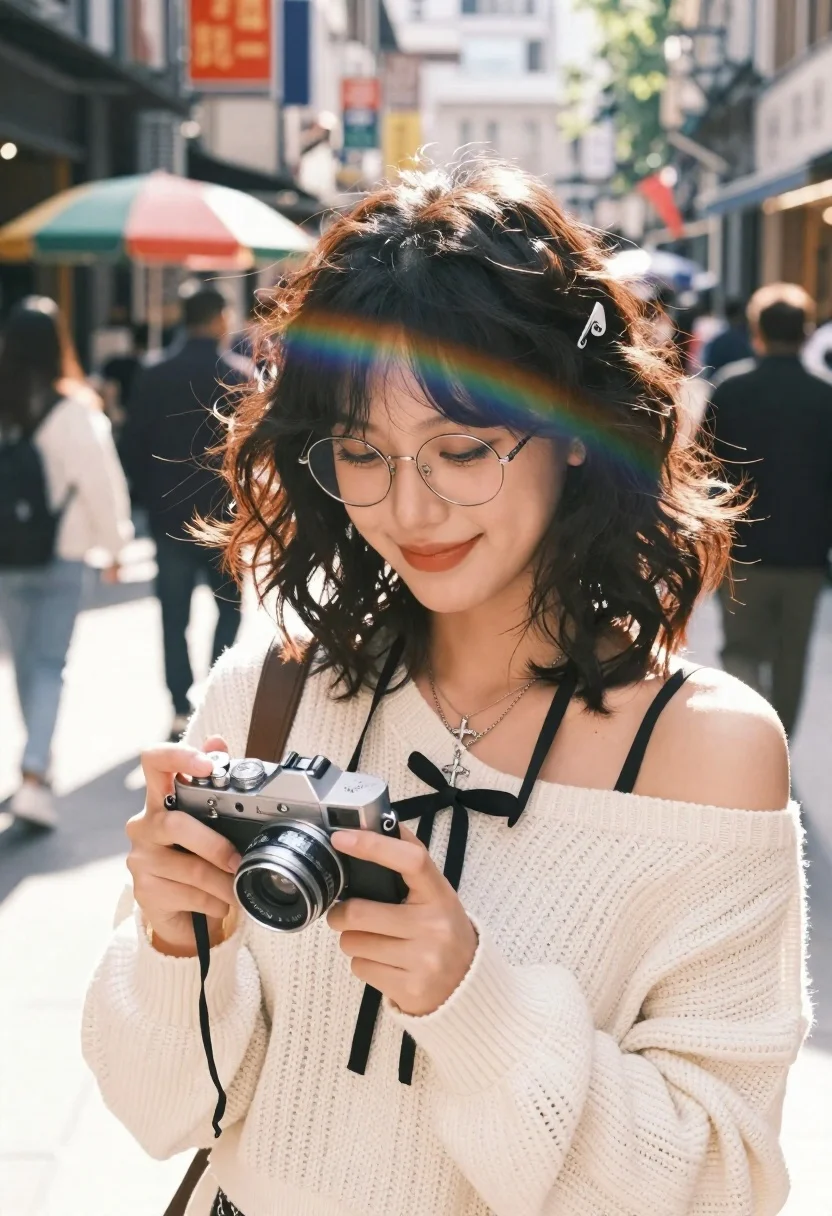
Young woman with glasses holding vintage camera on city street
Prompt
A young woman with dark wavy hair and round wire-rimmed glasses smiles gently while looking down at a silver vintage camera she is holding in both hands. She wears a cream-colored off-the-shoulder knit sweater with black ribbon ties on the chest, layered necklaces including a cross pendant, and a small silver hair clip in her hair. The background shows a bustling city street with blurred pedestrians, colorful umbrellas, and storefronts under bright daylight. A soft rainbow lens flare arcs across her forehead.

Camera: medium close-up shot with shallow depth of field that keeps the subject sharp while blurring the busy urban environment behind her.

Lighting: natural sunlight coming from above and slightly to the side, creating warm highlights on her hair and face with soft shadows.

Style Details: vibrant color palette with high contrast between the creamy tones of her sweater and the dark background elements, rendered in a clean, modern photographic style with slight film grain texture for realism.
Description
This prompt is useful for creating lifestyle editorial spreads, character concept art for indie films, and travel blog features capturing daily moments. The combination of 'natural sunlight coming from above and slightly to the side' sculpts her face by providing defined highlights while the 'shallow depth of field' ensures that the 'bustling city street' remains a colorful backdrop without distracting from the subject's gentle focus on the camera.
Suggestions
- Change 'round wire-rimmed glasses' to 'cat-eye sunglasses' for a different vibe.
- Swap 'cream-colored off-the-shoulder knit sweater' for 'charcoal turtleneck' to deepen contrast.
- Adjust 'soft rainbow lens flare' to 'subtle bokeh effect' for less overt visual noise.
Category
Tags
Black HairCasual WearDark SkinFemaleOutdoorsRealisticSide ProfileStreet
Date added
June 23, 2026
Added by
PromptDexter Team
Related Prompts
More prompts with similar categories and tags.
Split screen profile close up of young woman with dark hair and
Young woman in cream outfit looking back over shoulder on paved street

Blonde woman in black top on balcony overlooking beige stone street
Smiling young woman in white kurta outdoors with green trees background

Woman in black shirt on urban street at sunset
Young woman in green tank top against wall with golden hour light
Smiling woman looking back over shoulder holding yellow flowers outdoors

Young woman in black turtleneck looking over shoulder at street